Blog

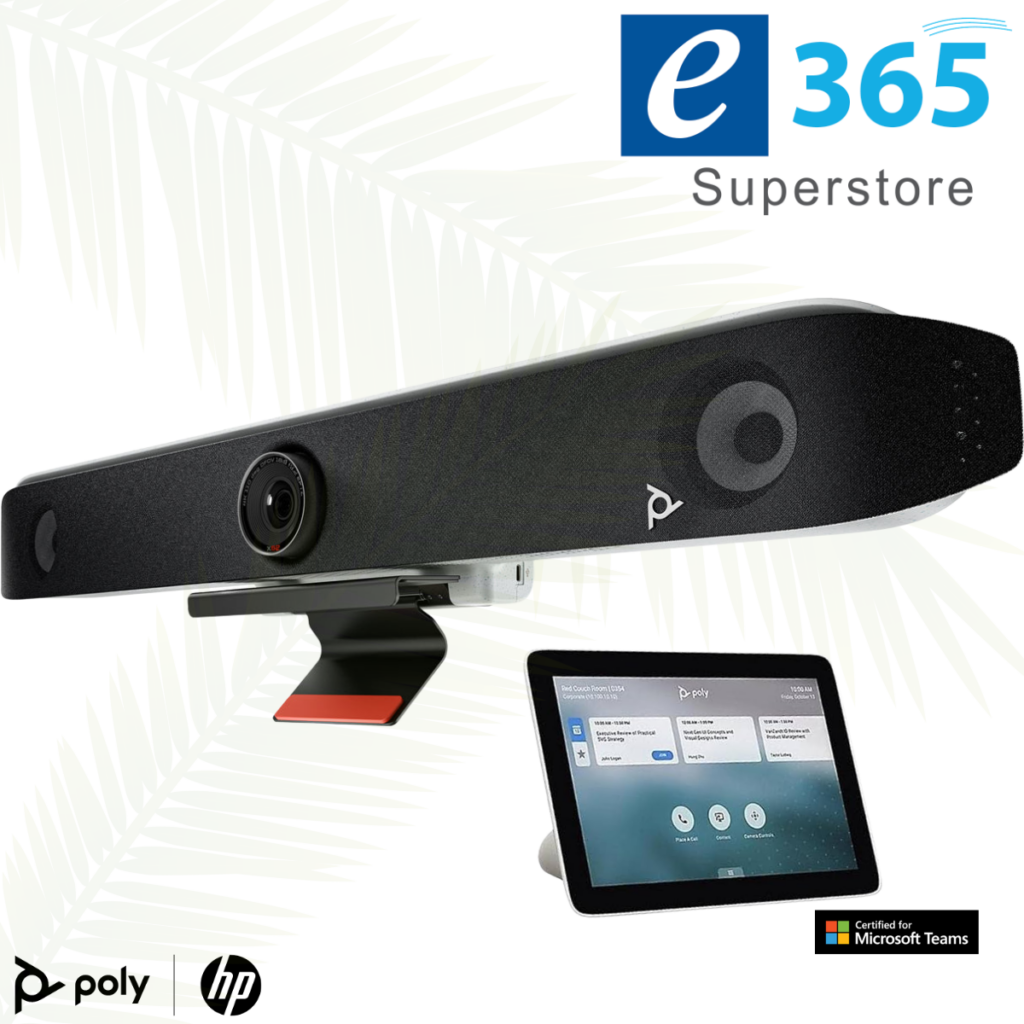
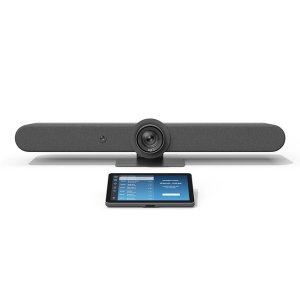
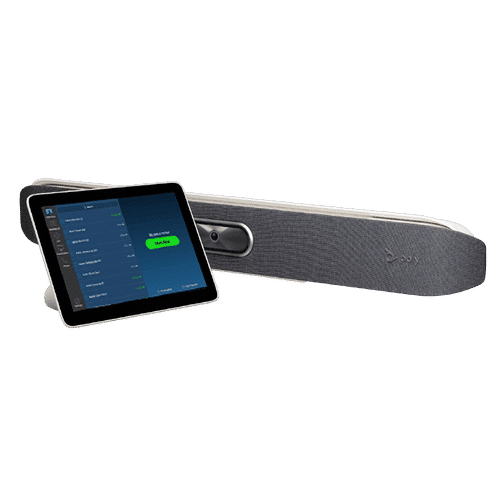
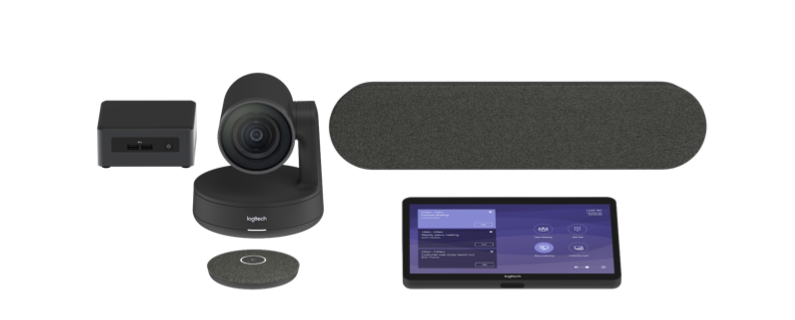
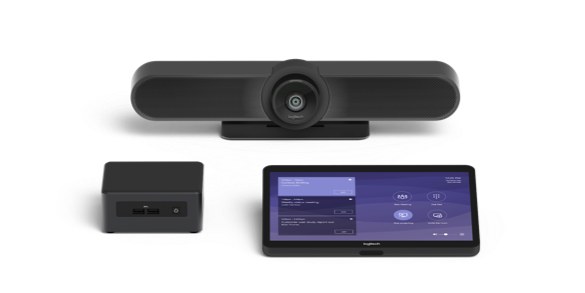
LOGITECH RALLY BAR + Tap IP & SAMSUNG 65″ DISPLAY only $7,499

LOGITECH RALLY BAR + Tap IP & SAMSUNG 65″ DISPLAY  only $7,499


LOGITECH RALLY BAR + Tap IP & SAMSUNG 65″ DISPLAY is a Powerful All-in-one Video Conferencing Bar with Brilliant Optics and Automated PTZ. All-in-one Video Bar for Midsize Rooms. Simple to Set and Easy to Use. Only Quality Products. Trusted Australian Vendor. Friendly Customer Service. No Credit Card surcharge.


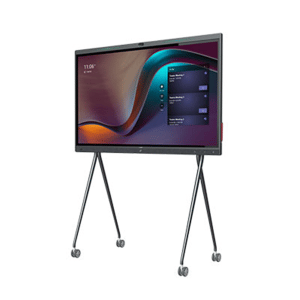
Yealink Large Room Collaboration Bundle – MeetingBoard Pro 86 + 2 × VCM36-W + WPP30

Yealink Large Room Collaboration Bundle – MeetingBoard Pro 86 + 2 × VCM36-W + WPP30

The Yealink Large Room Collaboration Bundle is a premium, enterprise‑grade meeting room solution engineered for large meeting rooms, boardrooms and executive collaboration spaces. Built around the expansive Yealink MeetingBoard Pro 86 (MB86PRO‑A02) and paired with two VCM36‑W wireless microphones plus the WPP30 wireless presentation pod, this bundle delivers exceptional visibility, extended audio coverage and seamless content sharing for high‑impact meetings.

Crestron UC-B31-T with Jabra® PanaCast 50 Video Bar

Crestron UC-B31-T with Jabra® PanaCast 50 Video Bar

The UC-B31-T Crestron Flex tabletop conferencing system provides a small room video conference solution for use with Microsoft Teams® Rooms software. It supports single or dual video displays1 (not included) and features a tabletop touch screen, Jabra® PanaCast 50 video bar, UC bracket assembly, PoE injector, and cables.

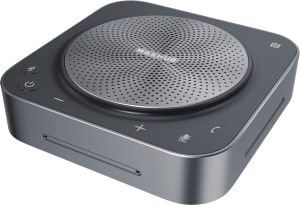
MaxHub XT20-VB Kit Teams Room Bundle

MaxHub XT20-VB Kit Teams Room Bundle

A complete Teams Rooms kit with mini-PC, touch console, and 100MP dual-lens videobar for small to medium meeting spaces.

A MICROSOFT TEAMS ROOMS KIT WITH 11.6″ TOUCH PANEL AND 12TH GEN INTEL CORE I5 MINI-PC

A PLUG-AND-PLAY TEAMS USB VIDEOBAR WITH A 100MP DUAL-LENS CAMERA SYSTEM

The MAXHUB XBar U50 is a USB mode dual-camera Videobar designed for small to medium rooms and BYOD scenarios. With 100MP dual cameras, 12 beam-forming microphones, Al-enhanced audio, and FlexMount for easy installation, it offers plug-and-play conferencing without fixed systems for ultimate flexibility.

IQBOARD QA 1300 Pro 86” QA1300Pro86 with built in camera

IQBOARD QA 1300 Pro 86” QA1300Pro86

Business Solutions

Meeting Room & Boardroom

IQ interactive displays are equipped with collaboration tools that allow team members to work together more efficiently. With the integration of cutting-edge audio and video technology, participants can communicate with each other seamlessly – QA1300Pro86.

Features

  • The advanced Android 13 with IQ OS
  • 4K AI Camera and 8-Microphone Array
  • Precision Touch and Writing Enhancement
  • Q Button Customization
  • DMS Remote Control
  • NFC Access Control
  • Touch-Free Control and Health Monitoring

NEW at e365 Superstore Barco ClickShare Hub Pro + Huddly® C1™ room system

NEW at e365 Superstore Barco ClickShare Hub Pro + Huddly® C1™ room system

Barco ClickShare Hub Pro + Huddly® C1™ room system
Microsoft Teams Room bundle for enhanced collaboration in small-to-medium-sized meeting rooms.
• Wireless presentation: 4K content sharing with 2 next-gen ClickShare Buttons with USB-C DisplayPort™
• Built on the Microsoft Device Ecosystem platform (MDEP)
• Dual display support
• Huddly AI-driven video bar that scales from standalone to multi-camera
Call us on 1800 111 387 for a FREE demonstration, Quote or buy on line via the link below

HP POLY | VIDEO NEXT GEN TRADE UP to 50% off

HP POLY | VIDEO NEXT GEN TRADE UP to 50% off

Up to 50% Off Meeting Room Refresh when you Trade IN and purchase a Poly v12,v52,V72,X32,X52 and X72 Videoconferencing systems

Trade in valid when you buy 5 rooms or more in a single PO

Validity Until – End of April,2026

DTEN D7 X 27, Enterprise-Grade, AI-Ready Collaboration

DTEN D7 X 27, Enterprise-Grade, AI-Ready Collaboration

Certified for Zoom, the DTEN D7X 27 is purpose-built to enable Zoom’s modern workplaces, ensuring a seamless and reliable experience for video conferencing, collaboration, kiosks, and contact centers.
Call us on 1800 111 387 for a FREE demonstration, Quote or buy on line via the link below


Home

#365superstore #evideo

MAXHUB Teams Xboard V7 T Series Interactive Touch

MAXHUB Teams Xboard V7 T Series Interactive Touch

The MAXHUB Teams Xboard V7 T Series is a premium All-in-One (AIO) interactive display designed for Microsoft Teams Rooms, featuring a 50MP Trident Lens triple-camera system, 4K/5K non-glare display, and AI-driven audio. Key features include intelligent speaker tracking, 15-meter voice pickup, and native BYOM (Bring Your Own Meeting) support for superior collaboration

Enjoy secure, seamless collaboration and superior video conferencing with our premium all-in-one interactive display.

ALL-IN-ONE WINDOWS-BASED INTERACTIVE FLAT PANEL POWERED BY MAXHUB OS

The Windows-based MAXHUB XBoard provides seamless compatibility

eVideo Provides a PALLADIUM with the latest HP Poly Videoconferencing technology

eVideo Provides the PALLADIUM Group with the latest HP Poly Videoconferencing technology for their Brisbane and Adelaide offices

We provided around 15 x HP Poly Videoconferencing systems with installation and integration for improved meeting audio/video for their Boardrooms and Meeting rooms in their Adelaide and Brisbane offices.

Another happy customer

Call us on 1800 111 387 for a FREE demonstration ,Quote or buy on line via the link below
https://e365.com.au

Time to implement the the latest Video Conferencing technology and reduce business travel and improve communications.

The Current instability and conflict in the Middle East (specifically regarding 2025-2026 tensions involving Iran, Israel, and the US) have accelerated AI advanced communication tools.

eVideo Communications & our award-winning eCommerce web site e365 Superstore have been inundated with enquiries since the Gulf war event happened.

Now is the time for Businesses to look at Video conferencing which works to mitigate business travel and improves communications.

With Video conferencing seamless communication between local and global partners locations you are saving time and money.  Consider below

  • Adopt Advanced Video Tech: Utilize high-quality hardware
  • Leverage AI-Powered Platforms
  • “Virtual-First” Policy
  • Virtual Collaboration Tools
  • Strategic Face-to-Face
  • Cost Savings
  • Time Efficiency


SAMSUNG (QHFX) 115″ 4K UHD Digital Signage Display + Brightsign HD225 Digital Signage Player

SAMSUNG (QHFX) 115″ 4K UHD Digital Signage Display + Brightsign HD225 Digital Signage Player

Super-sized model elevates user experiences through improved AV capabilities includes a  Brightsign HD225 Digital Signage Player

Samsung launched its 115-inch 4K Smart Signage display (QHFX 115”) into market today, filling a critical gap between the Videowall and LED product categories. As the world’s largest LCD display, the new super-sized model builds on the success of the 105-inch QPDX 5K display by delivering versatile screens that use 50% less power and are designed to captivate audiences through eye-catching visuals and crisp audio quality.

Build experiences that go beyond the screen with the all-new BrightSign HD225 media player. This ultra-high-definition player is purpose-built for interactivity, 4K60p HDR10 video, and demanding HTML5 animations

Operata CX Observability for Cloud Contact Centers. Continuous AI-powered quality & performance insights that transform CX.

eVideo Provides Operata CX Observability for Cloud Contact Centers with the latest Neat Videoconferencing technology

Recently a customer ( Operata) who are a leaders in Cloud Contact Centers and Continuous AI-powered quality came to us wanting comprehensive, multi-room setup.

We provided  2x Neat Bar Pro + Pad ,2x Neat Bar Gen 2 + Pad , 4 extra Neat Pads ,1 Neat Centre with installation and integration for improved meeting audio/video for their Boardrooms and Meeting rooms in Melbourne.

Another happy customer

Call us on 1800 111 387 for a FREE demonstration ,Quote or buy on line via the link below
https://e365.com.au

Australia’s Most Awarded Online Technology Retailer • Installations Australia-Wide • 24/7 Help Desk* • Customer Loyalty Programs • Certified Technical Assistance • Fast Delivery Australia-Wide

e365 are a value-added reseller and service provider of Logitech, Neat, Yealink ,Cisco, Poly, Crestron, Maxhub,  Commbox, HP, Jabra, Barco, Owl Labs, Lenovo, Crestron, LG, Samsung, Philips, Smartboard, Sharp, Epson, Kramer, Extron, Aver, NEC, Yamaha, Sony, and other innovative technology products, Cloud Platforms Google Meet ,WebEx, Zoom, Microsoft teams as well as offering complete sales, service and support throughout Australia and internationally. We deliver a competitive edge by providing our customers with telecommunication solutions that meet their current and future needs.

What Customers are saying about us

What Customers are saying about us

So good after 27 Years with the many recent kind comments from our customers. Service is everything


  • Great Service….Keep up the great Work.


  • Just friendly acknowledgement Very impressed so far!!!


  • Yes it all went well. Both the guys who came out ask a lot of questions to get it perfect which is good as I can tell they take pride in delivering to a high standard. Feel free to pass that onto them if you can. Much appreciated.

Black November Discounts best early deals in Australia at e365 Super Store

Black November Discounts best early deals in Australia at e365 Super Store

Don’t wait until November 28 – Black November has arrived early and your favourite brands and audio visual bundles. We are offering incredible deals
Call us on 1800 111 387

SMART Board QX Pro Series 65″, 75″ & 86″ interactive displays

SMART Board QX Pro Series 65″, 75″ & 86″ interactive displays

Key features

Display: 65,75, 86-inch 4K Ultra HD with optical bonded glass for a smooth, accurate touch experience.

Touch and Inking: 40-point touch capabilities with simultaneous tool differentiation, pressure-sensitive ink, and a palm rejection feature. It comes with two interactive pens.
Connectivity: Dual USB-C ports with 65W power delivery, plus HDMI, USB-A, and VGA ports.
Audio and Video: Includes a 4K UHD camera with a 120° field of view, an 8-microphone array, and two 20W speakers plus a 15W subwoofer.
iQ Technology: Embedded Android 11 (with future updates to Android 15) provides access to a diverse app ecosystem.
Sensors: Built-in sensors for ambient light, temperature, humidity, air quality (VOC, PM2.5), and proximity.
Software: Comes with SMART Ink desktop annotation software and free SMART Meeting Pro software.
Collaboration: Designed for seamless collaboration with built-in screen sharing and support for popular apps like Microsoft Teams, Zoom, and Google Meet.


e365 Super Store becomes the leading partner of Shure

e365 Super Store becomes the leading partner of Shure


e365 Super Store has announced a new reseller relationship with microphone and professional audio manufacturer Shure.

Effective today, has access to distribute the entire range of Shure products, including microphones, wireless solutions, audio monitoring, loudspeakers and more via the e365 Super Store

Price match Guarantee at e365 Superstore

Price match Guarantee at e365 Superstore

Big discount bundles all Video bars and Audio  Visual systems at e365 Superstore

We are committed to delivering great value to our Online shoppers.

Each week we Price Match certain Vendors, end of life products, exclusive  bundles,

Our Price Match program,  means you won’t pay more for many of well-known brands


Big discount bundles all Video bars and Audio Visual systems at e365 Super Store

Communication – Solutions – Integration   

Offices in Gold Coast | Sydney | Brisbane| Melbourne | Canberra | Adelaide| Perth

Click below for the latest offers and discounts

View our latest e365 Superstore newsletter


NEW Yealink (MB65C-EDLA) MeetingBoard 65 C All-in-one Meeting Device

Yealink (MB65C-EDLA) MeetingBoard 65 C All-in-one Meeting Device, 65″ 4K Touch Screen, 50MP Cam, 8 Mics, 2 Speakers, Android 13 EDLA

MeetingBoard C is equipped with a wide-angle 50MP camera (98.2° HFOV), providing the best view of meeting. It makes sure every participant is fully in frame

Heckler Rolling Stand H1095-CAST

Heckler Rolling Stand H1095-CAST

Heckler Express  Rolling Stand . Whether you’re outfitting a single room or deploying at scale, this stand ensures a clean, consistent installation every time.

Engineered for simplicity and performance, the Rolling Stand supports Logitech and other Teams-certified components with precision. Its small footprint base glides easily into place, while the integrated device panel mounts your display, video bar, mini PC, and power components securely. With clean cable routing and a dedicated shelf for your touch controller, this stand is the ultimate solution for rapid, repeatable Teams Rooms deployments in flexible workspaces.

Samsung WAF Interactive panels + free Galaxy A9 valid until 30.9.25 or until stock lasts

Samsung WAF Interactive panels + free Galaxy A9 valid until 30.9.25 or until stock lasts

PROMO – Purchase any Samsung WAF Interactive panel and receive a bonus Galaxy A9+ (SM-X216BZAAATS) – valid until 30.9.25 or until stock lasts

We can also include full installation with integration (to be quoted), National help desk, Certified  technical support Australia-Wide with 25 years Collaboration experience

Benefits of video conferencing

Benefits of video conferencing

  • Increased productivity

  • Improves communication

  • Screen sharing

  • Helps build relationships

  • Save money  $$$

  • Save time

  • Happier employees

  • Cloud recordings

  • Increased collaboration

  • Cost savings

  • Reduce travel cost

  • Better engagement than audio conferencing

  • Creates effective meetings

  • Improves efficiency

  • Video conferencing improves communication

  • Chat boxes

  • Enables live events

  • Improve attendance

  • Brings remote workers and telecommuters together

Christmas in July Discounts at e365 Super Store

Christmas in July Discounts at e365 Super Store

Competitive Prices, Shop Online Now, Great Service, Multiple Locations, Convenient Locations Near You, Next Day Delivery, Unbeatable Prices, View Prices, Deals and Offers, Everyday Low Prices

Call us on 1800 111 387

EOFY and Black Friday deals are on

EOFY and Black Friday deals are on. Upgrade your AV gear for crystal-clear presentations, seamless collaboration and smarter meetings. We have latest Unified Communications solutions, including collaboration bundles and smart devices for your meeting rooms.

We can provide installation Australia wide for all our products

Call us on 1800 111 387 for a FREE demonstration or buy on line via the link
https://www.e365.com.au/

Best Early EOFY 2025 Deals in Australia on Right Now e365 Super Store

Best Early EOFY 2025 Deals in Australia on Right Now e365 Super Store

Competitive Prices, Shop Online Now, Great Service, Multiple Locations, Convenient Locations Near You, Next Day Delivery, Unbeatable Prices, View Prices, Deals and Offers
#teams #evideo #e365
Call us on 1800 111 387 for a FREE demonstration or buy on line via the link below

Home


Vendors and Distributors are allowing Non qualified dealers to sell their Audio Visual equipment with no ability

  • Distributors provide a product ( Monthly) feed to resellers without any care, no regard re any product knowledge or ability to demonstrate or provide product training.
  • Who cares they say ! As long as the boxes move from the warehouse
  • Most do not have the ability to provide professional installation of Audio Visual equipment (Audio Visual, Touch boards, Videoconferencing etc) Australia wide
  • No real care as long as they get their numbers for the Vendors.
  • No ability to be able to provide after sale support.

Would you have a Doctor or Lawyer who was unqualified.

The new ethos is

If you can spell the brand (AV equipment) you can sell it

e363 Super Store has the biggest range of intelligent touch boards in Australia

e363 Super Store has the biggest range of intelligent touch boards in Australia

Huge Range Of The Best Brands from Hisense, Maxhub, Huawei, Dahua, Smartboard, Promethean, Optoma, Viewsonic, Yealink, Samsung. Fast Delivery All Over Australia! Stockist Of All the Best Brands In IT. Huge Range, Fast Delivery. Multiple Store Locations. Experts Since 1998


50% Discount ! Going Fast Poly Studio X30 + TC8 Controller

50% Discount !   Going Fast Poly Studio X30 + TC8 Controller

The Poly Studio X30 with TC8 – just because your meetings are in small spaces doesn’t mean those meetings aren’t important.  Meet the Poly Studio X30, an all-in-one video bar for huddle and small rooms

Jabra PanaCast 50 Video Bar System with Touch Controller Discounted 30%

Limited Time 30% discount on the Jabra PanaCast 50 Video Bar System with Touch Controller. Our multi-award-winning PanaCast 50 is now available as an all-in-one video bar room system with intelligent AI experiences and an onboard Android compute for an engaging and easy-to-use meeting room solution

e365 Superstore    HP/Poly Fire sale

e365 Superstore    HP/Poly Fire sale

One of our HP/Poly distributors has excessive HP/Poly Video conferencing stock at massive discounts ( 60-70%) for a limited time “ First In Best Dressed”

esale

The models discounted are the Poly X70- Poly X70 with TC10 – Poly X30 – Poly X30 with TC8 – Poly G7500 with TC10

Once they are gone it’s too late.

Contact us now on 1800 111 387 or via this link – https://www.e365.com.au/brand/poly/

Samsung Flip Pro, the premium interactive display + FREE Galaxy Tab special

Samsung Flip Pro, the premium interactive display + FREE Galaxy Tab special

Buy a Flip Pro and receive a bonus Galaxy Tab S10+, valued at RRP $1,799

Connect the Samsung Galaxy Tab S10+ to the Flip Pro with DeXor SmartView+ wireless connection which supports 2-way touch and multi-view, making it a powerful collaboration tool

Promotion end: 30-04-2025 or While stocks last.


Logitech Rally Board 65

Logitech Rally Board 65

Crystal clear video, powerful audio, and AI-driven features in a 65-inch touchscreen.

🌟 Loaded with AI-powered video and audio: RightSight 2 and RightSound 2
🌟Deploy in Android, PC, or BYOD mode with Microsoft, Zoom, and Google Workspace
🌟4K video, 115-degree FOV
🌟6 beamforming mics and additional tweeters
🌟Embedded sensors provide room health and energy insights
🌟Remotely configure and manage with Logitech Sync
🌟Made with up to 41% next-life plastics, low-carbon aluminum, recycled fabrics, and FSC-certified packaging

Trade-in and Upgrade for a Sustainable Future

NEAT – Beautifully simple video devices. Get discounts by trading in eligible video hardware and achieve your Net-Zero goals.

NEAT TRADE-IN OFFER

Take a significant step towards sustainability with eVideo’s trade-in and upgrade offer. By exchanging old equipment for the latest technology, your company can reduce its carbon footprint and make progress towards net-zero targets. Our program promotes environmental responsibility by minimising electronic waste and enhancing energy efficiency. Embrace sustainable practices and innovative solutions with eVideo and Neat. Elevate meetings Trade in your eligible equipment* and get exclusive savings on Neat devices, like the Neat Boards and Neat Bar eVideo, delivering next-gen audio and video quality to your Microsoft Teams meetings. Trade-in Offer Get discounts by trading in your current Neat Bar or other eligible video hardware. How it works eVideo will work with you to finalise the details and submit the trade-in form.

Trade-In Program

Get discounts for Neat Bar 2 or Neat Board Pro by trading in your current eligible video hardware Neat Bar 2 brings beautifully simple yet powerful audio and video quality to Zoom or Microsoft Teams meetings. It’s ideal for small to medium-sized meeting spaces, seamlessly blending in with any interior style. It also comes with our dynamic touch-screen Neat Pad to control your meetings. Neat Board Pro is an elegant, all-in-one 65″ multi-touch video device for medium to large meeting spaces. Additionally, Neat Board Pro supports more flexible collaboration with options like BYOD and Neat App Hub, offering a wider range of tools for dynamic teamwork and productivity.

eVideo can help you drive teamwork and collaboration from the office to the home office and everywhere in between.

 Invest in the right technology for all types of workers

With the rise of hybrid workspaces, employers are shifting to multi-modal workspaces to accommodate how employees move between multiple work sites. A recent survey showed that 89% of businesses plan to invest in technology in next 12-18 months to support a hybrid workforce2.

This includes investing in the right set of hardware such as headsets, monitors and webcams for employees who continue to adopt the hybrid workplace model.

It also includes upgrades to the audio-visual technology in the office to enable seamless video conferencing and team meetings. The idea is to provide a great experience for all attendees – no matter where they are working from. This ensures team members feel included and equal.

For instance, the Video Bars features 4K video technology to cover the full 180-degree field of view to ensure remote and in-office participants have the same experience. The video and audio-conferencing solution is compatible for use with Microsoft Teams and Zoom and is essential in enabling multiple modes of collaboration.

Create dedicated spaces for collaboration

The emphasis on attractive workspaces will be a key factor in driving the return of the workforce to the office. To welcome teams into the office, set up flexible collaboration areas as well as dedicated video rooms for brainstorm sessions, team meetings and workshops with easy-to-use plug-and-play technology. Ensure you stock up on coffees, teas and snacks to enhance the experience.

Provide training on collaboration tools

Many workplaces are now adding more tools to their collaboration stack. To ensure teams get the most value and productivity out of the tools, conduct and record training sessions on how to use both hardware solutions such as plug-and-play video conferencing, and collaboration programs such as Microsoft Teams, Slack, Workplace, Trello and Asana. Ensure each meeting room has clear instructions for how to operate the set up for more seamless meetings and less need for IT support.

We are excited to introduce our latest range of smartboards

We are excited to introduce our latest range of smartboards, perfect for enhancing collaboration and creativity in your Boardrooms, Training Rooms, Meeting Rooms, Huddle Rooms, and Breakout Rooms! Featuring trusted brands like Samsung, Mitsumaru, Newline, Philips, and Commbox, e365 is committed to providing you with the latest technology that ensures both reliability and innovation. Whether you’re in the corporate sector or part of an educational institution, these versatile smartboards are designed to meet your diverse needs.

At e365, we understand the importance of convenience, which is why we offer all your favourite brands and the latest sizes in one place. Our friendly, customer-centric approach means we’re here to help you find the perfect solution tailored to your requirements. Don’t miss out on this opportunity to transform your space—order today and experience the e365 difference! Plus, with our exceptional customer support and fast delivery options, we guarantee a seamless purchasing experience that aligns with your satisfaction. Let’s elevate your meetings and training sessions together!

SMART Board QSMART Board GX Zero-GX086-V3-5L

SMART Board QSMART Board GX Zero – GX086-V3-5L

Plug-and-play interactivity for any workspace

The Smart Board GX086-V3-5L turns mundane presentations into engaging meetings with the OS-free GX Zero interactive display.

Inspire team collaboration with a single cable

Easily connect your laptop or room computer with just one cable to convert static files into interactive sessions. The SMART Board® GX Zero is the cost-effective and easy-to-use solution for any meeting space.

he GX Zero comes with our award-winning SMART Ink software that lets users write, erase, highlight, and draw on any file type instantly, without frustrating overlays or flow disruptions.

Plus, you can write directly into Microsoft Office and PDF files without losing your annotations – your inking stays where you put it, so you can easily capture your team’s “aha” moments.

MaxHub- ND98CMA 98″LCD Display

MaxHub- ND98CMA 98″LCD Display

A 4K commercial display, equipped with non-glare technology and conformal coating – ideal for meeting rooms and commercial settings.
98″ 4K UHD Display
500 Nit
Wireless screen sharing
Display control through IP or RS232 protocol
Manage through cloud based MAXHUB PIVOT
2x 10W Built-in speakers
Commercial level design of hardware
Energy Star 8.0 Certified, ErP Certified


High Quality Screens, Video Conferencing, Room Booking Systems & More. Meeting Rooms, Showrooms, Hotels, Schools. Video Conferencing, Touch Screens & More. All The Top Brands. Competitive Prices. 25 Years Experience

NEW ! Maxhub Education & School U3 Series Interactive Panel – Model U6530

NEW ! Maxhub Education & School U3 Series Interactive Panel – Model U6530

Open Up a New World of Learning. The ultimate board for education. Redefining the teaching and learning experience, this flagship offering empowers educators and learners alike to unlock the infinite possibilities of knowledge.

MAXHUB U3 Series shines as an exceptional choice, tailored specifically for educational environments. It features a secure operating system for seamless integration with Google apps and accounts. The AI-powered SoC ensures smooth performance, while the advanced touchscreen allows for natural and precise writing. With versatile connectivity options, teachers can easily share content from multiple devices. MAXHUB U3 Series enhances classroom collaboration and engagement, making it the perfect choice for educators and students.

Simple to Set and Easy to Use. Only Quality Products. Trusted Australian Vendor, Many Payment options, Same Day Delivery, Friendly Customer Service. No Credit Card surcharge.

Why do Some Organisations Still Struggle to Implement Video Conferencing???

Video Conferencing Transcends Industry and Business Size

Video conferencing tends to be equally important across every sector that can support hybrid work. Whether a business is small or a large corporation appears to have little bearing on whether or not they use a video conferencing technology. Cost appears to be the only real distinction, as 83% of organisations with more than 250 employees are likely to purchase video calling tools versus roughly 27% of small businesses meetings

We at eVideo communications have 26 Years’ experience in implementing Videoconferencing throughout Australia.

Call us on 1800 111 387 to discuss your needs

eVideo Corporate Overview 2024-2025

Poly Studio G62

Poly Studio G62

The Poly Studio G62 video conferencing system is a modular codec that allows for seamless connection of Poly peripherals and controllers. Compatible products include Poly Studio E60 camera, Poly Studio E360 companion camera, Poly Studio E70 camera, Poly Studio R30 USB video bar, and Poly IP table and ceiling microphones.

  • Modular room video conferencing system
  • Seamlessly connects to cameras, microphones, and 3rd party components
  • Magnetic mounts and powered by PoE+ for easier installations Pair with Poly camera and audio peripherals to include Poly Director
  • AI camera framing and tracking features and NoiseBlockAI1

e365 SuperStore are a premier authorised Poly Platinum partner with Australian stock and warranty 

 Simple to Set up and Easy to Use. Only Quality Products. Trusted Australian Vendor, Many Payment options, Same Day Delivery, Friendly Customer Service. No Credit Card surcharge.


End Of Financial Year discounts at e365 SuperStore

End Of Financial Year discounts at e365 Super Store


  • Competitive Prices –
  • Shop Online Now
  • Great Service
  • Multiple Locations
  • Convenient Locations Near You
  • Next Day Delivery
  • Unbeatable Prices
  • View Prices, Deals And Offers
  • Everyday Low Prices
  • Great Value For Money

DTEN Bar and Dten Mate stress FREE installation

DTEN Bar and Dten Mate    stress FREE installation

Supercharge Hybrid Meeting Experiences on Any Display

Instantly Transform Small Meeting Spaces into Dynamic and Efficient Collaborative Environments for Zoom Rooms and Microsoft Teams Rooms (upcoming) with Easy BYOD.

Vertical and Horizontal Mounting Options

The Small Room Solution with DTEN Bar and DTEN Mate offers versatility in mounting configurations – above or below a single display or vertically between two displays.

Its unique ability to flip 360 degrees with the same aspect ratio ensures true eye-to-eye level meeting experiences, allowing seamless sharing of both people and content in the same meeting.

SmallRoomSolution Inset Roomtype 2 left

Why Shop at the e365 SuperStore?

Why Shop at the e365 Super Store?

e365 SuperStore provides customers with high-quality innovative products at competitive pricing, our e365 professionals are fully trained in the latest collaboration products from leading vendors such as Logitech, HP-Poly, Cisco, Crestron, Yealink, etc as well ad VoIP Phones,  Audio Visual solutions, Video-Audio conferencing hardware, Installation and support 24/7 Australia-Wide.

We only use Australian distributors for our products that come with an Australian warranty.  Unlike some online websites, WE DO NOT ship products into Australia from overseas to undercut Australian businesses on price and we do not work out of the back of a garage.

This is called “grey marketing”.  We have good relationships with all our Australian suppliers who in turn back up their products with local support if required.


Call us on 1800 111 387 0r email us at sales@e365superstore.com.au for a copy of our “Buyer beware Buying online”


Channel partners reveal biggest annoyances with vendors

Channel partners reveal biggest annoyances with vendors

Partnership is one eternal truth of the IT channel; another constant is complaining about those partners.

Developing effective business relationships requires give and take. No one can shut their eyes to problems – real or perceived – by upstream or downstream partners.

This is what drove CRN to quiz our readers on their biggest annoyances. We asked resellers to tell us what vendor behaviour aggravates them the most. We asked vendors what they are sick of seeing among channel partners. From taking deals direct to handing leads to other partners to allowing deal registration abuse to continue, there are several thorny issues that stoke partner ire.

This venting makes for interesting reading, of course – who doesn’t enjoy a good moan – but we also hope to provide some constructive takeaways to improve partner engagements in Australia’s IT industry.

  1. Going direct

Few readers will be surprised which behaviour most irritates IT resellers – vendors going around the channel to supply products and services directly to end user customers and cutting out their partners.

Greg Williams, owner of Lincoln Computer Centre in South Australia, said: “The reseller channel is under increasing threat from the direct sales model where pretty much all vendors think the best way to make a dollar is to go direct to their customers. Trouble is, a lot of customers like middleman support, which is where we value-added resellers come in.”

The business manager of a Perth-based IT service company told us that one famously direct vendor is now a “four-letter word” in his company. He was sick of customers asking him to quote on systems the vendor was “selling retail on their website cheaper than my buy price. Makes me look expensive in other areas and I just don’t need to tolerate it.”

This kind of behaviour can get petty, as the director of a Perth reseller found with an information security company. The vendor “once contacted all clients direct and organised renewal”. The company cancelled all the licences and “no longer gives end user contact info to vendor”.

  1. Being too focused on quarters

Consistency is key to effective partnerships. Changing tack every quarter? That’s frustrating. Too many vendor reps, driven by the share price demands of typically US-listed parent companies, change strategy with the passing of the seasons.

This enrages their resellers, who are often independently owned Australian companies that are in it for the long haul – resellers whose customer strategy is measured in years, not months.

Craig Somerville, managing director of Somerville Group in Sydney, said: “The fact will always remain that a vendor is driven by a different set of goals, like growth and revenue, where partners are driven by other factors that may be in conflict with the goals of their vendor partners.

“Each organisation need to make the choices that they believe are best for their business, and they are often in conflict. Sometimes, that is just life and the market will be the judge of the outcomes,” Somerville added.

  1. Unfair pricing

Pricing is an art form. Too high and no one will buy, too low and the margin evaporates. Prices remain a lever vendors use to drive revenues and to reward partners for getting certified or achieving sales volumes.

But resellers are apt to lose their patience at the first whiff of unfairness in pricing, such as as better pricing for direct staff or for other partners.

Vernon Yates, director of Medical IT in Brisbane, said there was “no reward for loyalty”. He added that customers can still buy the same item from retail outlets at prices less than the price he gets from their primary distributor.

Chris Poulton, director of Calcomp Equipment in north-western Sydney, complained that too often, vendors “change the rules of the game to suit themselves in order to win a bid and cut out the reseller”.

“They claim that the power is out of their hands and the financial terms are dictated by their management overseas. However, on certain government tenders, large vendors can go in under cost price in order to keep out their competition. This is called penetration pricing and very often the IT equipment is being sold into government at below their own import cost. They can then claim a rebate from the parent manufacturer. Resellers can go nowhere near these advantages the large vendors have,” said Poulton.

  1. Broken deal registration

Deal registration is often held up as a shining example of a vendor protecting their partners. But too often deal reg itself becomes the problem.

Vendors that are perceived to have ignored their own deal registration rules can expect scorn from partners. But often the problems start with the partners themselves when they exploit deal reg systems to shut out competitors.

Like many things in business, if the problem was addressed constructively, it could actually foster greater loyalty. But too often it frays relations.

In a poll of CRN readers, many pointed to deal registration as a key bugbear in channel engagement.

“Deal registration is often broken or manipulated for smaller partners,” one reader said. “It is generally swept under the carpet if you question it. This behaviour is generally not the same for larger partners that have more influence.”

Another told us: “Often we find other channel partners will try and muscle in on opportunities even when they are not active in the account and try to convince vendors that they should be the preferred partner. On other occasions, some channel partners have used deal reg from another customer account to negotiate better pricing from a vendor.”

Sean Boyd, managing director of networking specialists Beachhead Group in Artarmon, Sydney, said: “Some vendors won’t unlock a deal reg even if an end user does not want to deal with the partner who established the deal reg.

“Deal registration is designed to stop drive-by, but in this case it actually encourages it and the vendor claims integrity of the program,” said Boyd.

  1. Bringing in other partners

Favouritism is a risky endeavour (just ask a parent). In the IT channel, vendors that play favourites can seriously ruffle the feathers with the rest of their base.

Sometimes this preference is to do with size – small resellers make up the largest segment of the IT sector, but tier-one IT solution providers are typically highly visible and the most prized.

The managing director of a Perth-headquartered communications provider said: “Over our 17 years in operation, we’ve had experiences with vendors either changing loyalties or outright betrayal in the engagement taking a deal we had worked on for a long period of time and then handing it off to another partner who had contributed nothing at all.”

The general manager of a Brisbane-based reseller said: “Vendors often support platinum partners over partners that have actually generated the interest in the vendor’s solution.

“Most of the major integrators exhibit predatory behaviour and leverage their vendor rebates to drive prices down and win business against smaller partners,” he added.

The director of a Melbourne-based network integrator said his company struggles to compete with the major telcos, which sweeten the deal using their “tech funds”, which customers can spend on their broad catalogue of products and services. This “kills competition”, he said, “and vendors give them the best pricing because they support this anti-competitive behaviour”.

  1. Imposing excessive administration on partners

There’s no doubt that certification is important in a complex and highly skilled sector like IT. But can this be too much of a good thing? Yes, according to partners, who bemoan the administrative burden required to work with some vendors.

A solution architect at a major Sydney-based reseller complained about “the excessive amount of training required to be ‘certified’ to sell each vendor, as well as the number of webinars and partner events and enablement sessions”.

“I could spend the majority of my time going to events if I wanted to,”

  1. Demanding exclusivity (without offering it in return)

Like any marriage, resellers and vendors often demand monogamy. And like any marriage, if one party decides to see other people, it can get messy.

Resellers get riled up that vendors want them to only sell that vendor’s products, especially when the vendor will typically have many, many other channel partners themselves.

The director of a Melbourne-based network integrator said: “We often experience different vendors deciding to deal with another much bigger partner if they believe there is even a slightly higher chance of winning a deal – even if it isn’t true, and we have deal reg.”


e365 SuperStore Mega Sale March 2024

e365 SuperStore Mega Sale March 2024

Videoconferencing bundles with Australia – Wide stress FREE Installation and support e365 is one of Australia’s largest online retailers that services both domestic and international customers. We have a huge variety of audio visual products, video conferencing and video conferencing accessories online to date.

Building-hybrid-workplace-interoperability-in-2024


Videobars Offer Simplified Conferencing Solution

AI and Other Features

A video bar has the same goal as any hybrid conferencing solution: Enable all participants to see and be seen and hear and be heard. Thus, most manufacturers and videoconferencing experts agree that video and audio quality is top of mind. It is also important to remember that size matters.

“Room aesthetics play a part, but ultimately a video bar has to deliver in terms of visual and audio performance, “A high-capacity lens, powerful speakers, and mics are needed for larger rooms.”

“The choice depends on the specific needs of the user and the meeting space, “Larger video bars may offer better audio quality and wider camera coverage, suitable for big conference rooms. Smaller ones are ideal for personal use or small meeting spaces and huddle rooms where portability and space-saving are priorities.”

“AI can enable features like auto-framing, voice tracking, noise reduction, and lighting adjustment, significantly improving the overall meeting experience.”

While ensuring that an inclusive conferencing space is established via the technology within the video bar, it is also important to consider the size of the room and where the video bar will be installed—not simply the location in the room, but if it will be attached to a display or rest on a tabletop—because mounting options become pivotal at that point.

Meeting Owl 3 – 360 Degree, 1080p Automatic Speaker Focus  – MEETINGOWL3

Meeting Owl 3 – 360 Degree, 1080p Automatic Speaker Focus  – MEETINGOWL3

Create an immersive hybrid meeting experience in any space with the intelligent 360° camera, mic and speaker that gets smarter over time.

Meet the ultimate conference room webcam for hybrid collaboration

Single custom-designed 360° panoramic fisheye camera to eliminate image distortion
Camera view shows optional 360° panoramic view of the room and face-to-face view that auto-focuses on whoever is speaking
Output Resolution: 1080p HD
Field of View: 360

AVer VB350 Dual Lens PTZ Video Bar With a Hybrid 18X Zoom for Medium & Large Rooms AF-VB350

AVer VB350 Dual Lens PTZ Video Bar With a Hybrid 18X Zoom for Medium & Large Rooms AF-VB350

Dual Lens PTZ Video Bar
With a Hybrid 18X Zoom for Medium & Large Rooms
With a streamlined design, dual 4K lenses, seamless lens switching, upgraded audio technology, and simple setup, the VB350 is the ultimate all-in-one solution for next-level video meetings. Level up to premium audio and video by using this powerful new video bar in your mid-to-large conference rooms.

Barco Gen CX BYOD seamless wireless conferencing solution with Logitech-Yealink-Poly Discounted ends Feb 29TH

Barco Gen CX BYOD seamless wireless conferencing solution with Logitech-Yealink-Poly Discounted ends Feb 29TH

Bring your own meeting, from anywhere, with any device.

Seamless, wireless conferencing for small to medium-sized meeting and conference rooms

Barco ClickShare Bar Pro Video Bar

ClickShare Bar Pro
Premium video bar for engaging, effortless wireless conferencing
Crystal-clear, high-quality stereo audio*
Advanced AI-powered 4K camera
Wired roomdock for 4K content sharing and alternative connectivity*
Advanced interactivity: touchback, annotation and blackboarding
Carbon-neutral product**

Premium video bar for engaging, effortless wireless conferencing

ClickShare Bar Pro is a premium, carbon-neutral, all-in-one video bar that enables engaging, effortless wireless conferencing in medium-sized meeting rooms with any videoconferencing platform. Thanks to its advanced AV capabilities (dual screen*, 4K content sharing) and interactive features (touchback, annotation, blackboarding), it enables crystal-clear audio, sharp views and enhanced interactivity for meetings where all participants feel heard and seen. This solution offers unparalleled flexibility, allowing IT Managers to easily equip their meeting rooms. Paired with a 5-year warranty, the bar overall reduces the Total Cost of Ownership by consolidating all collaboration, audio and video functionalities into one powerful device.

Crestron NEW i-& P Series with Visual AI Camera’s

Crestron 1 Beyond p12 PTZ Camera, 12x Optical Zoom, Moon Gray IV-CAM-P12-B

A high quality PTZ camera that can output up to 1080p60 resolution video. Ideal for medium to large rooms where one camera needs to capture several areas of the room. Use with the IV‑SAM‑VX‑1B Crestron 1 Beyond Automate VX as part of a complete multi-camera switching solution.


Crestron 1 Beyond i12 Intelligent PTZ Camera, 12x Optical Zoom, Moon Gray IV-CAM-I12-B

EPOS Command 260 USB PTT

EPOS Command 260 USB PTT

Give and receive commands with consistent call clarity and stay aware of your environment. Secure the communications by pressing the PTT button to activate the microphone
Meet the daily challenges of C3 situations with this robust, lightweight headsets for all-day comfort and protection from acoustic injury.
Heaps in stock

Buyer BEWARE buying online

Buyer BEWARE buying online


e365 Super Store have found many online shops/ecommerce (Australian) have disturbing issues with their web sites!


  •  Prices advertised on their ecommerce/Online shop don’t include 10% GST
  • Check that the equipment is not a grey import (no warranty) – overseas stock!
  • No option to provide installation Australia-Wide
  • Some web sites have no physical address on the web site –
  • Mention only via Australia Post return?
  • How do you know it’s not  Refurbished stock, Pre used or Demonstration stock???
  • Do these webs sites mention that they are Authorised Partners??
  • What about technical issues?? Do they have Certified Technical personnel?

e365 Super Store is a “Top Quality Store”

Congratulations from Google !
e365 Super Store is a “Top Quality Store”
We earned this badge by offering a positive shopping experience and rating “Excellent” across Google’s experience metrics

Call us on 1800 111 387 or go to our e365 store here https://www.e365.com.au/
if you want e365 Super Store who are Australia’s leader ( Google) in Online Retail Audio Visual, Video conferencing and Collaboration solutions from all the leading brands. We also provide installation ,managed services, professional services, eCare 24/7 Australia Wide Help desk and Support, Audio Visual Boardroom Fit outs and Room Integration.

Logitech Sight AI powered table top camera

Logitech Sight AI powered table top camera The AI powered table top camera

Help remote employees get the best perspective in every hybrid meeting with Logitech Sight. This AI-powered tabletop camera works hand in hand with Logitech Rally Bar or Rally Bar Mini to capture, identify and present virtual meeting attendees with the best sound and view of the meeting room action.

Compatible with leading video platforms:

Sight helps remote meeting participants see and hear everyone perfectly, so they feel like they’re actually seated at the table rather than sideline observers.

Working together with Rally Bar or Rally Bar Mini at the front of the room, Sight sits on the table and uses audio and video to intelligently detect, frame and present participants around the table.

By integrating with the leading video conferencing platforms like Microsoft Teams, Zoom, and Google Meet, Sight enhances the hybrid meeting experience by providing more dynamic and inclusive views of the meeting room action.

Two viewpoints for better perspective
Compatible with Rally Bar and Rally Bar Mini. Sight works with the front of room camera to detect conversations, capture audio and video, and present the best view of active speakers to remote participants.

Neat Bar Pro & Sony 65 inch TV

Neat Bar Pro & Sony 65 inch TV-1 Year standard Warranty-Authorised Australian Pro Dealer Stress FREE Installation

Neat Bar Pro & Neat Pad-1 Year standard Warranty-with 65 inch Sony Commercial TV-Authorised Australian Pro Dealer Stress FREE Installation

Installation and integration Australia Wide 

Neat Bar Pro is a simple and elegant, compactly designed yet highly capable meeting room device. It’s perfect for bringing superior-quality audio and video to your meeting, huddle or focus rooms for up to ten people. You can mount Neat Bar above or below one or two monitors, and it comes with Neat Pad, our dynamic touch screen, which you can configure as a controller or scheduler.

BYOD Video Conferencing – But Without the Wires

BYOD Video Conferencing – But Without the Wires

BYOD conferencing enables the user to host video calls on whatever platform they choose from their laptop. To achieve this they need to access the room audio and video hardware to enable groups to conference with remote participants. Room systems, such as Microsoft Teams Room (MTR) systems allow users access without the need to connect a host computer. However, room solutions tend to be tied in to a single platform such as Teams. Smaller room systems will generally either have a videobar design with integrated camera and microphones onboard. They tend to use an Android operating system. Larger systems include a dedicated Windows room computer such as an Intel NUC. Most of these room solutions do have the option making calls on other conferencing platforms, but only by connecting a wired host computer.

What many users want is the platform agnostic and familiarity of a BYOD solution, without the wires. This is exactly what the new ScreenBeam Conference offers. ScreenBeam Conference is free software solution to users of the ScreenBeam 1100 Plus. It adds wireless connectivity to room cameras, microphones and speakers. Support for native wireless display protocols means users can wirelessly present from any device without having to install and maintain an application, or use a dongle or cable. On Windows devices Screenbeam uses Miracast to connect, on Apple Devices it uses AirPlay. There is also support on Chromebook or from Chrome browsers using GoogleCast. Support for iOS means you can even use an iPad or a mobile phone to host your conference calls.

Benefits of Wireless Content Sharing

ScreenBeam brings a whole host of other benefits, aside from getting rid of that cable from the host computer to the conferencing hardware. Wirelessly sharing content into meetings is a breeze with Multi-View enabling up to four users to share content. With the Quick Switch mode enabling you to effortlessly switch the presenter from one user to another. 

The benefits of the ScreenBeam 1100 Plus go far beyond the wireless conference feature. For internal meetings and training sessions users can wirelessly share and mark-up content on the room display. They can do so without first downloading an app, or finding the right dongle or cable. ScreenBeam connects simultaneously to both internal and guest networks simultaneously without compromising security. The ScreenBeam 1100 Plus also supports digital signage. Therefore idle displays in conference and other meeting rooms can be employed to transmit employee and guest communications. It does this with integrated HTML-based digital signage capability.

Contact us on 1800 111 387 

NEW Dten available in 55-inch and 75-inch models

DTEN D7X 55-inch and 75-inch models

The all-in-one DTEN D7X transforms every meeting room into a modern workspace. Its powerful deep learning capabilities and AI features enable it to ensure great video collaboration experiences for your team, even without any user intervention. The D7X is also unique because of its enhanced compute capabilities, which enable it to perform multiple tasks at the same time and make sure that they are all run smoothly and efficiently.

With DTEN D7X, you can quickly connect any laptop to a single USB-C cable and start your video meeting. DTEN D7X features upgraded speakers, camera and microphones to create an enterprise ready professional meeting experience. It comes with Zoom and Microsoft Teams (via a free software download) so that you can join Zoom or Microsoft Teams calls on demand.

Listen up. Hear everything crystal clear with the new DTEN D7X 75″, a flexible, interactive display that’s as versatile as it is powerful. With state-of-the-art AI technology, it works with your team to optimize sound so each person can be heard, even in larger rooms like boardrooms. The upgraded speaker system features four times more sound and four new microphones ensure your quieter voices are picked up loud and clear.

The Future of Work

The Future of Work

The Future of Work | Have you got the best videoconferencing solution?
The world has changed. We’ve never used so much video, at home and at work. But in the rush to get teams working remotely, have you ended up with the best solution?

As hybrid work transforms into anywhere work, collaboration and employee experience goals continue to evolve. Work and learning spaces are changing to meet team expectations, and your technology must keep pace, with equal attention given to remote and on-site experiences. In short, we need to make anywhere work more
human-centric.

We have insights into strengthening the human experience in the workplace, including:

  • Our human-centric workplace how-to guide
  • Immersive spaces, platform interoperability, and VR design
  • In-person collaboration and events case study
  • Hybrid learning environments
  • Experience technology that moves the world
  • Technology partner solutions

Latest April Product Releases (Videoconferencing Equipment)

Latest April Product Releases (Videoconferencing Equipment)

Picture of e365 Superstore

e365 Superstore

Latest Product Announcements

The videoconferencing industry has grown exponentially and with numerous tools coming out every month, this will only continue to improve. We have compiled a list of the most useful videoconferencing equipment out there this month. 

Overview

Logitech Rally Bar + TAP IP- Medium- Graphite

Logitech Rally Bar + TAP IP- Medium- Graphite e365 SuperStore are a premier authorised Logitech gold partner with Australian stock and warranty Logitech Rally bar are a Powerful All-in-one Video Conferencing Bar with Brilliant Optics and Automated PTZ. All-in-one Video Bar for Midsize Rooms. Simple to Set and Easy to Use. Only Quality Products. Trusted Australian Vendor. Friendly Customer Service. No Credit Card surcharge. Logitech Tap and Tap IP Compatibility Information  

MaxHub Bluetooth Speakerphone UC BM35

MaxHub Bluetooth Speakerphone BM35 Unlock a new level of meeting clarity with the next-generation BM35 speakerphone. Crystal clear audio combines with a powerful pick-range to transform any small to mid-sized meeting space. Break free from the restrictions of wired devices with an agile, flexible solution that adapts as quickly as your team. 

In the home, the business office, or anywhere else, the BM35 is the ultimate part for clear conversations. Comes with 3 year warranty. Amplify Conference Quality with Superior Sound Portability and practicality come together in a powerful audio device, built for better meetings. The BM35 is optimized to keep human voices clear. Capturing every utterance in perfect detail, the BM35 empowers any team.

AVER CAM570 4K DUAL LENS PTZ AUDIO TRACKING CAMERA Stress FREE Installation

AVER CAM570 4K DUAL LENS PTZ AUDIO TRACKING CAMERA AVer CAM570 is a 4K dual lens camera with a 36X Total zoom PTZ camera and a second AI lens with 95˚FOV. Equipped with a built in microphone, CAM570 detects human voices up to 10M and offers audio tracking function. AI technology such as Smart Gallery and gesture control can capture every attendee up-close with premium video quality. 

Built-in Microphone Enables Audio Tracking Easily focus on active speaker with audio tracking mode and presentation mode. The camera will follow the speaker automatically or you can set up a preset point to focus on a specific area. The built in microphone picks up human voices up to 10M without being disturbed by a local speaker.

POLY Studio X50 & Poly TC8 4K Video Conf System W 3yr Poly Plus 24x7 Support

Poly studio X50

Poly Studio X50 with touch panel TC8 connects to Microsoft Teams and Zoom The Poly Studio X50 video bar delivers radical simplicity in a small, elegant package. In small- and medium-sized rooms, connect easily with whatever video collaboration software you may use. Experience full boardroom-quality audio, advanced camera capabilities, and quick wireless content—all in one sleek video bar. 

And say goodbye to unnecessary pucks, cords, and cables, along with the PC or Mac to drive the meeting, since the Poly Video OS runs the show. Easy to install, easy to manage. • Ideal for rooms of up to 8 participants • Surround everyone with the rich, legendary sound with stereo speakers that deliver immersive, room-filling audio • Dual monitor support ensures you have the ideal setup for room of many sizes • Be heard clearly with next generation microphone array

DTEN ME 27 All in One Zoom device

DTEN ME 27 All-in-One Personal Collaboration device for Zoom DTEN ME – the ideal solution for working from home Combining the technology in the DTEN ME with loom’s enterprise-quality software delivers the ideal solution for the home office. Simply login with your Zoom user account and create an instant office experience without any additional licenses. 

This solution integrates Zoom Meetings, phone calling, whiteboarding and annotation in a 27 multi-touch display built for the desktop. It is designed to keep your work­space clutter free and organized to deliver a professional meeting experience.

CommBox - Elegance XL Cart

CommBox – Elegance XL Cart Understatedly stylish fixed-height mobile stand with a pen shelf and designer hubless lockable castors. The cart suits CommBox screens up to 110″. Other features include 3″ heavy-duty locking castors and a handy pen and equipment shelf.

Maxhub v6 Collaboration Display - Maxhub C7530

Maxhub C5530

Maxhub v6 Collaboration Display – Maxhub C7530 Maxhub C7530 v6 Classic Series Maxhub C7530 The Maxhub C7530 – Integrating professional video conferencing, seamless screen-sharing, advanced whiteboard technology, and a brilliant audiovisual experience, is the ultimate corporate-collaboration assistant. 

Drive productive teamwork and increase organizational efficiency with this meeting-room must-have. Installation and Integration Australia Wide Total Solution, Minimal Setup – Maxhub C7530 A complete, seamless design fulfills every meeting requirement, including built-in camera, mic, and touch panel. Whether video conferencing or hosting a local discussion, it’s as easy as plugging in your power cable.

Cisco Webex 8875 IP Phone - Corded - Corded - Wi-Fi, Bluetooth - Desktop - Carbon Black - VoIP - IEEE 802.11a/b/g/n/ac - 2 x Network (RJ-45) - PoE Port

Cisco Webex 8875 IP Phone – Corded – Corded – Wi-Fi, Bluetooth – Desktop – Carbon Black – VoIP – IEEE 802.11a/b/g/n/ac – 2 x Network (RJ-45) – PoE Port CP-8875-K9= Webex 8875 IP Phone – Corded – Corded – Wi-Fi, Bluetooth – Desktop – Carbon Black Webex 8875 IP Phone – Corded – Corded – Wi-Fi, Bluetooth – Desktop – Carbon Black – VoIP – IEEE 802.11a/b/g/n/ac – 2 x Network (RJ-45) – PoE Ports Enjoy superior voice communications while retaining the convenience and user-friendliness over Internet Uses VoIP technology to transfer audio signals over the Internet while circumventing high toll charges by telephone companies

Yealink MeetingBoard 86 inch for MS Teams

Yealink MeetingBoard 86 inch Collaboration Display For Microsoft Teams e365 SuperStore are a premier authorised Yealink Platinum partner with Australian stock and warranty Simple to Set and Easy to Use. Only Quality Products. Trusted Australian Vendor, Many Payment options, Same Day Delivery, Friendly Customer Service. 

No Credit Card surcharge. (stand available separately) Unlock Creative Teamwork The Yealink Meeting Board collaboration display effectively facilitates powerful digital collaboration by combining everything in the room, from the computing unit to a wide 86-inch touchscreen display, 4K camera, microphones arrays, speakers, and built-in Microsoft Teams. The Android 10 OS and an Octa-core high-performance chipset offer maximum performance.

Facebook
Twitter
LinkedIn
Picture of e365 Superstore

e365 Superstore

e365 Superstore are experts in video conferencing equipment. We have completed thousands of projects over the last 25 years and we are passionate about virtual communications. Click here to find out more about our company.

Videoconferencing Benefits and Tips

Videoconferencing Benefits and Tips

Picture of The e365 Team

The e365 Team

Benefits of Videoconferencing

Videoconferencing has transformed over the years and it has now become a need for numerous companies. With the disruption of the pandemic this multiplied the demand for videoconferencing equipment. Currently, there are a large number of employees who still choose to work from home or take part in hybrid work.

The challenge lies in how modern businesses are going to take advantage of this opportunity and support their employees who are based in different locations.

Throughout this article we will cover the essentials in improving your online meeting experience and provide some tips to implement with your team in the next meeting.

Table of Contents

Overview

Videoconferencing has been around for over 30 plus years and in its infancy videoconferencing systems would cost as much as $250,000 for a room setup. The investment in equipment was rationalised in the same way it is today. Whilst the more obvious benefits of reducing travel, connecting teams and improving collaboration is still pertinent to todays workforce, there are so many more added benefits for a fraction of the price.

This includes providing employees with flexibility, increasing personal productivity and enhancing collaboration. However, there have been only a  few articles outlining how to use this technology and maximise the value of your investment in a videoconferencing system.

How to Improve Your Experience

It’s evident that taking part in a Zoom or Teams meeting can’t be compared to a face-to-face meeting. The environment is completely different with the online environment being more restrictive. However, there are advantages to online meetings that are absent in face to face meetings. According to a recent study teams meeting online are more likely to make definitive decisions and meetings are less likely to sway off in tangents. 

This saves time, money and resources as the agenda is followed closely. A drawback from an online meeting is the lack of daydreaming or disconnect opportunities. This is important for inspiring imagination and creating new ideas. Online meetings require focus on the speakers, whilst in person meetings participants feel connected within the same physical environment and feel free to let their mind wander. 

The good news is that there are lots of alternatives to get your team back to brainstorming. These include sharing content on screen with apps like miro, allowing each participant to share their content in real time to the chat and many other options. Research has indicated that this will significantly increase memory to what was discussed in the meeting as well as, increasing morale as each participants feels valued.

Best Practice for eMeetings

Maintaining continual attention in normal meetings can be a challenge and in video meetings this can be even harder. Luckily there are a few habits you can start doing to improve your recall and your relationships with your work colleagues.

According to recent research, a key difference between participants with a healthy workplace relationships throughout the pandemic and those that didn’t have this experience, was their focus. By focusing on non verbal cues and body language these participants were able to receive messages much more clearly and truly understand their colleagues.

So it’s important to encourage your team to turn on their cameras and focus on your teams body language and non verbal cues. Although, this can be particularly difficult if the video quality is not clear or the connection to the internet is slow. If you do experience bad internet quality, you can avoid this by attaching your Ethernet cable directly into your router. Another integral part of the online experience is the ability to share information.

So it is recommended that companies and individuals who are working from home or partaking in hybrid work invest in great quality equipment.

Is Videoconferencing Important?

Offering hybrid work or work from home options to employees can improve morale and actually enhance productivity. When employees are allowed to work from home they can be more flexible in organising their time and prioritising work. Employee’s that are offered these options also report higher job satisfaction and are less likely to switch job roles. 

With increased flexibility employees gain an increase in focus and they are able to prioritise work tasks more easily. It also provides the opportunity to collaborate with individuals across the world and build key relationships. With reduced travel costs and an increase in time productivity significantly increases which accelerates business growth.

It’s clear that communicating online can be challenge and communicating effectively does not come naturally. It takes a conscious effort from all parties to create a great environment that will foster creativity and improve business performance. 

Setting Up Your Space

A large part of the user experience comes from preparation and setting up your environment. It is important that you set up right by having appropriate lighting through using natural sunlight or a standard desk lamp to start off with before investing in professional lighting equipment. 

Alongside this is investing in a professional quality video camera. The camera on your lap-top or mobile won’t provide you with the clarity that you need. This makes a difference in instant communication. If you can read a colleagues body language more clearly or hear the tone of their voice it transforms how a message is received. So make sure you invest in a professional set up. 

Ensure your desk has enough space to place a notebook you can write on, as the more contact points users engage in the more points of memory the brain has to recall information from. So don’t forget about writting physical bullet points in every meeting.

Summary

That’s a wrap on all the different tools and techniques you can use to improve your experience online from established industry brands and scholarly researchers. Our aim to to improve the videoconferencing experience for companies worldwide and educate users on how to use this technology to gain the most value from your investment.

If you enjoyed this article, Sign up to our blog list below to be notified of any new developments within the videoconferencing industry.

Picture of e365 Team

e365 Team

The e365 Industry Blog covers all of the latest trends and developments within the video conferencing Industry. With the industry increasing its technological capabilities, it can be difficult to ascertain the core benefits to users in both the long and short term. Our blog allows users to know in an instant, how this technology will add value to their business and their online relationships. Sign up to our email list below, to be notified when we post our next blog and newsletter. 

Information Guide for the Brand New CISCO Release

Information Guide for the Brand New CISCO Release

Picture of The e365 Team

The e365 Team

Brand New CISCO Release

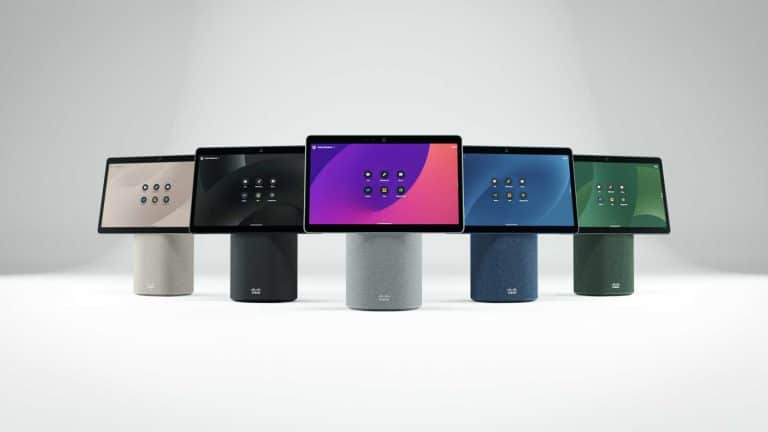
Cisco has just released a range of innovative products that are set to change the videoconferencing industry. We cover the main features and benefits of these. The Cisco WebEx Desk Mini, Cisco Webex Desk Hub and Board Pro 55/75. These new WebEx video devices enable seamless collaboration for hybrid, office, home and on-the-go online meetings. These devices elevate your meetings on hosting platforms such as Zoom, Google Meet and Teams.

Table of Contents

Desk Mini Design

The new design features sleek portable video conferencing hardware, available in a range of limited edition colours. This allows any user to hold meetings from any location. Alongside this is the unique handle behind the screen, which allows you to pick it up and move around with ease. Another unique feature is the noise cancelling technology and about framing camera that refocuses on the presenter so you will always look professional no matter what happens in the background. If you are wanting to know how this connects, at the back of the 2.0 speaker there are several plug in points behind the detachable cap. We are excited to see how this device will add value to hybrid professionals and those of whom are working from home. Take the office with you with the desk mini.

Webex Deskhub Design and Features

The generation of desk collaboration has arrived. The all in one video collaboration device allows you to complete a range of tasks besides videoconferencing. The charging port can charge your mobile and headphone whilst you are not connected and the full HD touchscreen streams 4K video quality and can connect you to any virtual meeting room with the tap of a button. The headphone has in bilt AI powered noise removal for enhanced voice clarity. Behind every device you can connect it to any laptop/desktop with USB-C, HDMI, USB connections. This device has a tonne of features included that we haven’t discussed and it only weighs 1.2 kilograms in total. If you are needing a small but powerful devicefor you home office we suggest checking this one out first as Webex has exceeded expectations by launching the Webex Deskhub.

Webex Board Pro 55 Inch

The Webex Board Pro is the premium collaboration solution for all modern corporate teams. The 55 inch LED screen features high resolution 4K video streaming for clear display. It can be optimised to run on a cloud platform and needs minimum amount of cables to fully operate. The audio features include AI noise cancellation, echo cancellation,and dereverberation fora c consistent audio communication as though the speaker is inside the same room. It can connect to 2 analog microphone inputs, 1 HDMI input, USB-C, USB-A and Bluetooth. The screen weigh approximately 40 kilograms and when connected to the stand it can moved anywhere around the office. It’s the best tools to use for large group meetings and collaborating online where presenters can bring the content to life by drawing diagrams, presenting documents and changing ideas. Presenters can collaborate with other like they are in the same room with the ultimate audipo and visual experience in real time. 

Wrap Up

Cisco is leading the industry in innovative technology with these brand new releases. It will be interesting to see what they create next as there are projections to invest in the holographic space with AR technology. With their massive investment in research and Development the future of video collaboration looks promising. 

Sign up to our blog list below to be notified of any new and exciting information within the videoconferencing industry.

Picture of e365 Team

e365 Team

The e365 Industry Blog covers all of the latest trends and developments within the video conferencing Industry. With the industry increasing its technological capabilities, it can be difficult to ascertain the core benefits to users in both the long and short term. Our blog allows users to know in an instant, how this technology will add value to their business and their online relationships. Sign up to our email list below, to be notified when we post our next blog and newsletter. 

Maxhub Touchscreen Collaboration

Maxhub Touchscreen Collaboration

Want to Know More About Maxhub Touchscreens?

We cover all of the unique features and benefits of the Maxhub Touchscreen. It’s a great addition to any mobile team as it can enhance team work and collaboration. Find out how the Maxhub is changing the modern workplace below.

Table of Contents

The Classic Series of the Maxhub Touchscreen improves collaboration in online meetings and it delivers intuitive interactions. The outstanding sound and video performance of this brand makes it a category leader. For both local meetings and teleconferences, participants can share their ideas instantly. Communication on a classic series, defies distance. The updated audio and visual systems give the distant meeting attendees the feeling as if they were joining the session in person.

Maxhub Transcend Series Touchscreens - Flip-over Camera in 48MP

MAXHUB Transcend Series adopts the first flip-over camera on a conference IFP and safeguarding the privacy when the camera is left idle. The camera automatically flips to the front once you start a teleconference application and automatically turns to the back once finished. Even when the camera zooms in on one of the attendees at the back of the room, the video may still maintain its clarity and sharpness.

Maxhub UC S10 - New Features

Superior image display and professional audio ensures you see every face and hear every word. Built-in Android, provides effortless connection. Easy setup and operation removes every barrier to successful meetings. Which means you save time and can return to focusing on your business. 

Photographed by Tima Miroshnichenko

Visionary Camera

Combining precision optics with intelligent functions, the US S10 (12 Megapixel) camera has been reinvented to provide stunning image quality. The camera is also equipped with 5 times digital zoom capabilities and 3 camera position presets . Not only is the quality clearer, now you don’t need to worry about moving tables and setting up as the camera has a 120 degree viewing angle. Alongside this is the auto framing feature used in huddle spaces and large conference rooms.
 
View the range of Maxhub Products Available – Click Here

Microsoft Surface Hub 2S-50″

Microsoft Surface Hub 2S-50″

Picture of E365 Team

E365 Team

Experts in Video Conferencing Equipment

Move beyond meetings to true team flow

Brainstorm together in Microsoft Whiteboard, and collaborate across devices. Project wirelessly to share content with Miracast, and sign in to access Office 365 files.

Team collaboration fuelled by Windows 10

Enjoy the power of a fully integrated Windows 10 device designed for teams. All-in-one Surface Hub 2S natively runs your must-have Microsoft apps, including Microsoft Edge and Office,2 and your essential business apps. Incredibly high resolution and amazing graphics performance deliver vibrant, crisp, and clear images and video on the thin, light 50” display.

Design a collaborative culture at work

Increase innovation, employees’ skills, and remote teams’ efficiency with a culture of collaboration. Create it with flexible workspaces and the right technology.

Microsoft accessories for Surface Hub 2

Built to enhance your Surface Hub 2S experience,  camera and pen are included in every box, and help your teams best express themselves.

Choose from a stand or wall mount (not included).

Pricing based on Microsoft registration agreement acceptance 

Meetings Made easy with eVideo Communications and Logitech

Find out How Logitech is Enhancing Collaboration Online

Picture of E365 Team

E365 Team

Experts in Video Conferencing Equipment

Keep and Enhance the Collaboration Tools You Prefer with Logitech

With return to work plans always evolving, you need collaboration platforms that are flexible. And, you must provide equitable meeting experiences for everyone, everywhere, regardless of what collaboration tools your teams prefer. Read on to learn how Logitech can help you supercharge the collaboration tools you already have.

How Logitech Enhances Your Collaboration Tools

You might also need to add virtual collaboration capabilities to meeting spaces that didn’t have them before. Discover how Logitech hardware tools can improve utilization, engagement, and productivity. Add the right remote monitoring and device management platform and you can further enhance the user experience by minimizing issues, monitoring quality, and analyzing meeting usage data.

This guide explores hybrid workplace collaboration tools solutions, including:

  • How Logitech hardware, including cameras, speakers, and microphones can pair with any collaboration platform you are using to upgrade your collaboration spaces.
  • Working with existing tools such as Microsoft Teams, Webex by Cisco, Zoom and Google Workspace
  • Adding the right remote monitoring and device management platform to further enhance the user experience by minimizing issues, monitoring quality, and analyzing meeting usage data.

Adding Logitech hardware also makes it easy to quickly enhance meeting rooms that were not previously equipped for remote collaboration. Logitech video conferencing solutions let your teams talk, share files and screens, and whiteboard ideas from anywhere. Scaling up your collaboration capabilities is easy since Logitech integrates seamlessly with what you already have in place.

Deploying Logitech hardware solutions helps create a consistent experience across all your meeting spaces, regardless of their size. Whether users walk into a huddle space or a large conference room, the interface to operate the conferencing system will be the same.

Many great things at eVideo Communications 2022

Our Latest Success Stories from the E365 Team

Picture of E365 Team

E365 Team

Experts in Video Conferencing Equipment

Our Latest Project

We have many great things at eVideo Communications. We have just completed a project to supply (8 x Logitech Tap Large/Medium/Small bundle with MS Teams plus 8 x Tap Schedulers together with Installation and integration for one of our customers. As you can see below we have installed and setup their system, whilst ensuring all connections are made by using the least amount of cables possible. 

So you can keep clean space without sacrificing your video experience. The whole process was undertaken by the team from purchase to delivery and set up. That’s not all, we always ensure that our customers are satisfied so we frequently follow up purchases with a friendly chat with a team member. We believe its imperative to build and maintain strong communication with our customers.


If you have any queries 0r would like to find out more information, please feel free to have a friendly chat with one of our team members. 

Heckler AV Credenza – Mini – Black Grey 9 ( 5 other colours available)

The Heckler AV Credenza is Here, We explain some of its New features

Picture of E365 Team

E365 Team

Experts in Video Conferencing Equipment

Today every meeting space, even small meeting spaces, needs a high quality video meeting system. Mass-deployment of modern video meeting hardware while maintaining a beautiful work environment, your project schedule, and your project budget can be more than challenging. With Heckler AV Credenza Mini you can mass-deploy the latest video meeting gear to all of your small meeting spaces with style and ease.

A little more room for small gear

Even the latest, fully-integrated video meeting systems generate a small mess of cables, power supplies, power strips, and adapters. You could “hide” all of this behind the display, but life is too short for that nonsense. AV Credenza Mini gives you just the right amount of storage space.

A little more color

With all eyes on your AV Credenza Mini, it had better look amazing. Wrapped in beautiful Maharam fabric in a variety of colors, AV Credenza Minis can complement and enhance your carefully designed interiors.

A little access to power & data

Cut the electricians, drywall installers, and painters from your project’s budget. AV Credenza Mini is designed to align with pre-existing power and data outlets. This creates the “integrated look” without all of the, well, integration.

A little less time on-site

“I love spending my days standing in small meeting rooms managing cables!” said no one ever. AV Credenza Mini enables you to meticulously mount devices and cable-manage dozens of systems, off-site, atop your favorite benchtop. Perfect when preparing for large deployments.

A little more organized

The body of AV Credenza Mini features a special hole pattern that allows for ample cool airflow while enabling easy Velcro-strapping of small components and cable management before, or after, you’ve wall-mounted your credenza. In addition, VESA 100 holes enable traditional mounting of compute NUCs.

A little more camera security

Every AV Credenza Mini ships with two special camera brackets for rigidly mounting Logitech Rally Bar, Rally Bar Mini, and the Audio Bar and Smart Camera for Google Meet Series One Room Kit. Other cameras and appliances can simply stand atop Credenza Mini’s top surface.

A little less end-user access

End-users. Gotta love ’em. But their willingness to troubleshoot and improve our AV builds generally does more harm than good. So we’ve added a locking feature to remind them what department they work within.

Includes
Heckler AV Credenza Mini
Mounting Bracket for Google Meet Series One Audio Bar
Mounting Bracket for Logitech Rally Bar and Rally Bar Mini
Assembly Hardware
Mounting Template

Dimensions / Weight
635 x 590 x 95 mm
6.4 kg

PayPal now on e365 Distribution online ecommerce shop

“NEW” PayPal commerce platform at e365 Distribution !

where we are making it easier for our customers to purchase from our e365 Online shop.
No business is too small, no ambition too big


When you’re running a business, you need an ally who knows how to help – but who also respects your independence. That’s why we’ve built a platform that aims to help businesses succeed and grow.
From payments to Working Capital to fraud protection, PayPal Commerce Platform helps you to meet your customers where they are – online, on-the-go, or in your store.

Link to our e365 online shop below

Home

Make Your Business More Productive, with Videoconferencing Room Equipment, Products and Software.

Improve Productivity and Enhance Collaboration

Picture of E365 Team

E365 Team

Experts in Video Conferencing Equipment


Decades ago, the idea of being able to sit in a room and speak to others around the nation or even globally through a screen seemed more like science fiction than reality. With the ubiquity of the Internet and the growth of high-speed data transmission, though, video meeting software took off in Australia and around the world. Now people in many different locations could gather together for a successful, productive meeting, just as if they worked in the same building together. Perhaps your business implemented a version of a video meeting system some time ago. While it may still perform adequately, it may no longer meet the demands of your business.

It should be simple to communicate through a video meeting program with others around Australia. If your system suffers from slowdowns, disconnections, or just being out of date, it’s time for an upgrade.


The professionals at eVideo Communications offer a consummate service from start to finish in furnishing these systems for businesses like yours. From first steps like determining your level of need to implementing Videoconferencing products in the office, we aim to meet every need. Consider a few ways in which modernising your video meeting software — or adding a new system — can get your meetings back on track.


Redefining collaboration with video meeting Hardware and software in Australia

First and perhaps most importantly is the simple fact that a video program allows your staffers to interact with one another as if they were sitting at the same table. Businesses using such a system often see an astounding performance increase of nearly 65%. Management of projects becomes much easier when managers can touch base with team leads over video quickly and easily. It’s even easier for employees to ask important questions and get face to face feedback instantly. Overall, the potential to boost your business’s productivity and ability is quite large.

Also, using a video meeting program can help to cut down on wasted time. How often have you wasted time waiting for someone to reply to an important email, or return a voice mail? With the ability to reach someone right at their desk over video, touching base is a much simpler process. Finally, for major meetings, video software enables quick sharing of information, charts, graphs, and other important information. In other words, it’s an all-in-one package.

Let’s discuss setting up your teleconferencing needs

Avoid the wasted time and added costs that come from coping with a clunky video meeting system. Australia can trust the team at eVideo Communications whether you need a solution deployed in Sydney, Gold coast, Brisbane, Adelaide, Perth, Hobart, Canberra, Melbourne. With offices around Australia and excellent 24/7 support* provided for all our customers, it is simple to make the first moves to upgrading your communication capabilities. Whether you’re arranging a video meeting with an important client or a team pushing towards a deadline, the benefits to your business are many-fold.

eVideo Communications is ready to take your call and schedule a demonstration to showcase the cutting edge in our field — ring us soon on 1800 111 387.

Logitech Select – extended service agreement

“NEW” at eVideo Communications and e365 Distribution
Logitech Select – extended service agreement – is a 1 or 3 year comprehensive service plan that delivers reliability, continuity, and enterprise-grade peace of mind. It provides ultra-responsive 24/7 support, accelerated RMA, a dedicated Customer Success Manager and onsite spares for enterprise customers with 50+ rooms installed, and advanced analytics including customizable alerts through Service Now integration for Logitech Sync users.
For info and pricing click below link

Black Friday Discounts from e365 Distribution Australia’s leader in Online Retail ,Cloud video conferencing and Collaboration solutions

Huge discounts plus trade in offers, customer specials, & Buy one with extra discount for two specials

Most brands in Australia Videoconferencing, Audio Visual, Headsets, Phones, LED, Touch boards from Logitech , Poly, Yealink, Jabra, Samsung, Benq, Lenovo, HP, Microsoft, Google, NEC, Dell etc


Black Friday coming to e365 Distribution tomorrow !
Huge discounts plus trade in offers, customer specials,& buy one with extra discount for two specials
Most brands in Australia Videoconferencing, Audio Visual, Headsets, Phones, LED, Touch boards from Logitech , Poly, Yealink, Jabra, Samsung, Benq, Lenovo, HP, Microsoft, Google, NEC, Dell etc

Neat Bar

Neat Bar Videoconferencing-Australian dealer

The Neat Bar Pro is a simple yet elegant device that can turn any room into a Zoom Room or Teams Room.

Some of the benefits include:

•  Capability to drive 3 large screens

•  2 extreme resolution cameras with 16x zoom.

•  Neat Audio processing, meaning no background noise and crystal clear audio.

  • SMALL-MEDIUM ROOM
  • NEAT BAR AND NEAT PAD BUNDLE
  • DUAL SCREEN SUPPORT


Simple
set-up.

Everything you need to connect Neat Bar to your TV or monitor is in the box, so it’s easy for anyone to install and set up. Just plug in the cables, and Neat Bar will auto-pair with Neat Pad. What’s more, because Neat Bar and Neat Pad have auto flip, they instantly realign your view, regardless of how you mount or position them.

Just works.

Neat Bar self-activates the moment you walk in the room, immediately turning on your meeting room monitor and checking you into the room. Then with just one tap, you can wirelessly share your screen or start your meeting. It also instinctively frames you perfectly and auto releases the room when you leave.

For wherever you work.

Neat Bar is incredibly versatile and easy to set up. It comes with everything you need, including Neat Pad, our dynamic controller and scheduler, as well as multiple mounting options. Both Neat Bar and Neat Pad can be connected either wired or wirelessly to your network, so there’s no need to run any cables across the room. Better still, because of Neat Bar’s compact design, it’s easily portable. Meaning you can take it wherever you work. From your remote office to any meeting, huddle, focus or open space.

Elegant Video Solutions built for Zoom & Teams

Neat’s advanced video hardware solutions support both Zoom and Microsoft Teams users for more closely connected, productive and safer hybrid work environments. Neat’s complete portfolio of devices will be certified for both Zoom and Microsoft Teams and will run Zoom and MS Rooms for Android, empowering Neat to further help drive innovation across meeting spaces to address today’s hybrid workplace needs.

Phone interviews are the worst: Embracing the Video Interview

Nonverbal communication is the combination of all the things you say when you’re not actually speaking words. Things like your gestures, facial expressions, posture and tone of voice often say more than an entire paragraph of sentences. The nonverbal cues you pick up on in a video conferencing interview versus a phone interview can mean the difference between a job offer and another Friday night spent sending out resumes.I can remember several phone interviews in which the recruiter or hiring manager would ask a question, I would eloquently answer with a complete and succinct thought, there would be a longer-than-comfortable pause and then I’d start rambling. I totally voided the carefully crafted response I had just delivered all because I wasn’t sure if the interviewee was expecting more, taking notes or had been bored into a coma by my response.When interviewing over video, you easily alleviate miscommunications like that. Here are the top reasons nonverbal communication in a video interview trumps phone interviews and some tips for making a great impression over video:

1) Being on the phone gives you a sort of anonymity that can lead to distraction. From checking your email to removing all the gum wrappers from the bottom of your purse, a distracted interview on either side of the table is not beneficial. When you can make eye contact with someone, it’s much easier to capture and keep their attention to show them how qualified you are for the position.

2) Smiling! People don’t want to work with a jerk. So while you may have the best strategy proposition and three years more experience than other applicants, it can be very challenging to convey happiness over the phone without an excessive use of inflection, which in turn makes you sound like a Care Bear. Facial expressions allow you to express interest and understanding of the material being presented in a genuine way that doesn’t come across as overkill.

video interviews

3) Confidence is key. So maybe you exaggerated a little on the resume that landed you the interview, but you know you’re capable and you can let this interviewer know with your impressive posture. Good posture conveys confidence, so when you’re sitting up straight during that video call, it’s that much easier to show your future employer how poised and proficient you are.

4) You control your environment! No awkward waiting rooms, no fluorescent conference room lighting—with video conferencing, candidates can meet face to face with hiring managers for the first time in a comfort zone. Plus, you can emphasize key traits of your personality that may otherwise go unnoticed. For instance, want to showcase your organizational skills? Set your video call up so your color-coded bookshelf is your backdrop. Did a quick Google search and discovered that you and your possible boss-to-be share a mutual hobby? Prop that guitar up behind you. I’m not saying that you should hang up pennants and stage the background of the call with memorabilia of his or her favourite sports team, but subtle staging can’t hurt!

Video interviews can dramatically enhance the job search from both sides of the table. With a video conferencing expert to learn more about embracing the nonverbal communication. You’ll be more engaging, enlightening and personal than you would be by phone—plus, it gives you another reason to bust out that blazer you got just for interviews. Happy job hunting!

Logitech Rally Bar

Powerful All-in-one Video Conferencing Bar with Brilliant Optics and Automated PTZ. All-in-one Video Bar for Midsize Rooms. Simple to Set and Easy to Use. Only Quality Products. Respected  Logitech Australian partner with Australia-Wide offices. Award winning Customer support & Service.

Anywhere-anytime-any device both cloud based and on premise technology. Video conferencing room solutions that work with most cloud platforms

e365 Australia’s Award winning online business, eVideo Australia’s Fastest Growing Collaboration company Works with all platforms, Meeting space, Anywhere-Anytime-Any device, Mobile cloud

Don’t Email me, Video Me!

Hate email?

If you’re in the corporate world, chances are you have an affliction like I do. Five hundred emails, 24 hours a day, two means — portable devices and your desktop — to receive them. Email has effectively beaten the telephone as a preferred way to communicate. And if you think I’m exaggerating, consider this: Intel recently noted that in exactly one minute’s time, more than 204 million emails are sent. That means more than 12 billion emails land at their destination within an hour!

Email may currently be our number one means of communication, but it is flawed. The world of email has become impersonal and sometimes even hostile. How many of us have received the dreaded “all caps” emails where you can feel the sender screaming through your screen? Often people seem too comfortable saying things in an email that they would likely never say in person or via live video.

And, while email ensures that we are in constant contact with colleagues and clients, for just some of the reasons I’ve just stated, it doesn’t necessarily mean it is better.

We’re a mobile business force — one that enjoys the comforts of a work-anywhere lifestyle, whether from the train, the back porch, you name it. And our consumer technology like virtual meetings, video conferencing and other telecommuting technology allows us to do this. We also rely heavily on social media platforms — ones with video chats, picture exchanges, and 140 characters that tell the whole story. So while just eight percent of the workforce is using these tools currently, this is the future of collaboration.

We see it every day in the way our future workforce — teenagers — keep in touch. It isn’t through email or voicemail, its Snapchat, Instagram and Whatsapp. The younger generation uses video daily in their communications, suggesting that today’s CIO needs to be thinking about opening up the corporate intranet for such video collaboration that is device and technology agnostic. Not only is it the future, it’s good for business and promotes global teamwork.

As video collaboration becomes more mainstream how global companies connect offices will impact mobility in a whole different way.  our government is expected to reduce its travel costs by 50 percent across agencies. Why shouldn’t video conferencing tools encourage enterprises across industries to follow suit? And, while some are currently connecting on devices tethered to their desks, the world is becoming more mobile. Major Telephony companies see the mobile market at 6.4 billion subscribers and 50 percent of those are smart phones. With those numbers only expected to grow, more devices will enter the market with video capability — leaving video as the major contribution to mobile data traffic by 2022.

With most consumers buying mobile devices for their bigger screens and HD video capability how can CIOs replicate quality consumer experiences and ensure employees have what they need to be successful?

They’ve tried. Believe me. But one of the biggest obstacles to integrating an employee’s workflow — and making it more of the consumer experience they desire – is the use of proprietary solutions.

For the last 20 years, we’ve seen different communication channels – everything from telephony and instant messages to the email and voicemail we get today. We’ve made improvements, but we often bind ourselves because of separate platforms that cannot co-exist. Proprietary technology is costly, often not scalable and thus, IT departments cannot make it customized for their needs.

My suggestion? Let’s open it up! Cloud Videoconferencing — offers CIOs and employees an option that appears to be traditional video conferencing without being tethered to a desk or platform.

Phone calls are a thing of the past. And I would wager email is on its heels. We’re on video now. We’re on social media now. It’s a multimedia, multiplatform, multi-device world.

Today is already tomorrow; video and social media use — most prominent already in the consumer industry- – will become as natural as picking up the phone or sending an email thanks to increased use of Cloud Videoconferencing. And that’s good news. Now if you’ll excuse me, I need to respond to the 147 emails I’ve received while writing this…


Determine Your Video Conferencing Requirements with These Questions

logo

Integrating video conferencing into your organization is quickly becoming essential. However, a top quality video conferencing system can be expensive. Therefore, in preparation for deciding on a provider, and choosing a plan for your company, it is well advised that you define your video conferencing requirements well before you begin to draft any contracts with vendors.

The following list should help you narrow down which types of video conferencing systems and equipment you should consider adopting when moving forward with your purchase. Make sure you consult both your management and IT departments in order to cover all bases.

There are three broad areas you should take a look at with regards to your video solutions.

The first is business requirements – the direct business goals that video conferencing should be looking to facilitate.
Next, there are functional requirements; specific details such as number or users and/or overall functionality that feed back into the business goals.
The final requirements to consider are technical. This may include any limitations you have in regards to space, systems, and bandwidth. Take advantage of the deep knowledge your IT team has in these areas before moving forward. Then ask yourself the following:
What is your organization looking to achieve with video conferencing solutions?

This is first and foremost the most important question you must ask before going forward with a video conferencing solution. The wider strategy your team outlines will be a fundamental help in determining the type of video conferencing solution you choose.

What is your budget for video conferencing solutions?

Your budget should be determined by assessing how valuable the solution will be to your operations. In addition, look at where the solution will reduce costs and improve productivity i.e. travel costs, scaling knowledge, connecting remote workers etc.

How many users does your video conferencing system expect to support?

Knowing how many users your organization will have can help you with issues such as bandwidth and pricing plans. However, knowing how much you are likely to grow in the future is just as important.

Where will your users be located?

Will your users be based in the main office or will they be remote? Remember to look to align your bring-your-own-device (BYOD) strategy with the solution to make it simpler for remote workers. Also, look at how many meeting rooms you wish to convert into video conferencing suites and, of course, don’t forget to look at all of your office and subsidiary locations.

Do you have in-house IT support or will you need to outsource?

Most vendors should be able to offer you IT support, though this will be at an extra charge. If you are fortunate enough to have onsite IT staff members, they must familiarize themselves with the solution.

Cloud or on premise video conferencing?

It’s not just applications and storage that are offered from the cloud, it is now possible to dispense with expensive video network infrastructure and have video conferencing and calling delivered as a service. This option is by far the most scalable and affordable. In very few cases, organizations prefer to have on premise infrastructure deployed behind firewalls. Therefore, engage with your IT to understand the pros and cons of both environments.
When you are going to implement a video system, follow these questions and assess your business goals to find a video conferencing solution that best suits your company.

At eVideo, we have a complete range of cloud video conferencing services and a portfolio of hardware for meeting rooms systems and software for desktop and mobile devices.

To find out more visit us at www.evideo.com.au   or 1800 11 387

Sydney | Melbourne | Gold Coast | Brisbane| Canberra | Adelaide| Perth


Huddle Rooms and Cloud Videoconferencing

Make Your Business More Productive, with Huddle Room Equipment, Products and Software

If you haven’t been seeing the productivity you want out of your employees and your business as a whole, consider that the layout and design of your office space might be to blame. In recent years, many companies have started trying to innovate their office designs to pursue the look and feel of a modern office.

In many cases, this idea of a ‘modern office’ results in an open concept design where most employees work side by side or across from one another, clustered together in one big main room. Maybe there are a few standalone offices for senior members of the staff, or a few conference rooms for meetings, job interviews and the like. For the most part, though, the office is designed as an open floor plan.

The Problems with the Modern Office Layout

There are two core problems with this kind of office design, and you can solve both of them (at least partially) by investing in huddle room equipment for your business.

The first issue is that open workspaces, while they can drive collaboration and promote a teamwork mentality, can also create loud, distracting environments where very little actual ‘work’ gets done. There is too much chaos and not enough direction.

The second issue, meanwhile, is that the office’s open concept design means that there aren’t many other rooms for team meetings or collaboration sessions. There are a couple of larger conference rooms or boardrooms, but those are intended for more important meetings—not for gatherings of smaller teams or segmented departments.

huddleroom1

The Benefits of Using Huddle Room Equipment

Investing in huddle room products is an effective way of reversing these negative impacts of an open concept office. Huddle rooms are smaller rooms in an office space that act as less formal conference rooms. They are maybe the size of a traditional office but come equipped with key electronics and software to allow for video conferencing, Power Point presentations, idea brainstorming and more. Best of all, the size of these rooms makes them perfect for smaller group meetings.

Having huddle room equipment and software in your office helps restore the sense of collaboration often lost amidst the madness of an open floor plan office. When your individual teams can regularly go into smaller rooms to have meetings or conversations, it removes some of the noise and chaos from the central work area. It also keeps the conference rooms and boardrooms open, available for larger gatherings.

Because huddle rooms are smaller than standard conference rooms, they cost less to outfit with key technology and software products. As a result, turning three or four smaller rooms or offices throughout your workspace into huddle rooms might be more affordable than you realise.

At eVideo Communications, we specialise in huddle room equipment and huddle room software in Australia. We can help you design and implement a huddle room strategy in your office. We predict you will start noticing the benefits right away.

To start collaborating with the eVideo team, call us today on 1800 111 387

Ultimate guide to Zoom-Microsoft Teams room solution.

Face-to-face interaction is critical in business communications but teams are becoming increasingly dispersed. The Video Conferencing systems on the market now are designed with smaller huddle rooms in mind

Our Team are

  • Highly experienced Unified Communications, Videoconferencing, Collaboration Solutions Specialized
  • Offer a consultative approach
  • Highest product and application knowledge
  • Totally technically proficient
  • Superior level of networking competency, service, support & customer satisfaction

Our Video/Audio/IP telephony/Unified Communications solutions include:

  • Cisco, Logitech, Crestron, Poly, Yealink  Video Conferencing endpoints for Meeting Rooms, Cloud, On-premise and Hybrid Solutions, Microsoft Teams, Zoom, Google meet.
  • Integrate your Boardroom solutions
  • Professional services, Managed Services.
  • Audio Visual solutions (Touch boards, Projectors, Trolleys etc.)

Please let me know if you would like one of our team to discuss with you and  provide the latest Communication solutions you and your organisation.

Order on line from e365 Distribution the Logitech Rally Bar

Logitech Rally Bar

Powerful All-in-one Video Conferencing bar with Brilliant Optics and Automated PTZ.

All-in-one Video bar for Midsize Rooms. Simple to Set and Easy to Use.

Only Quality Products from e365. Award winning Logitech Australian partner with Australia-Wide offices.

Award winning Customer support & Service. No Credit Card surcharge.

We Specialize in Both Cloud-Based and On-Premise Technologies.

  •  24/7 Help Desk *     Maintenance and support options
  •  Australia-Wide installations  Onsite support & Training *
  •  Offices in Sydney-Melbourne-Brisbane-Gold Coast-Perth-Adelaide-Canberra.
  •  Free demonstrations & Trials * Video chat consultancy
  •  Customer Promotions & Loyalty Program
  •  Special discounts for Health, Education, Government & Non for profit.

*Subject to conditions and vendors.


What is a MUST to include Todays latest Visual technology.

eVideo communications 

Video Conferencing and high-impact audio-visual technology is the Answer.

Today’s organizations thrive in a creative, agile and responsive working environment, where people want to engage with each other in real time – wherever they are.

Our forward thinking customers require not only specific technology, but innovation, transformation and a cultural shift towards a new way of delivering, and interacting with, information.

Implementing this type of environment can prove to be challenging due to the complexity and financial requirements of a flexible Workspace.

Business Benefit

Working environments are no longer standalone rooms with simple display screens or a flipchart. They are areas where we collaborate to create an environment where people can deliver more value to the business.

Business benefits include tangible cost savings, savings in time and office space, along with increased engagement. Video Conferencing and VCaaS (Cloud) reduces complexity of multi-manufacturer video equipment and make booking a VC as easy as a meeting, driving utilization.

Today we demand interaction and collaboration tools that engage with our customers, staff, partners etc. that provides a multi-layered experience and brand awareness.

Boardroom Management, potentially linked to room integration, automates the environment for whatever type of meeting is taking place.

Tangible Savings

We help you transform your business through the implementation of innovative audio-visual and video solutions with the ability to achieve tangible cost savings or drive customer engagement.

Virtual teams enable collaborative working, increasing the efficiency of your business and reducing the time to market.

More and more businesses are using digital signage as part of their communications and information strategy. Deployed in prominent areas such as receptions, staff restaurants, office spaces, digital signage enables engaging, dynamic and tailored content.

Video Walls and large format screens are becoming common, centrally controlled and distributed across a geographically dispersed estate.

Our Capability

Our team works closely with customers to design and implement a variety of technology solutions, including:

  • Video Conferencing – Our Professional Services team of consultants, project managers, engineers and support operatives integrate existing Videoconferencing or deploy additional endpoints.
  • VCaaS – Hosted Virtual Meeting Rooms provide access video endpoints, along with software based systems such as Microsoft Lync, to a single Video meeting room. Additionally we provide concierge service and video eCare helpdesk to assist with setup, activation and troubleshooting.
  • Audio – Boardrooms, Meeting Rooms, Huddle rooms, Executive offices.
  • Digital Signage – Enabling the projection of brand messaging, information and targeted adverts using a series of media displays or video walls;
  • Control Systems – Including LCD displays, projectors, videoconferencing systems, lighting.
  • Display – Projectors, LCD, LED and plasma displays can be used in a wide range of environments, from corporate board rooms, meeting rooms, command and control centers;


We are leading the way in  providing a focus on design, implementation and management of Video Conferencing and high-impact audio-visual technology throughout Australia and Globally enabling our customers to be ahead of their competitors.


We’ve been named as Yealink’s Premier Partner

We’ve been named the Premier Partner of Yealink –

Tom Morgan CEO and Managing Director has recently  signed an agreement with Yealink a leading Telecom-Unified communications global organisation to become premier partners in business.

Our partnership with Yealink allows eVideo Communications to be a leader Australia-wide and Global advanced features of Yealink’s industry-leading technologies.

eVideo Communications  offers our customers a wide range of products.  We are a professional organisation that can provide installation and consultation of our products.

eVideo Communications has been in business for over 23 years offering products and solutions to our customers.

Channel manager of Yealink, Brandon Zhou is most happy to be part of this agreement


Moving forward with Google Meet and Workspace Videoconferencing solutions.

Moving forward with Google Meet and Workspace Videoconferencing solutions.

Logitech Tap w/ Logitech Rally Plus Conference Cam + Google Meets Chromebox – Large  Room Bundle

The large Tap bundle upgrades to Rally Plus with two speakers for clear audio throughout the room. Dual mic pods expand audio coverage for up to 16 people, and the complete system supports up to 7 mic pods for rooms with up to 46 seats.

Lenovo Series One Google Meet Hardware Kit – Large Room – Charcoal Say hello to the new Google Meet hardware – Series One room kit, engineered exclusively for Google Meet. It’s designed to be immersive, effortless to install and use, and has a sleek, approachable design.

Latest Home Office-Meeting Room Collaboration bundles

Home Office-Meeting Room Collaboration solution
Samsung FLIP 55” touch screen with Logitech RALLY BAR MINI White BUNDLE Special pricing ends soon.

Save $$$ on this Bundle    We can supply and Install Australia-Wide.

https://www.e365.com.au/product/samsung-flip-55-with-logitech-rally-bar-mini-white-and-1x-logi-tv-mount-for-video-barbundle/


Logitech Rally Bar

Logitech Rally Bar

Connect via USB to virtually any PC or Mac with no additional software needed.

LOOKS BRILLIANT

Upgrade the meeting experience with cinema-quality video, outstanding color, and exceptional optical accuracy.

SOUNDS AWESOME

Rally Bar’s advanced audio engineering delivers powerful, room-filling sound and makes sure every voice is clearly heard.

EXPAND THE CONVERSATION

Easily accommodate larger groups and spaces, starting with a 4.6 m mic pickup range (varies by environment) and the option to extend up to three Rally mic pods.

SUPER SMART

Keep the focus on meeting participants with AI Viewfinder, which uses scene awareness to optimize RightSight auto-framing and camera control.

Also available in bundles with TAP screen.

Also bundles with Heckler trolleys

Stock Going Fast !

Crestron Flex Table Top Large Room Video Conference System UC-M70-U

Crestron Flex Table top Large Room Video Conference System UC-M70-U Connects to most platforms ie Zoom, MS Teams etc.  See here

FEATURES

• Tabletop audio and video conferencing solution for any UC platform
• Simple, intuitive touch screen UX provides a consistent user experience in every room
• Present, call, conference, and collaborate using your own UC conference software (BYOD)
• Complete kit contains the Crestron Flex tabletop conferencing device, enterprise-grade camera, mic pod, cables, and power supply
• Easy to specify and install — no custom design, programming, or software installation required
• Premium‑level support with Crestron Flex Care (optional)
• Network management and provisioning and system alerts through the XiO Cloud® service
• Enterprise‑grade security ‑ connects and communicates securely over any enterprise or SMB network

What is Collaboration Zoom ?? Microsoft Teams ??

What is Collaboration?

Incorporating voice, video, chat, mobility so you can collaborate better

Collaboration creates a unified workspace by integrating data, IP communications and collaboration products and applications into a single, unified system.

Zoom,  Microsoft Teams, Webex  Collaboration platforms remove complexity by simplifying the architecture to a standards based IP platform. Integrating Voice, Data, Video and Applications into a single platform provides customers with seamless, end-to-end communications which will enable your business to communicate more efficiently and provide a better service to your customers

eVideo can design, deploy and manage everything for you

Connect co-workers, partners, vendors, and customers with the information and expertise they need

Access and share video on the desktop, on the road, and on-demand, as easily as making a phone call

Facilitate better team interactions, dynamically bringing together individuals, virtual workgroups, and teams

Make mobile devices extensions of the corporate network so mobile workers can be productive anywhere

Innovate across the value chain by integrating collaboration and communications into applications and business processes

You can do so much with a collaboration solution

Conferencing

Cost-effective, secure and scale-able conferencing with high quality voice and video

Customer Care

Proactively connect people with the information, expertise, and support they need

Simplify

Run voice, data and video communications over a single, converged network

Messaging

View real-time presence information and communicate using email, instant messaging, and voice mail or unified messaging

Mobile Applications

Leverage your smartphone to become an extension of the enterprise network


MaxHub Transend

Introducing the new MaxHub Transend Series

A Flip-over Camera that Guards Your Privacy

MAXHUB Transcend Series, while featuring a 48MP camera, adopts the first flip-over camera on a conference IFP, safeguarding the privacy when the camera is left idle.

48MP | Auto Flip-over | Auto Framing

Voice Localisation & Auto Framing

MAXHUB Voice Localisation algorithm lay the foundation for auto framing of the camera. The microphone array guides the camera to point towards the speaker automatically during a teleconference. The 48MP camera recognises and tracks the speaker, even when they are moving. In the meantime, it calls the auto gain technology into play, balancing the volume from both near and afar. The noise algorithm samples the environment noise and cancels out the unwanted hustle and bustle, therefore delivering a clearer voice.
Click here for more info

TIPS AND ADVICE ON SUCCESSFUL VIDEOCONFERENCING

how to conference

Adjust your camera appropriately, try to fill the screen as much as possible with people rather than with the table, chairs, walls or the floor

Place the microphone in the centre of the group, preferably on a soft surface, eg mouse mat or thick book; this will help absorb some surface noise.

Avoid tapping on the microphone and rustling papers near the microphone – this noise will be very loud at the remote site(s). (This also applies for tapping pens on desks, rattling cups and saucers and chairs bumping into table).

Avoid covering the microphone with documents, laptop covers etc – this will mute the sound and remote site(s) will not hear speaker.

Mute the microphone before moving it so that the remote site(s) doesn’t hear you moving it.

Speak in your normal voice without shouting and use natural gestures.

There is no such thing as a private conversation during videoconferencing – the microphone is very sensitive and will pick up any whispering so avoid any side conversation and ensure that only one person speaks at any one time.

Press mute button if you require privacy.

If more than three people in meeting, nominate a lead person to manage the videoconference. This lead person should control the camera, microphone and ensure smooth running of the videoconference

Once connection has been made lead person should Introduce themselves and ask remote site(s) if they can see and hear you.

Confirm that you can hear and see remote site(s).

On commencement of videoconferencing meeting all participants should be asked to introduce themselves – if participants are unknown to each other, then it is helpful to raise your hand during your introduction so that remote site can recognize who is speaking.

Sometimes there may be a slight delay between site(s), consider pausing briefly for others to answer you or to make comments

As with any meeting, try to limit side conversations and ensure that only one person speaks at any one time

During multipoint calls, lead person should ask sites to select mute when not speaking.

During multipoint calls, lead person should ensure that all sites are given the opportunity to participate or ask questions before moving on to each agenda item. This will ensure involvement of all sites.

Arrive promptly for videoconference meetings. Doors opening and closing and chairs being moved once meeting has started is distracting.

If you have to leave the meeting, ask the lead person to announce that you are leaving.

If point to point call, agree beforehand who is making the call and likewise at end of meeting agree who will be hanging up the call.

Security

  • Do not leave videoconferencing equipment unattended or “in conference” in locations that are isolated
  • Only videoconferencing with known and approved site(s)s and with location’s permission
  • Ensure the videoconferencing equipment is secure
  • Ensure room and content security, eg do not leave confidential information on whiteboards, documents etc which could be viewed by the subsequent videoconference held in the room.

Business Benefits of Video Conferencing

Video conferencing has come of age and is used in every industry. Recent developments in mobile devices and wireless networks have propelled further interest in being able to video information anytime, from anywhere. Generic applications of video conferencing are too numerous to mention. Any department of any organization where meetings take place—finance, engineering, human resources, manufacturing, marketing, product development, sales, training—is an appropriate place to use video conferencing to:

• Connect dispersed staff without travel
• Bring in remote experts for consultation or training
• Interview job candidates or witnesses
• Make a presentation to a vendor or customer
• View data and presentations on an on-demand or real-time basis
• Receive information at any time or place


The use of video conferencing has the potential to increase productivity and efficiency by reducing unproductive travel time, preventing meeting delays, creating shorter and more structured meetings and allowing for greater reach of a message. Video conferencing also allows for an increased number of participants. It is often difficult to get information to everyone at the same time, but with video conferencing, all individuals who need data can get the information when it is easiest for them.

BENEFITS:

The initial perceived and quantifiable benefit of video conferencing was reduction in travel costs. Initially, many organizations paid for the deployment of video conferencing with the reduction in travel budgets. While travel savings have been a recognizable benefit of video conferencing, there are many more qualitative benefits. Three
other major benefits of video conferencing are increased productivity and efficiency, improved management communications and enhanced business opportunities.

INCREASED PRODUCTIVITY AND EFFICIENCY

• Reduced travel risk
• Reduced unproductive travel time
• Prevented meeting delays
• Shorter meetings
• Structured meetings
• Larger participation
• Optimize attendance
• Immediate information exchange
• Faster response
• Access to experts
• Time-share scarce talent
• Quicker decisions

IMPROVED MANAGEMENT COMMUNICATIONS

• More interface at all levels
• Increased flexibility


ENHANCED BUSINESS OPPORTUNITIES

• Customer service
• Competitive advantage


Generic Applications

The top four applications in which video conferencing is used are:

• Management meetings
• Sales and marketing meetings
• Engineering, manufacturing, or production
• Training

This does not preclude other groups from using the technology (i.e., the HR department, the legal department, finance, etc.), but studies conducted by Telemanagement Resources International Inc. (TRI) have shown that the primary reasons that firms install video conferencing relate to the top four applications noted above.

Video conferencing has also been used for a variety of other applications, including product demonstrations to new customers, “town hall” type meetings and HR training. Given the longevity of video conferencing usage, all industries have developed useful applications for video conferencing. It is no longer a matter of if you will use video conferencing; it is only a matter of when.


Conclusion

Video conferencing provides tangible benefits to any organization. Devices that can handle video now range from handheld devices (i.e., phones and tablets) to high-end conference rooms. The technology is easier to use, cost is no longer an issue and connectivity happens almost anywhere. Video conferencing improves the way we work and provides us more time to spend with our family and friends.


Tips on Videoconferencing

TIPS AND ADVICE ON SUCCESSFUL VIDEOCONFERENCING

  • Adjust your camera appropriately, try to fill the screen as much as possible with people rather than with the table, chairs, walls or the floor
  • Place the microphone in the centre of the group, preferably on a soft surface, eg mouse mat or thick book; this will help absorb some surface noise.
  • Avoid tapping on the microphone and rustling papers near the microphone – this noise will be very loud at the remote site(s). (This also applies for tapping pens on desks, rattling cups and saucers and chairs bumping into table).
  • Avoid covering the microphone with documents, laptop covers etc – this will mute the sound and remote site(s) will not hear speaker.
  • Mute the microphone before moving it so that the remote site(s) doesn’t hear you moving it.
  • Speak in your normal voice without shouting and use natural gestures.
  • There is no such thing as a private conversation during videoconferencing – the microphone is very sensitive and will pick up any whispering so avoid any side conversation and ensure that only one person speaks at any one time.
  • Press mute button if you require privacy.
  • If more than three people in meeting, nominate a lead person to manage the videoconference. This lead person should control the camera, microphone and ensure smooth running of the videoconference
  • Once connection has been made lead person should Introduce themselves and ask remote site(s) if they can see and hear you.
  • Confirm that you can hear and see remote site(s).
  • On commencement of videoconferencing meeting all participants should be asked to introduce themselves – if participants are unknown to each other, then it is helpful to raise your hand during your introduction so that remote site can recognize who is speaking.
  • Sometimes there may be a slight delay between site(s), consider pausing briefly for others to answer you or to make comments
  • As with any meeting, try to limit side conversations and ensure that only one person speaks at any one time
  • During multipoint calls, lead person should ask sites to select mute when not speaking.
  • During multipoint calls, lead person should ensure that all sites are given the opportunity to participate or ask questions before moving on to each agenda item. This will ensure involvement of all sites.
  • Arrive promptly for videoconference meetings. Doors opening and closing and chairs being moved once meeting has started is distracting.
  • If you have to leave the meeting, ask the lead person to announce that you are leaving.
  • If point to point call, agree beforehand who is making the call and likewise at end of meeting agree who will be hanging up the call.

Security

  • Do not leave videoconferencing equipment unattended or “in conference” in locations that are isolated
  • Only videoconferencing with known and approved site(s)s and with location’s permission
  • Ensure the videoconferencing equipment is secure
  • Ensure room and content security, eg do not leave confidential information on whiteboards, documents etc which could be viewed by the subsequent videoconference held in the room.

e365 Distribution October BIG Discounts

e365 Distribution has the latest BYOD Collaboration solutions for your Home Office, Huddle room and meeting rooms

Special pricing  is limited till 31st October

  1. Logitech Tap,Rally
  2. Poly Studio X30-X50
  3. Yealink MVC 800
  4. Cisco Room Kit Mini
  5. Crestron MX150 
  6. Headsets
  7. Smartboards from Hitachi, Maxhub ,Samsung, Commbox, Avocor,NEC,LG,Viewsonic & more
  8. Trolley’s, Home office furniture 
  9. Dten Smartboard & Videoconferencing.


e365 provide a Installation, Support and help desk.

 e365 has the most brands in Australia and most are in stock ready for delivery Australia-Wide

Black Friday sale

Black Friday discounts have started early at e365 Distribution online Collaboration web site www.e365.com.au  

 If you are looking for some big discounts for

  • LED’s screens
  • Smartboards
  • Videoconferencing solutions (Cisco, Poly, Crestron, Zoom, MS Teams )
  • Headsets
  • VoIP phones
  • Cloud Video/Voice services
  • Conference phones
  • Projectors
  • LED trolleys etc.

e365 has the most brands in Australia and most are in stock ready for delivery Australia-Wide

(Black Friday-Special pricing ends close of business 29/11/2019)

eVideo connects Koppen Developments

eVideo connects the latest Cisco Room kit systems for Koppen Constructions. Their staff can now have visual and audio collaboration between North Queensland and Central Queensland offices as well customers.

Logitech Rally delivers studio-quality video, unmatched voice clarity, and RightSense® automation for better meetings with video conferencing.

Logitech Rally – Smarter Meetings Automatically


Logitech® Rally offers an Ultra-HD imaging system, delivering brilliantly sharp video, outstanding color, and exceptional optical accuracy at resolutions up to 4K. The modular audio system brings crisp, clear audio and unmatched voice clarity to the table. Rally comes standard with one speaker and one mic pod for medium and large sized meeting rooms. For larger spaces with 14 participants or more, Rally Plus offers two mic pods and two speakers for greater versatility out of the box

Rally’s modular audio components mean that speakers and mic pods can be placed wherever they are needed, achieving full audio coverage in your meeting space. Rally supports up to seven mic pods in total, helping you create the perfect audio configuration for your space. Rally features RightSense™ proactive technologies, which make better meetings easy and automatic. RightSight™ auto-frames participants no matter their distance from the lens, RightLight™ prioritizes faces over environment to render natural-looking skin tones, while RightSound™ enhances vocal clarity by suppressing background noise, auto-leveling
voices, and focusing on active speakers. RightSense is compatible with most any video conferencing application that works with USB devices, including Google® Hangouts™ Meet, Microsoft® Skype® for Business and Teams, and Zoom. Elegantly designed with premium finishes, thoughtful cable management, and modular audio, Rally integrates beautifully into any room design.

LOGITECH RALLY Includes:

Logitech Rally Ultra HD Camera
Table Hub
Display Hub
Mic Pod
Speaker
Remote Control

Optional Mounting Kit Available

LOGITECH RALLY  PLUS Includes:

Logitech Rally Ultra HD Camera
Table Hub
Display Hub
2 x Mic Pod
2 x Speaker
Remote Control

Optional Mounting Kit Available

Logitech Rally DATA SHEET

Logitech Rally Accessories DATA SHEET

We can also include full installation with integration (To be quoted), national Help desk, certified Logitech technical support Australia-Wide with 21 years Collaboration experience.

.

Premium Ultra-HD Conference Cam system with automatic camera control

  • RightSense™ technology automates a better user experience
  • Modular audio for full coverage of medium to very large rooms
  • Premium components and sleek industrial design

ALL TOGETHER NOW

Logitech Rally delivers studio-quality video, unmatched voice clarity, and RightSense® automation for better meetings with video conferencing applications that work with USB devices, including Google Hangouts Meet, Microsoft Skype® for Business, Microsoft Teams, and Zoom. With modular audio, thoughtful cable management and premium finishes, Rally integrates beautifully into medium and larger rooms.

With an Ultra-HD imaging system, Rally delivers brilliantly sharp video, outstanding color, and exceptional optical accuracy at resolutions up to 4K. Logitech RightLight™technology optimizes light balance to emphasize faces and render natural-looking skin tones, even in dim or backlit conditions.

ADVANCED MODULAR AUDIO

Crystal-clear audio is essential for world-class video conferencing, and Rally excels in delivering sound that’s natural, crisp, and highly intelligible. Logitech RightSound™ enhances voice clarity by suppressing background noise, auto-leveling voices, and focusing on active speakers. Exquisitely sensitive mic pods ensure that everyone in the meeting can be clearly heard while stand-alone speakers fill larger rooms with rich, life-like sound.


SLEEK INDUSTRIAL DESIGN

Every component in the Rally system features premium industrial design suitable for any professional setting. Even as Rally helps everyone look and sound great during video meetings, each part of the system looks great in its own right. The premium PTZ camera at the core of the system is elegantly finished in matte black with slate gray metal trim, complemented by sleekly designed audio components and accessories that look great in any room.


ENHANCED USER EXPERIENCE


Logitech RightSense is a suite of technologies built into Rally that automate a better user experience. RightSight perfectly auto-frames participants no matter their distance from the lens. RightLight prioritizes faces over environment to render natural-looking skin tones while RightSound™ enhances vocal clarity by suppressing background noise, auto-leveling voices, and focusing on active speakers to support better meetings —automatically!


LOGITECH TAP – For Microsoft Teams Rooms

Advancement in Meeting Room Environments – For Teamwork in Meeting Rooms!

Tap couples the purpose-built utility and robust build quality of a meeting room touch control panel Logitech Tap – Streamlines and simplifies the deployment and use of video conferencing in any meeting room.with the affordability and flexibility of a tablet. It delivers one-touch video calling and simplicity for users in an IT-friendly design ideal for deployment at scale.

Featuring a 10.1-inch touchscreen, HDMI input for content sharing, and robust cable retention, Logitech Tap is designed and engineered for reliable convenience in the meeting room. A range of table, riser and wall mounts offer tremendous placement flexibility, while in-wall rated cabling enables topologies and room layouts that please the eye as well as IT.

Logitech Room Solution Packages for Teams Rooms include all necessary components in one package, Including:

Logitech Tap touch controller

Logitech conference cam system

Small form factor computer pre-installed with Teams Rooms.


Choose from our Small Medium and Large Bundles to suit your requirements


Shop Now

Logitech Large Room Solution for Microsoft Teams Rooms

Logitech Medium Room Solution for Microsoft Teams Rooms

Logitech Small Room Solution for Microsoft Teams Rooms

NEW Logitech Room Solutions for Microsoft Teams 

LOGITECH TAP TOUCH CONTROL FOR MICROSOFT TEAMS

Video conferencing room solutions with Logitech Tap deliver calendar integration, touch-to-join, instant content sharing, and always-on readiness. Boasting a crisp 10.1” touchscreen, low-profile enclosure, and multiple mounting accessories, Logitech Tap delivers a sleek appearance and convenient placement options that support a wide range of room sizes and layouts.
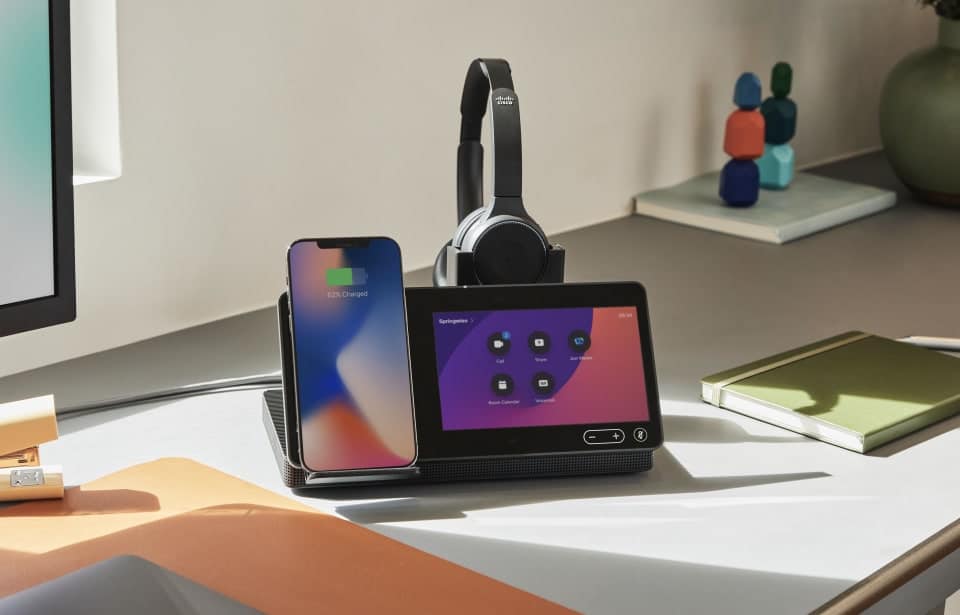
EVERYTHING YOU NEED

Logitech Room Solutions for Microsoft Teams include everything you need for video meetings. Available in small, medium, and large configurations, these pre-configured systems include a mini PC, Logitech conferencecam with RightSense™ technologies, PC mount with cable retention, and the Logitech Tap touch controller.

SOLUTIONS FOR EVERYROOM

It’s easy to deploy Microsoft Teams Rooms throughout the workplace, add accessories to suit your space.

CLEAN INSTALLATION

Logitech Bundles - Clean Installaiton


The new Poly G7500 Video Conferencing and Collaboration system

Maximises your Investment in Meeting Room Technology

The Poly G7500, with easy deployment that works with legacy Polycom systems.

  • H.265 codec support greatly reduces the bandwidth needed for video calls, and makes next-gen experiences such as 4K video work flawlessly even in locations with bandwidth limitations.
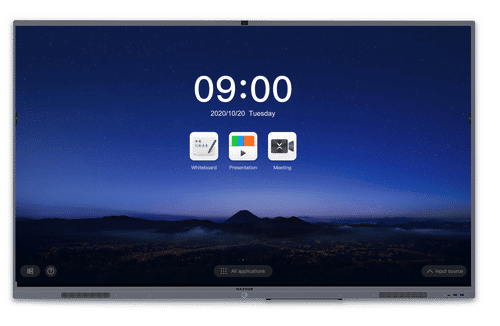
  • Adoption is easy and training needs are minimal thanks to the intuitive touch interface.
  • Standard ethernet cables can be used to connect table and ceiling microphones for easy and cost-effective long cable runs in larger rooms
  • Rest APIs offer scalability, security and more customization for room control, along with support for command-line APIs for backwards compatibility.
  • Supports legacy Polycom interfaces for camera and microphones and re-use of existing peripherals for more cost-effective deployments.


Poly-exclusive innovations such as NoiseBlock and Acoustic Fence ensure minimal audio distractions such as background noise and side conversations while stereo audio provides a premium in-room experience at a distance.

The G7500 incorporates an interface that is intuitive and easy to navigate, and a deployment-friendly architecture makes it simple and cost-effective to install. The G7500 is intended for users including but not limited to business leaders, IT and facilities managers, AV specialists and healthcare professionals.

Support for industry standards gives G7500 the flexibility to connect to any cloud-based video platform or ecosystem (such as Zoom, Cisco Webex, GoToMeeting, Microsoft Teams and Skype for Business) through Polycom’s RealConnect Service

Poly G7500, Video Conferencing and Collaboration system puts content at the centre with the highest quality available today for remote video and content communications.

Share wireless content in 4K, with crisp detail never seen before integrated into a meeting room Video system.

  • Easy wireless content sharing for every meeting, whether local content or in a video call.
  • Anyone can share content without special apps or tools
  • Two content streams can be shared at once
  • Content annotation and digital whiteboarding make it easy to mark up documents, make notes and save it all when done to avoid losing key points.

Rich Audio

With legendary Poly audio, people hear every aspect of the sound within the meeting. With noise cancellation built-in, audio distractions like background noise and side conversations are a thing of the past.

  • Ultra HD delivers rich meeting experiences and new applications with super-high resolution.
  • 4K video works flawlessly even in rooms with limited bandwidth.
  • NoiseBlock and Acoustic Fence technology keep audio distraction, such as background noise and side conversations, at a minimum.

G7500 is deployment friendly too, with an intuitive user interface and flexible set-up that increases adoption and utilisation. Backwards compatibility with legacy Polycom peripherals means there is no need to rip and replace when deploying the Poly G7500.

The Poly G7500 puts 4K collaboration into the centre of the experience, with customisable user interfaces for both touch and non-touch sensitive displays. The Poly G7500 also includes annotation and whiteboarding features that can be captured and shared from the system. By combining high quality video conferencing and wireless content sharing in one solution, the Poly G7500 enables multiple meeting participants to share their content from any device they choose, making meetings far more productive than ever before.

“The advancements and capabilities of the G7500 will dramatically improve the quality of our surgical education and training program. With 4K resolution, we are one step closer to viewing the procedure as though it’s through the surgeon’s eyes.”

– Professor Dr. Wilko Grolman, an otolaryngologist based in the Netherlands

Poly G7500 Video Conferencing – DATA SHEET


EOFY SALE – Microsoft Teams Videoconferencing systems from Poly and Yealink – BUY NOW – FREE GIFT!

Microsoft Teams – cloud-based team collaboration software

Microsoft Teams is the ultimate collaboration tool, bringing everything together in one place: people, conversations, content and tools. Polycom Trio is the ultimate conference phone that perfectly complements Microsoft Teams—bringing more than 25 years of Polycom audio design and innovation to the modern conference phone. And the two together? It’s an extraordinary and productive collaboration experience.

Businesses of all sizes can use Teams, make the MOVE

Today, more than 200,000 organizations are using Teams, including nearly 70% of enterprise customers who use Skype for Business Online.  We encourage your organization to join them and move to Teams today.


Polycom Trio Studio Bundles and Microsoft Teams

ms teams and polycom

Poly Trio and Studio bundles

Yealink MS Teams and Zoom bundles

Yealink expands devices portfolio for Microsoft Teams across voice and video

yealink ms teams

• Yealink’s broad range of audio and video device solutions cover scenarios from personal and team collaboration to huddle rooms and large conference rooms.
• Flexible device compatibility with both Skype for Business and Teams secures your future investment during migration.

Yealink audio and video devices for Microsoft Teams come embedded with the Teams application for a consistent user interface that incorporates the calling and meeting features of Teams. The Yealink one-stop portfolio makes it easier for customers to select the solutions they seek and easily collaborate using equipment from a single vendor.

As Office 365 customers move from Skype for Business to Teams, Yealink offers a flexible and diverse device portfolio that simplifies the device transition during migration. Apart from the Skype for Business IP phones (T4S series), the audio devices (T56A, T58A, CP960) can be upgraded from Skype for Business to Teams. The video devices (Skype Room Systems) are compatible with both Skype for Business and Microsoft Teams.

For info and pricing call us at 1800 111 387 or email us for a FREE EOFY gift with every system purchased before 30th June 2019


BlueJeans Dolby Voice Room

The premier converged conference room and huddle space solution.

BlueJeans Dolby Voice Room comes with:

  • Dolby Conference Phone
  • Dolby Voice Hub
  • 4K Ultra HD Dolby Voice Camera
  • 1 x Bluejeans Rooms Licence for Dolby System (Calendar integration)
  • All required cables and adapters
  • 1 Year Warranty on All Components
    no PC, NUC or Tablet required

Infuse your meeting room with intelligence

Clear the clutter and elevate your meeting room experience with this fully integrated software and hardware bundle from BlueJeans and Dolby. This solution delivers purpose-built, Dolby-designed hardware components that are married seamlessly with BlueJeans’ visionary room management controls to revolutionize the room-based meeting experience.

Dolby Voice Room

The smartest rooms around

Dolby Voice Room adjusts to changing speakers, action, and lighting conditions to intelligently frame the meeting discussion in real time.  Advanced features like HDR video mapping and Whiteboard view are driven by an incredible 4K Ultra HD Dolby Voice Camera lens that provides meeting participants with an incredibly immersive video experience.

Unmatched audio clarity

The Dolby Voice Room solution includes the Dolby Conference Phone, an amazing audio centerpiece with the ability to adapt to shifting speaking volumes and room acoustics in real time.  With standout features like Voice Placement and Dynamic Leveling, the power of audio clarity becomes a reality.

Test Dolby Image

Clutter-free conference rooms

BlueJeans Rooms’ calendar integration, room schedule display, and one-touch join capability are beautifully presented on the Dolby Conference Phone’s touch-screen interface, eliminating the need to have additional tablets in the meeting room.  Additionally, wireless content sharing takes the additional step of clearing unnecessary cables off the conference room table to limit complexity and confusion.

Command and control

Unlike other room system bundles, the Dolby Voice Room is powered by the Dolby Voice Hub, a unique connected appliance that serves as the management control center for each Dolby Voice Room deployment. This system provides automated software and security updates, remote access controls, and tight integration with BlueJeans Command Center to deliver advanced room system analytics and manageability controls.

Rooms-as-a-Service

Our integrated Dolby Voice Room solution is delivered as a service for greater purchasing flexibility. This hassle-free subscription reduces much of the overhead that is traditionally associated with hardware purchasing. Accelerate your modern workplace transformation with the industry’s premier converged huddle space solution.

When a team is spread across multiple locations, how do we ensure the video connection preserves the human connection? Enter Dolby Voice Room. An elegantly designed video conferencing solution for huddle rooms and small conference spaces that adapts to the way you work, it’s everything you need for video conferencing and screen sharing in a streamlined set.

With a simple installation, Dolby Voice Room can be up and running in minutes and you’ll be ready to join a call with as little as a single touch. Dynamic Leveling adjusts to the acoustics of the space, and intelligent scene framing dynamically shifts the frame to keep everyone in view. Plus, with Whiteboard View, you’ll never miss the brainstorm session again.

Dolby Voice Room makes conferencing easy, natural, and productive. It adapts to the way we work, enabling what’s truly important—the human connection.

Bluejeans Rooms dolby voice room DATA SHEET

Cisco Webex Room Series – Smart Video Conferencing!

Cisco Webex Room Series

Cisco Webex Room Series

Smart video conferencing

Bring more intelligence and usability to huddle, small, medium, large, and custom video-collaboration rooms with Cisco Webex Room 55, Room 55 Dual, Room 70 G2, and Room Kits.

Room 55, Room 55 Dual, and Room 70 G2 are fully integrated with built-in screens. Room Kit, Room Kit Mini, Room Kit Plus, and Room Kit Pro turn your 4K displays into powerful video conferencing systems for rooms of all sizes. Deploy on premises or in the cloud.

Features for smarter collaboration

Smart meetings

Smart meetings

Bring intelligent video conferencing to every room. Discreet cameras provide ideal framing and active speaker tracking. The systems wake when you walk into the room, and you can use your personal device to control them. Noise suppression reduces meeting disruptions.

Smart presentations

Smart presentations

See your content in 4K resolution and share it over a wired or wireless connection. The series supports up to three screens, allowing you to show multiple content resources. See whiteboard sessions shared from Webex Board, Webex Teams, and Webex DX80. Participate from the Webex Teams app.

Smart rooms

Smart rooms

The Cisco Webex Room Series can count meeting participants and provide analytics for usage and resource planning. Additional features include automatic screen integration and in-room control, so you can start up your video meeting easily and quickly.

Run in the cloud or on premises

Smart platform options

Room Series devices are hardware-optimized to run on a cloud platform but are also built for on-premises environments. They offer great experiences for shared rooms and spaces, with easy access to hosted conferences.

Compare Webex Room models

Choose Room 55, Room 55 Dual or Room 70 G2 for a beautiful, turnkey system. Add 4K displays to Room Kits to create your own video experience.

Cisco Webex Room 55 Single

Cisco Webex Room 55 Single

  • Fully integrated system with single 55-inch 4K screen
  • Powerful speaker system with built-in bass
  • For small to medium rooms with seven people
  • Based on Room Kit technology
Cisco Webex Room 55 Dual

Cisco Webex Room 55 Dual

  • Fully integrated system with dual 55-inch 4K screens
  • Powerful speaker system with built-in bass
  • For medium rooms with up to 12 people
  • Based on Room Kit Plus technology
Cisco Webex Room 70 G2

Cisco Webex Room 70 G2

  • Fully integrated system with single or dual 70-inch 4K screen(s)
  • Stereo sound optimized for voice
  • For larger rooms with up to 14 people and complex video deployments
  • Based on Room Kit Pro
Cisco Webex Room Kit Mini

Cisco Webex Room Kit Mini

  • Camera and codec in one device that integrates with 4K screen
  • 120-degree field of view for huddle spaces
  • Optimized for rooms of two to five people
  • Easy installation and management
  • Use with your software video conference app through USB
Cisco Webex Room Kit

Cisco Webex Room Kit

  • Camera and codec in one device that integrates with your screen
  • For rooms that seat up to seven people
Cisco Webex Room Kit Plus

Cisco Webex Room Kit Plus

  • Separate Codec Plus and quad camera integrate with your screen
  • For larger, deeper rooms with up to 14 people
Cisco Webex Room Kit Pro

Cisco Webex Room Kit Pro

  • Powerful codec for complex, custom video deployments
  • Designed for boardrooms, auditoriums, and very large rooms
  • For up to three screens, multiple cameras, content sources

Polycom Solutions for Microsoft Teams – Bundles

Polycom and Microsoft are long-term partners committed to making your meetings work through voice solutions.

The high-quality voice, video and video-interop solutions of Polycom work seamlessly with Microsoft Teams and Skype for Business, and are designed to allow your teams connect simply. Polycom solutions protect your investments by enabling existing video and voice conferencing equipment to work easily with your current and future Microsoft collaboration platforms for complete communication.

polycom ms teamsv

Get simple, flexible solutions that are tailored for your journey to the microsoft cloud and collaboration platform.

Polycom Trio and Microsoft Teams

Microsoft Teams is the ultimate collaboration tool, bringing everything together in one place: people, conversations, content and tools.

Polycom Trio is the ultimate conference phone that perfectly complements Microsoft Teams—bringing more than 25 years of Polycom audio design and innovation to the modern conference phone. And the two together? It’s an extraordinary and productive collaboration experience.

Polycom Studio with HP SRS Huddle Room Bundle

Polycom Studio with HP SRS Huddle Room Bundle

Designed for the huddle room the Polycom Studio Room Bundle is a native Microsoft room system that combines Microsoft Teams and Skype for Business experiences with the Polycom’s legendary audio and video quality.

buy now

Polycom Trio with HP SRS Medium Room Bundle

Designed for small to medium rooms the Polycom HP Room Bundle is a native Microsoft room system that combines Microsoft Teams and Skype for Business experiences with the Polycom’s legendary audio and video quality.

buy now

Polycom Trio with HP SRS Large Room Bundle

Designed for large rooms the Polycom HP Room Bundle is a native Microsoft room system that combines Microsoft Teams and Skype for Business experiences with the Polycom’s legendary audio and video quality.

buy now

Infuse your Meeting Room with Intelligence – Dolby & BlueJeans Videoconferencing Bundles

The premier converged conference room and huddle space solutions.

Clear the clutter and elevate your meeting room experience with this fully integrated software and hardware bundles from BlueJeans and Dolby. This solution incorporates Logitech Cameras, hardware components that are married seamlessly with Dolby & BlueJeans’ to revolutionise the room-based meeting experience.

BlueJeans Dolby
SMALL Bundle

 BlueJeans Dolby
MEDIUM Bundle

BlueJeans Dolby
LARGE Bundle

bluejeans bundle zotac bluejeans Dolby bundle with Logitech Meetup bluejeans dolby bundle with Logitech Rally

Includes:

  • Dolby Conference Phone
  • Zotac Mini PC
  • Logitech BRIO 4K Ultra HD webcam
  • 1 x Bluejeans Rooms Licence for Dolby System (Calendar integration)
  • All required cables and adapters
  • 1 Year Warranty on All Components

Includes:

  • Dolby Conference Phone
  • Zotac Mini PC
  • Logitech MeetUp 4K Conference Camera
  • 1 x Bluejeans Rooms Licence for Dolby System (Calendar integration)
  • All required cables and adapters
  • 1 Year Warranty on All Components

Includes:

  • Dolby Conference Phone
  • Zotac Mini PC
  • Logitech Rally 4K Camera
  • 1 x Bluejeans Rooms Licence for Dolby System (Calendar integration)
  • All required cables and adapters
  • 1 Year Warranty on All Components
buynow buynow buynow
Dolby Voice RoomThe smartest rooms around, Unmatched audio clarity, Clutter-free conference rooms

Dolby-Conference-Phone-large

 Dolby Voice is a true breakthrough in conferencing, engineered by Dolby to deliver dramatically better audio through easy-to-use technology. Access from anywhere is simple — from a desktop PC, a mobile phone, and a meeting room via the Dolby Conference Phone
Award-winning technology from BlueJeans and Dolby
BlueJeans-Rooms-Peace of mind with a simplified service


Polycom Trio 8500 Conference Phone

Polycom Trio 8500 conference phone

Polycom Trio™ 8500 takes the ordinary conference call experience to the next level. Getting conference calls started shouldn’t be hard, frustrating or time-consuming. The sleek and sophisticated design of the Polycom Trio 8500 makes navigation simpler than ever to use. Easily start calls on time, every time with the same interface you already use on your Skype for Business desktop client. And with Polycom’s legendary voice quality, you can be sure every syllable is crystal clear with Polycom® HD Voice™ technology.

Skype for Business/Office 365 certified Working together with Microsoft, we have designed the Polycom Trio 8500 to maximize the power of Skype for Business and Office 365. Only Polycom Trio conference phones can claim the Skype for Business certified distinction. Extend the simplicity of Skype for Business from the desktop to the conference room—making it a consistent experience and ensuring broad user adoption.

Limited stock so buy now

 There are two versions of the phone Skype for Business and the non Skype version.  You can order on-line

Skype version – click here

Non Skype version – click here


RealPresence Trio 8500


Collaborate and Communicate using the NEW HRT Huddle Hub

Meet the HRT Huddle Hub Wireless Presenter

  • No HDMI cables, audio cables or adapters needed for the presentation.
  • Huddle Hub One creates its own WiFi network
  • No need for ethernet connection, internet or company WiFi access to start working.
  • Portable apps, No installation requested thanks to the Windows and MacOS portable apps.
  • Huddle Hub One is ready out of the box Easy to use, you don’t need training, manuals or IT support to start the presentation.
 
HRT-cover-image

During collaborative meetings of small groups, typically everyone participates with his/her own device to take notes and share documents within the group itself or with remote participants. By leveraging those individual devices, Huddle Hub One creates a radically new scenario, where everyone can collaborate and communicate using only the embedded screen and camera of laptops, tablets and smartphones.

Huddle Hub Mulit-room System

  • Up to 64 connected users in each session
  • Up to 4 presentations on the screen at the same time
  • Present and receive your screen with Windows, MacOS, Android and iOS
  • Receive the presentation on any web browser, no installation required
  • Receive the presentation on Android smart TV
  • Wirelessly connect the huddle room webcam to your favourite video conference software
  • Dual network mode for guest secure collaboration
  • Minimal and effective UI design: present with 1 click
  • Easy administration via a dedicated web console

Huddle Hub Multi Screen

Huddle Hub Multiple presentations

Huddle Hub

3027

Talk To An eVideo Expert Today!   1800 111 387

Polycom Trio VisualPro Collaboration Kit

Polycom Trio VisualPro EEIV-12x and 4x are designed to be paired with the Polycom Trio 8800 or 8500 Conference Phone

polycom trio partnerPolycom Trio VisualPro is a purpose-built accessory for pairing with your Polycom Trio 8800 and 8500 conference phones, leveraging the architecture of the powerful  CODEC to give the Polycom Trio a variety of configuration options to suit just about every conference room requirement with one consistent interface.Polycom Trio VisualPro is designed to pair with your Polycom Trio for flexibility in medium to large spaces, with powerful camera options including automatic tracking, dual monitor support, content sharing flexibility and optional ceiling microphones.

Polycom Trio VisualPro Collaboration Kit (EEIV4x) includes:buy now

  • VisualPro codec
  • EagleEyeIV-4x camera
  • 12 months Polycom Maintenance
  • Cables: 1 HDMI 1.8m, 1 CAT 5E LAN 3.6m, 1 HDCI digital 3m

For use with the Polycom Trio conference phone 8800/8500 only  To be purchased separately.

polycom visualpro

Polycom Trio VisualPro Collaboration Kit (EEIV 12x) includes:buy now

  • VisualPro codec
  • EagleEyeIV-12x camera
  • 12 months Polycom Maintenance
  • Cables: 1 HDMI 1.8m, 1 CAT 5E LAN 3.6m, 1 HDCI digital 3m

For use with the Polycom Trio conference phone 8800/8500 only  To be purchased separately.

polycom visualppro 12x

Camera Options:

  • EagleEye IV 4x and
  • EagleEye IV 12x zoom cameras


When the Polycom Trio and Trio VisualPro are paired, the solution supports the:

  • EagleEye IV 4x and 12x zoom cameras
  • EagleEye Producer
  • EagleEye Director II
  • EagleEye Acoustic

The EagleEye Mini or the EagleEye IV USB are not supported by the VisualPro. For USB connected devices, you may be interested in the Polycom Trio and Visual+ pairing solution – contact eVideo for more information on USB connected devices.

Content Sharing

When the Polycom Trio and Trio VisualPro are paired, the Polycom Pano is supported as an HDMI content input. Although local content presentation from Apple AirPlay and Miracast enabled devices are not supported currently, the Polycom Pano can be used to share from these devices both for local presentation and for transmitting during a live video conference.

Polycom Trio and WebEx

Polycom Trio supports interoperability with Cisco’s WebEx cloud-based video conferencing service, the market leader in web-conferencing services. However some organisations find that utilising the Polycom Trio within the small meeting room space, connected to WebEx, works well due to its ability to register and connect to multiple platforms simultaneously via the hybrid registration feature.

Polycom trio VisualPro Datasheet

Talk To An eVideo Expert Today    1800 111 387 or email us at info@evideo.com.au for information and pricing.     


The Cisco Headset 500 Series – Professional range of headsets designed for Cisco IP Phones and soft clients

Cisco, Professional range of headsets designed for Cisco IP Phones and soft clients.

Great audio isn’t just for audiophiles anymore. The Cisco Headset 500 Series offers a full range of wired and wireless models with deep integrations with Cisco devices and clients for easy setup and effortless administration. Enjoy outstanding audio performance and powerful noise isolation in a lightweight form factor, with the flexibility you need to stay productive in open work environments.

The Cisco Headset 500 Series 

The Cisco Headset 500 Series is a professional range of headsets designed for Cisco IP Phones and soft clients.Shop Now
These headsets are optimized for workers in open work spaces so they can be more productive with vibrant audio, powerful noise isolation and exceptional comfort.

Compare Cisco 500 Series headset models

Product Overview

The Cisco® Headset 500 Series delivers surprisingly vibrant sound for open workspaces. Now users can stay
focused in noisy environments with rich sound, exceptional comfort, and proven reliability. This wired series of
headsets (Figure 1) offers a lightweight form factor that is comfortable to wear, even for an entire workday. It’s
designed for workers who spend a lot of time collaborating in contact centers and open workspaces.

The Cisco Headset 500 Series offers:

● Premium sound in a sleek form factor
● Powerful noise isolation with unidirectional microphones that are designed to hone in on the user’s voice and simultaneously minimize background noise
● Proven reliability: These headsets support Cisco IP phones, Cisco DX Series endpoints, and Cisco soft clients
● Lightweight comfort that is ideal for extended wear


Use the Cisco Headset 500 Series with the USB headset adapter for an enhanced experience, including automatic
software upgrades, in-call presence indicator, and audio customizations that allow you to adjust how you hear the
far end and how they hear you

Warranty Information

The Cisco Headset 500 Series has a 2-year limited liability warranty.

Features

Woman using wired headset at DX80

Vibrant audio

Experience bold sound while listening to music or during meetings, and be heard

loud and clear with unidirectional microphones that hone in on your voice.

Man standing at desk with headset

Stay productive

Maintain focus in busy open work environments with exceptional noise isolation in a

sleek form factor for all-day comfort.A range of wired and wireless models in

single and dual earpiece configurations offers the perfect fit for any user.

Headset and IP phone

A magical experience

Get up and running with an easy and intuitive setup experience. Automatic

software upgrades, diagnostics, and metrics help make device management easier for IT.

Man walking with coffee wearing headset

Work where you want

Wireless models offer crystal-clear sound over a DECT connection with a range exceeding

300 feet from the base. Optional multibase allows switching between up to four audio

devices with USB or Bluetooth.

Woman at desk wearing headset

Proven reliability

Say goodbye to compatibility issues. Cisco headsets are designed with deep

integrations for Cisco IP phones, Webex DX80, Jabber, Webex Meetings, and

Webex Teams and offer a single-panel administration experience for IT.

Cisco Headset 500 Series DATA SHEET

Cisco Headset 531 and Cisco Headset 532 USER GUIDE

Cisco Headset 531 and Cisco Headset 532 with Cisco USB Adapter USER GUIDE


Casio – Laser and LED-based Projectors – No Lamp Replacement –approximately 20,000 hours of illumination.

Casio Projectors tells us what secondary schools have to gain from replacing their existing video projectors and models with Laser and LED-based models that don’t rely on costly and often unpredictable lamps to provide the light source…Here at Casio, we are pioneers of Laser and LED hybrid projection technology in the classroom, driven to bringing the benefits of lamp-free projection to all secondary schools. We are the only manufacturer to boast an entirely lamp-free range of Laser and LED projectors – a method of image generation we’ve championed for over five years, and one we’re completely dedicated to.Following the launch of our Core XJ-V1 in 2015, we have strived to make lamp-free projection and its benefits accessible to all budgets. This journey has now culminated in the recent launch of six new projector models, which mark an expansion of the affordable Core range and the debut of a new Advanced series, bringing the benefits of lamp-free projection to everyone.

Reliable and consistent

Our lamp-free projectors boast lifetimes of up to 20,000 hours, enabling institutions to equip themselves with an AV setup that will run reliable and consistently time after time. Casio also offers a 5-year or 10,000 hour warranty, giving IT managers the reassurance that replacements can instantly arranged, should any issues occur.

Projectors are well-suited for a variety of lesson formats and classroom environments. With their adjustable brightness, Casio’s projectors can adapt to both dark and well-lit classrooms, making them the perfect tool for teachers and schools looking to brighten their students’ learning experiences.

The benefits of going lamp-free

Since taking the radical step in 2010 of going completely lamp-free and opting instead for Laser and LED projection, Casio has quickly developed into a market-leading provider of mercury and lamp-free projection solutions – and remains committed to promoting the technical, financial and environmental benefits that accompany the technology.

The industry-leading low power consumption of lamp-free projectors means there are no overheating issues, regardless of how often it might be used throughout the day. The cost of running Casio’s lamp-free projectors is minimal, with users able to expect an average 35% increase power saving compared with traditional projection systems.

With no lamp to monitor or replace, maintenance costs are significantly reduced; schools can instead accurately predict the operating costs of a projector over the course of its lifetime. Our Laser and LED projectors can also be placed on timers that will automatically shut them down at the end of the day, saving staff the task of having to inspect projectors in multiple rooms and turn them off manually.

The Advanced series and extended Core range

The Advanced models are set apart by their high brightness of up to 3,500 lumens, 1.07 billion colour reproduction, automatic dimming function and 1.5x optical zoom. This makes them the most effective Casio projectors yet for classrooms and larger presentation areas, such as lecture theatres or assembly halls.

Each Advanced model also offers extensive connectivity options, including a pair of HDMI ports, a powered USB input and a WLAN/LAN network socket, making them ready for use in a range of different environments. They can be easily made to display content stored on tablet devices and memory sticks, helping teachers bring lessons to life and easily share videos and other forms of digital content produced by today’s digitally native secondary school students.

With no reliance on a lamp, the light source in these new projectors will remain consistent across each model’s 20,000-hour working lifetime, with no dimming or fading. This also negates the need for a warm-up period; with the projectors able to start instantly, teachers can avoid losing time at the start and end of lessons.

The Core range comprises our most affordable projectors to date. The three newest additions to the range each boast a brightness of up to 3,500 ANSI Lumens and 1.5x optical zoom, making them well-equipped and affordable replacements for ageing existing projectors.

The introduction of our Advanced series and the expansion of our Core range will ensure that schools can benefit from high-quality, sustainable projection in more areas than ever before.

It is with pride that Casio can deliver an industry-leading total cost of ownership on our products, without compromising the quality of their output. We are continuing to improve our educational technology offering for secondary schools by introducing new product innovations across all areas and furthering the reach of Laser and LED hybrid projection technologies.

Cisco Room Kit Collaboration Special

eVideo announces a new special buy for your collaboration solution.

Spark Room Kit and Touch 10 control with Webex subscription – special pricing available now!!  Latest 4K Ultra HD resolution

Installations Australia wide 

Call us for a pricing and a  free demonstration on 1800 111 387-  limited time only

Website Just Launched!

Welcome to the new e365 website!

e365 is owned and operated by eVideo Communications Australia’s leading video conferencing  and telepresence communications company. e365 offers the best products from industry leading brands and have a wide range of videoconferencing, audio systems, electronic whiteboards and accessories.

Why shop on e365?

e365 provides customers with high quality innovate products at competitive pricing, our e365 professionals are fully trained in the latest Video- Audio conferencing hardware, software and business telephone systems.

We Offer:

  • Competitive pricing
  • Hassle free shopping anytime
  • Promotions and discounts
  • Detailed product specifications
  • Product comparisons
  • Friendly customer assistance
  • e-mail subscriptions

Sign Up For Our Newsletter to Receive Regular Specials!