find a reseller Australia

Microsoft Teams Room System Buyer’s Guide

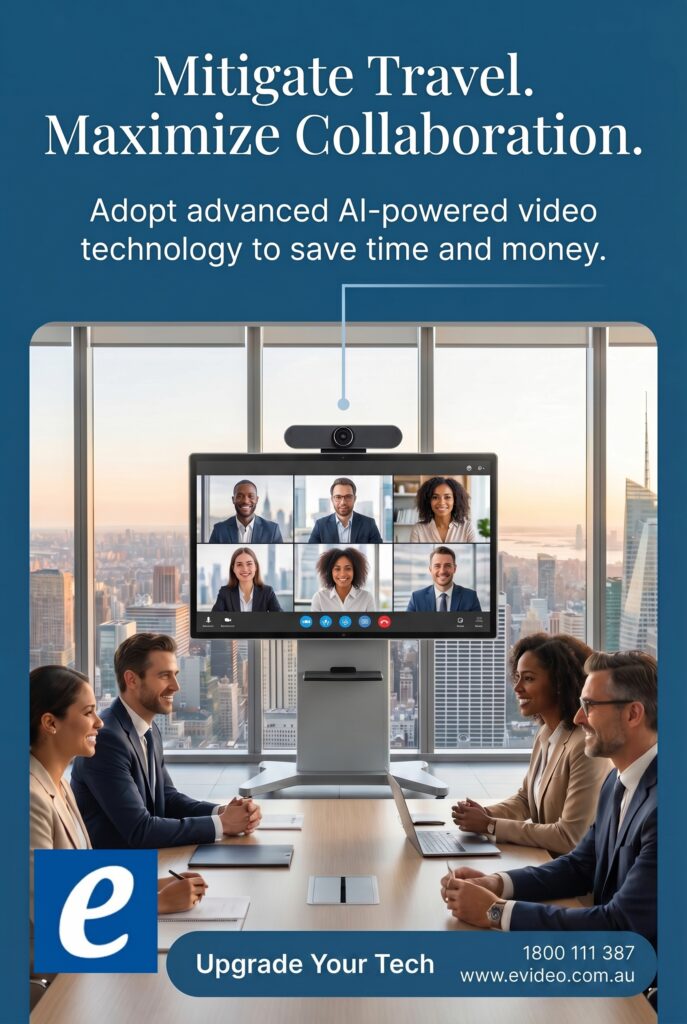
Walk into a meeting where the camera misses half the table, audio drops every few minutes, and the display takes three remotes to start, and the problem is not the meeting platform. It is the room. A microsoft teams room system is designed to fix that gap between software and physical space, giving businesses a standardized way to run meetings that actually start on time and work as expected.

For IT teams, procurement leaders, and workplace managers, that standardization matters. It reduces support tickets, shortens training time, and makes it easier to roll out consistent meeting experiences across multiple rooms and locations. The challenge is that not every Teams room is the same, and not every package that looks good on paper is the right fit once it is installed in a real office.

What a Microsoft Teams room system actually includes

A Microsoft Teams room system is more than a camera and a speakerphone. It is a purpose-built room solution that combines compute, touch control, audio, video, and display integration around Microsoft Teams Rooms software. In practical terms, that usually means a dedicated room device, a console on the table, one or more room displays, a certified camera, microphones, speakers, and the mounting and cabling required to make the setup reliable day after day.

The reason businesses choose a dedicated room system instead of a bring-your-own-laptop setup is consistency. Users walk in, tap Join, and the meeting launches with the room camera, room microphones, and room display already configured. That may sound simple, but in busy environments simplicity is what keeps rooms usable.

There is also a management advantage. Certified Teams Rooms hardware is built for centralized administration, software updates, and a cleaner support model. If your organization is trying to standardize dozens of huddle spaces, conference rooms, boardrooms, or classrooms, that is a major operational win.

Why businesses are moving to standardized Teams rooms

Most organizations do not replace meeting room technology because they want something new. They replace it because ad hoc setups stop scaling. One room has a USB camera, another has a soundbar, another depends on a user bringing the right adapter, and none of them behave the same way. That inconsistency wastes time and creates avoidable friction for both staff and guests.

A microsoft teams room system solves that by creating a repeatable room design. Teams becomes the common experience, while the hardware is selected to match the room size and acoustics. For hybrid workplaces, that matters even more. Remote participants expect to hear clearly, see the room properly, and join without the meeting turning into a troubleshooting session.

There is also a procurement benefit. Standardized room bundles are easier to quote, deploy, support, and refresh. Instead of buying random components from multiple sources, organizations can work from approved configurations and scale faster.

Choosing the right Microsoft Teams room system for each space

The biggest mistake buyers make is treating every meeting room the same. A four-person huddle room and a twelve-seat boardroom may both run Teams, but their hardware requirements are different.

Small rooms and huddle spaces

In smaller spaces, an all-in-one video bar often makes the most sense. These systems combine camera, microphones, and speakers into a single front-of-room device, paired with a touch console and compute. They are easier to install, easier to manage, and usually more cost-effective than building a room from separate AV components.

The trade-off is coverage and expansion. If the room grows, or if furniture is moved further from the display wall, microphone pickup and camera framing can become limiting factors. For straightforward spaces, they are often the best value. For flexible rooms, it depends on how much change you expect over time.

Medium conference rooms

Medium rooms tend to be where selection becomes more strategic. You may still use a video bar, but many businesses move to modular systems with dedicated cameras, table microphones, ceiling microphones, or separate speakers. That gives better control over pickup range, speaker placement, and camera performance.

This is also where room layout starts affecting product choice. Glass walls, hard surfaces, long tables, and open ceilings can all change what works best. A system that looks ideal in a spec sheet may underperform if the room acoustics are poor.

Large rooms and boardrooms

For large rooms, executive spaces, and training environments, modular systems are usually the right path. You need stronger camera options, wider audio coverage, and often dual displays for content and participant views. In some cases, a single camera is not enough, especially when presenters move around the room or when audience visibility matters.

The installation is more involved, but so is the expectation. In these spaces, the room is part of how the organization presents itself to customers, partners, and leadership teams. Reliability and presentation quality matter just as much as platform compatibility.

Key hardware decisions that affect performance

When buyers compare Teams room packages, they often focus on price first. Price matters, but hardware fit matters more. The cheapest system becomes expensive very quickly if users stop trusting the room.

Camera quality should be evaluated based on field of view, framing intelligence, and how well it handles the actual room depth. A wide-angle lens is useful in tight rooms, but not every room needs it. In longer rooms, optical performance and participant framing become more important.

Microphones are often the make-or-break factor. If users cannot be heard clearly, the room fails, even if the video looks excellent. Table mics work well in many spaces, but ceiling microphones can improve flexibility and reduce tabletop clutter. The right choice depends on ceiling height, room noise, and installation budget.

Displays also deserve more attention than they usually get. Screen size, brightness, and placement affect how natural the meeting feels. If people are straining to read shared content or cannot maintain eye contact with remote participants, the room experience suffers.

Control is another practical issue. A dedicated touch console simplifies join workflows and gives users confidence. Rooms that rely on too many separate controls tend to generate more support calls.

Certification matters, but so does integration

Certified Microsoft Teams Rooms products are the safest starting point because they are validated to work with the platform. That lowers risk. It does not automatically guarantee a successful room, though, because the final result still depends on integration, mounting, cable management, network readiness, and physical room conditions.

This is where many business buyers benefit from working with a specialist instead of sourcing components one by one. Compatibility is only part of the job. The rest is deployment planning, installation quality, and post-sale support.

A room system should also fit your broader environment. If your business has existing displays, audio infrastructure, or scheduling panels, it may be possible to build around those assets. Sometimes that reduces cost. Other times, full replacement is the smarter move because it simplifies support and avoids mixed-vendor complexity. The right answer depends on room age, current equipment condition, and how standardized you want the estate to be.

Budgeting for a microsoft teams room system

There is no single price point that defines a good Teams room. Small-room kits can be very cost-effective, while executive rooms and training spaces can justify a much higher investment. What matters is total value over time.

That includes hardware cost, installation, user adoption, support overhead, and room uptime. A lower-priced bundle that does not suit the room can cost more through rework, accessory purchases, and lost productivity. A better-specified system may look more expensive upfront but deliver stronger value if it reduces failures and lasts through future room updates.

Businesses should also think in phases. If you are rolling out multiple sites, it can make sense to standardize two or three room profiles rather than create a unique design for every space. That speeds purchasing, improves user familiarity, and makes spare parts and support easier to manage.

For organizations comparing suppliers, service matters alongside price. Quoting accuracy, installation capability, warranty support, and access to certified advice can have a direct impact on project outcomes. That is why many buyers prefer a supplier that can support both procurement and deployment, rather than simply shipping boxes.

What to look for before you buy

Before selecting a system, assess the room itself. Count seats, measure room depth and width, note ceiling type, identify wall materials, and review network and power availability. Then consider how the room is actually used. Is it mainly internal meetings, client presentations, hybrid workshops, or executive calls? Usage should shape the specification.

It is also worth deciding how much control you want over the user experience. Some organizations want a standardized appliance approach with minimal variation. Others need modularity because their spaces serve multiple functions. Neither approach is wrong. The better option is the one that fits your support model, budget, and room turnover cycle.

If you are buying at scale, ask for room-by-room recommendations rather than a generic package. A strong supplier should be able to map hardware to room type, explain trade-offs clearly, and help you avoid overbuying in small spaces or under-specifying larger ones. That is the difference between buying technology and buying a working room.

At e365 SuperStore, this is where commercial buyers usually save time – not by guessing which kit might work, but by narrowing the choice quickly to the right certified solution for the space, budget, and rollout plan.

The best meeting rooms do not draw attention to themselves. People walk in, press one button, and get on with the work. That is what a well-chosen Teams room should deliver, and it is why getting the system right at the buying stage pays off long after the hardware is installed.

e365 Superstore New financial year discounts are heavily focused on AI-enhanced Audio Visual conferencing equipment

e365 Superstore New financial year discounts are heavily focused on AI-enhanced Audio Visual conferencing equipment


Competitive Prices, Shop Online Now, Great Service, Multiple Locations, Convenient Locations Near You, Next Day Delivery
Call us on 1800 111 387 or Visit us at https://www.e365.com.au/

Best Speakerphone for Conference Calls

A conference call starts to fail long before anyone drops off the meeting. It usually starts when voices sound distant, side conversations disappear, or the far end keeps asking people to repeat themselves. If you are choosing the best speakerphone for conference calls, the real job is not buying a popular device. It is matching the microphone pickup, speaker output, platform compatibility, and room size to the way your business actually meets.

That matters because a speakerphone that works well on an executive’s desk can struggle badly in a six-person huddle room, and a model that sounds excellent in a small room may fall short in a boardroom with glass walls and a long table. Business buyers need more than a spec sheet. They need a reliable fit that reduces meeting friction, supports standardized deployment, and holds up under daily use.

What makes the best speakerphone for conference calls?

The short answer is clarity, consistency, and compatibility. The longer answer is that the best unit for your environment depends on four practical factors: room size, participant count, connection method, and your conferencing platform.

Microphone performance is usually the first thing to assess. A strong speakerphone should capture voices evenly across the intended pickup range without forcing people to lean in or raise their voices. Echo cancellation and noise reduction are also non-negotiable in business settings, especially in open offices or reflective rooms where HVAC noise, keyboard clicks, and hallway traffic can affect call quality.

Speaker quality matters just as much. If remote participants sound thin or strained, teams tend to increase volume, which can create feedback or listener fatigue. A business-grade speakerphone should deliver clear, natural playback at realistic meeting levels, not just acceptable sound at arm’s length.

Then there is connectivity. USB remains the safest option for predictable performance in dedicated meeting spaces, while Bluetooth can be useful for flexible rooms and hybrid work setups. Some organizations need both. Others need native support for Teams, Zoom, or UC environments to simplify call control and reduce user error. That is where product selection becomes a procurement decision, not just an audio decision.

Start with the room, not the product

The fastest way to choose badly is to shop by brand or price before defining the room. A small personal office, a four-person huddle space, and a medium conference room have very different audio demands.

Personal offices and focus rooms

For one or two users, compact USB or Bluetooth speakerphones often make sense. In these spaces, the priorities are ease of use, reliable pickup at short range, and portability. These models are ideal for hybrid staff who move between home, private offices, and touchdown spaces. They are generally cost-effective and easy to deploy at scale.

The trade-off is coverage. A compact unit may sound excellent for one person but underperform once more people join around a table. If your so-called personal office often becomes an ad hoc meeting spot, size up early rather than replacing hardware later.

Huddle rooms

This is where many businesses get caught out. Huddle spaces look small, so buyers often install entry-level units that are really built for desktops. But huddle rooms usually involve multiple voices, inconsistent seating positions, and mixed laptop use. That means microphone array quality becomes more important than portability.

For these rooms, the best speakerphone for conference calls is often a dedicated business model with wider pickup coverage, stronger echo control, and simple USB connectivity for room PCs or bring-your-own-device setups. If the room is used for Teams or Zoom every day, dedicated platform-certified hardware can reduce support issues and improve the user experience.

Medium conference rooms and boardrooms

Once the room gets larger, standalone speakerphones become more situational. Some premium models can handle medium rooms well, especially if they support expansion microphones or daisy chaining. But there is a limit. If the table is long, seating exceeds six to eight participants, or the room has poor acoustics, an all-in-one speakerphone may not deliver consistent pickup.

At that point, buyers should consider whether a more complete conferencing solution is the better investment. Ceiling microphones, table arrays, or integrated audio-video bars can provide better long-term performance and easier standardization across rooms. The cheapest option upfront is not always the lowest-cost path once user complaints and replacement cycles are factored in.

The features that actually matter

Not every feature on a product page deserves equal attention. Business buyers should focus on the capabilities that affect deployment, usability, and support.

Microphone pickup and voice processing

Look past marketing claims and focus on intended room coverage. Beamforming microphones, full-duplex audio, acoustic echo cancellation, and noise suppression all help maintain natural conversation. Full-duplex is especially important because it allows both sides to speak at once without audio cutting in and out, which makes meetings feel more like real conversation.

USB, Bluetooth, or both

USB offers stability and is easier to support in standardized meeting rooms. Bluetooth adds flexibility for mobile users and temporary spaces. For many organizations, dual connectivity is the right balance because it supports both fixed-room and BYOD workflows. The key is not having more options. It is having the right options for how employees actually connect.

Platform certification

If your company runs Microsoft Teams or Zoom Rooms across multiple spaces, certification matters. It improves interoperability, enables native controls on some devices, and reduces troubleshooting. In mixed-platform environments, broad UC compatibility can be the better choice. There is no universal winner here. It depends on whether your goal is standardization around one platform or flexibility across several.

Battery life and portability

For mobile professionals and shared spaces, battery-powered speakerphones can be useful. For permanent rooms, battery operation is less important than wired reliability. A portable unit is attractive, but if it spends all day in one room, a dedicated wired device is usually the safer business choice.

Manageability and support

This matters more in larger rollouts. If you are deploying across offices, classrooms, or shared meeting spaces, centralized management, firmware updates, and reliable vendor support become part of the buying decision. A device that sounds good but is difficult to maintain can create unnecessary workload for IT teams.

How to compare options without wasting budget

Price matters, but value matters more. The right comparison is not cheapest versus most expensive. It is fitness for purpose versus total cost of ownership.

A lower-priced speakerphone can be a smart buy for desks, remote staff, and low-use rooms. It becomes a poor buy if it fails in a critical client-facing conference room and needs replacement six months later. On the other hand, not every room needs premium enterprise audio. Overspending on simple spaces is just as inefficient as underspending on important ones.

A practical buying approach is to standardize by room type. Choose one model for personal spaces, one for huddle rooms, and another solution tier for larger conference spaces. That reduces training issues, simplifies support, and makes procurement more predictable. For organizations rolling out multiple locations, this approach also helps with quoting, lifecycle planning, and stock consistency.

Common mistakes buyers make

The most common mistake is underestimating room acoustics. Glass walls, hard tables, and open ceilings can make even good hardware sound worse. If a room is acoustically challenging, it may need more than a tabletop speakerphone.

Another mistake is assuming a speakerphone alone will solve every meeting problem. If video, room control, and wireless content sharing are also part of the experience, then the right answer may be a broader collaboration package rather than a single audio device.

Buyers also run into trouble when they ignore user behavior. If staff frequently connect their own laptops, keep setup simple. If the room is dedicated to one platform, certified room hardware is often the smarter path. And if your organization expects growth, choose a solution that can scale rather than one that only fits your current headcount.

When a speakerphone is the right choice – and when it is not

A speakerphone is a strong option when the room is small to medium, the table layout is straightforward, and users want quick deployment without a full AV project. It is also a smart fit for hybrid executives, small teams, and organizations that need dependable audio without overbuilding the room.

It is not always the right answer for larger boardrooms, training spaces, divisible rooms, or environments where audio quality is business-critical. In those cases, integrated conferencing systems often deliver better performance, better control, and better user adoption over time.

That is why experienced buyers assess the room first, then the workflow, then the device. A good product can still be the wrong solution if the deployment context is off.

For businesses buying at scale, the best results usually come from working with a specialist that can align product selection with room type, platform requirements, pricing targets, and deployment support. That is where a supplier like e365 SuperStore can add real value beyond the hardware itself.

The right speakerphone should make meetings easier to run, easier to hear, and easier to trust. If the device disappears into the background and your teams stop thinking about the audio, you made the right call.

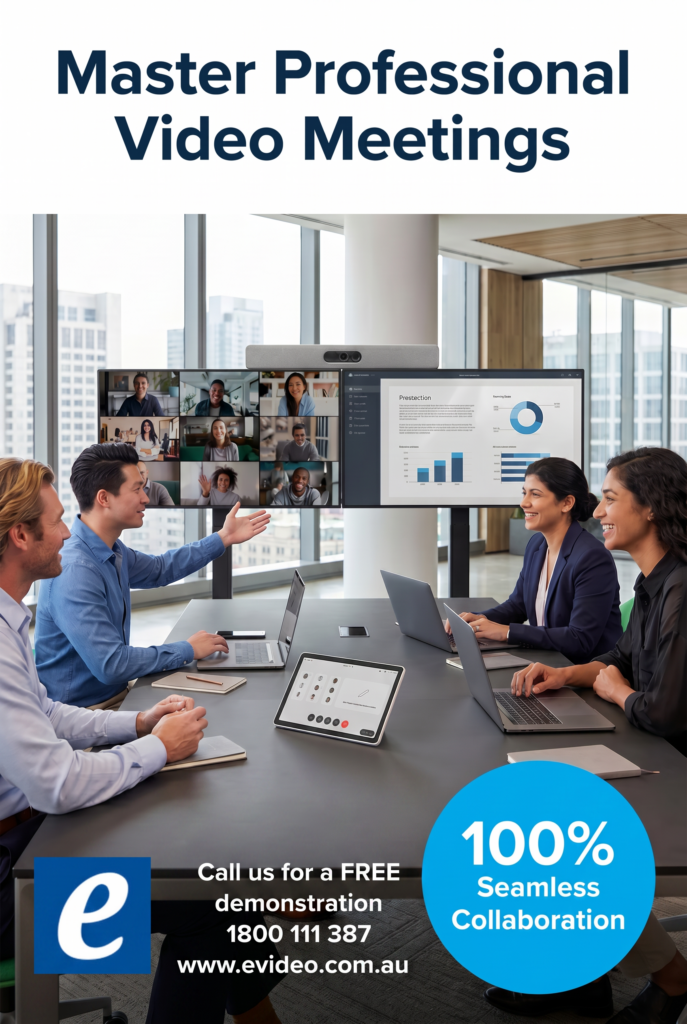
Master Professional Video meetings

eVideo will help you to master video calls which come down to controlling your environment, optimizing your hardware, and engaging professionally.


Call us on 1800 111 387 for a consultation regarding your project or Visit us at www.evideo.com.au/
#evideo #e365

Buyer BEWARE buying online

Buyer BEWARE buying online

e365 Super Store have found many online shops/ecommerce (Australian) have disturbing issues ie No option to provide installation Australia-Wide ?

  • Have no physical address on the web site – only a phone number!
  • What if you want to return the goods ?
  • Are they Authorised Partners??
  • What about technical issues?? Do they have Certified Technical personnel?
  • How do you know it’s not  Refurbished stock, Pre used or Demonstration stock???
  • Do they provide installation Australia-Wide
  • Check that the equipment is not a grey import – overseas stock!  Warranty in Australia Support and repairs??

EOFY at e365 Superstore Discounts and Special offers end June 30Th 2026

EOFY at e365 Superstore Discounts and Special offers end June 30Th 2026

Competitive Prices, Shop Online Now, Great Service, Multiple Locations, Convenient Locations Near You, Next Day Delivery, Unbeatable Prices, View Prices, Deals and Offers, Everyday Low Prices
Call us on 1800 111 387 or Visit us at https://www.e365.com.au/


EOFY at e365 Superstore Discounts and Special offers end June 30Th 2026

EOFY at e365 Superstore Discounts and Special offers end June 30Th 2026

Competitive Prices, Shop Online Now, Great Service, Multiple Locations, Convenient Locations Near You, Next Day Delivery, Unbeatable Prices, View Prices, Deals and Offers, Everyday Low Prices
Call us on 1800 111 387 or Visit us at https://www.e365.com.au/

Elevate your teaching & meetings with our Interactive Touchscreens from e365 SuperStore

Elevate your teaching & meetings with our Interactive Touchscreens from e365 SuperStore


EOFY deals are on. Upgrade your AV gear for crystal-clear presentations, seamless collaboration and smarter meetings. We have latest Unified Communications solutions, including collaboration bundles and smart devices for your meeting rooms.

Australia’s Most Awarded Online Technology Retailer • Installations Australia-Wide • 24/7 Help Desk* • Customer Loyalty Programs • Certified Technical Assistance • Fast Delivery Australia-Wide

e365 are a value-added reseller and service provider of Logitech, Neat, Yealink ,Cisco, Poly, Crestron, Maxhub,  Commbox, HP, Jabra, Barco, Owl Labs, Lenovo, Crestron, LG, Samsung, Philips, Smartboard, Sharp, Epson, Kramer, Extron, Aver, NEC, Yamaha, Sony, and other innovative technology products, Cloud Platforms Google Meet ,WebEx, Zoom, Microsoft teams as well as offering complete sales, service and support throughout Australia and internationally. We deliver a competitive edge by providing our customers with telecommunication solutions that meet their current and future needs.

EOFY and Black Friday deals are on

EOFY and Black Friday deals are on. Upgrade your AV gear for crystal-clear presentations, seamless collaboration and smarter meetings. We have latest Unified Communications solutions, including collaboration bundles and smart devices for your meeting rooms.

We can provide installation Australia wide for all our products

Call us on 1800 111 387 for a FREE demonstration or buy on line via the link
https://www.e365.com.au/

Sign Up For Our Newsletter to Receive Regular Specials!