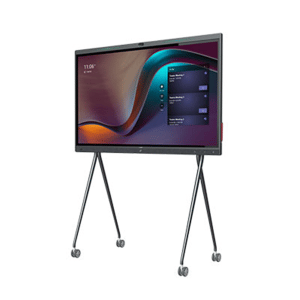
Neat

Choosing a Video Conferencing Equipment Bundle

A meeting room can have a premium display, fast network connection, and a capable conferencing platform yet still deliver a poor experience if the camera misses half the table or the microphone picks up more air-conditioning than conversation. A properly specified video conferencing equipment bundle solves those gaps by bringing the core devices together as one compatible room solution.

For IT managers and procurement teams, the appeal is not simply convenience. Bundling can reduce compatibility risk, simplify purchasing, standardize the user experience across sites, and make support far easier after deployment. The right bundle also avoids a common expensive mistake: buying consumer-grade peripherals that work in a test call but fail under the demands of a busy boardroom, hybrid classroom, or shared meeting space.

What a Video Conferencing Equipment Bundle Should Include

At its most practical, a video conferencing equipment bundle combines the camera, audio hardware, compute or room controller, and display connection required to run meetings professionally. The exact configuration depends on room size, meeting platform, and how people use the space.

A small huddle room may only require an all-in-one video bar, a display, and a single USB connection to a laptop. A dedicated Microsoft Teams Rooms or Zoom Rooms space is more likely to need an appliance or compute unit, touch controller, camera, microphones, speakers, and commercial display. Larger rooms can add expansion microphones, a separate PTZ camera, a second display, wireless content sharing, and professional installation.

The best bundles are designed around a complete signal path. Participants need to be seen, heard, and able to share content without searching for cables, changing display inputs, or calling IT before every meeting. That is why the lowest initial hardware price is not always the best commercial outcome. A solution that reduces failed meetings, support tickets, and replacement purchases can offer much better long-term value.

Start With the Room, Not the Product Page

The room should drive the specification. Before comparing cameras or platforms, establish the table layout, room dimensions, typical attendee count, display location, lighting conditions, and whether users join from a dedicated room account or their own laptops.

Small rooms and huddle spaces

For spaces seating two to six people, an integrated video bar is often the most efficient option. These devices combine a wide-angle camera, microphones, and speakers in a compact unit. They reduce cabling and present a clean setup for rooms where the farthest participant is only a few feet from the device.

However, wide-angle does not automatically mean better. Extremely wide lenses can make faces at the end of a long table look distant, while low camera placement can create unflattering sightlines. Choose a bundle with framing features suited to the room and place the bar at an appropriate height below or above the display.

Medium conference rooms

Rooms seating six to 12 people often benefit from a more capable video bar or a modular system with a dedicated camera and table or ceiling microphones. Audio coverage becomes the critical factor here. The system needs to capture soft-spoken participants at the far end of the room while controlling echo and background noise.

For these rooms, consider whether the table shape, glass walls, and hard surfaces will affect acoustics. Expansion microphones may be a better investment than a higher-resolution camera if remote participants currently struggle to follow the discussion.

Boardrooms, training rooms, and divisible spaces

Large rooms demand a more deliberate design. A PTZ camera can frame speakers accurately from a distance, while multiple microphones or professionally installed audio coverage ensures every voice is captured. Dual displays are often worthwhile where teams need to view remote participants and shared content simultaneously.

This is also where installation and integration support matter most. Cable pathways, display mounting, network readiness, control systems, and room scheduling panels can all affect the final result. A bundle for a boardroom should be treated as a workplace technology project, not a carton of peripherals.

Choose the Platform Before Selecting the Hardware

A bundle should support the platform your organization actually uses, whether that is Microsoft Teams, Zoom, Google Meet, or a mixed environment. Platform-certified hardware gives buyers greater confidence that controls, updates, account management, and call features will work as intended.

Dedicated room systems are ideal for organizations that want walk-in, tap-to-join meetings. They provide a consistent experience and can be centrally managed across multiple locations. The trade-off is that they require room licenses, network configuration, and a clear ownership model for updates and support.

USB-based bundles remain a strong choice for flexible spaces and businesses where users host meetings from laptops. They can cost less and work with many conferencing applications, but the user experience depends on each person connecting their device correctly. For a high-turnover meeting room, that additional friction can quickly become a productivity issue.

Bring-your-own-device rooms can also be paired with wireless content sharing or a one-cable connection hub. This approach suits organizations with multiple conferencing platforms, but it should be tested against security policies, guest access requirements, and the range of laptops employees use.

Prioritize Audio Before Camera Resolution

Buyers often lead with 4K camera requirements. High resolution has value, particularly in larger rooms, but clear audio is usually the difference between a productive hybrid meeting and one where remote attendees disengage.

Look for microphones designed for the room’s coverage area and for audio processing features that manage echo, noise, and competing voices. In a small room, an integrated bar may be enough. In a long boardroom, microphone expansion and speaker placement should be assessed as part of the bundle, not added only after complaints begin.

Camera selection should then reflect room geometry. Consider field of view, optical versus digital zoom, framing modes, privacy shutters, and the ability to show a presenter at a whiteboard. A PTZ camera is useful when the camera must reach across a large room. In compact spaces, it may be unnecessary complexity compared with an intelligent video bar.

Standardization Makes Multi-Site Procurement Easier

Organizations with several offices, campuses, or meeting room types gain real value from standardizing their video conferencing equipment bundles. A consistent camera and controller experience reduces training needs. IT teams can hold fewer spare parts, document fewer support processes, and manage firmware updates more predictably.

Standardization does not mean forcing one bundle into every room. A better approach is to establish two or three approved room designs: huddle, standard meeting room, and large boardroom or training space. Each design can use the same platform and operating model while scaling camera, audio, and display requirements to fit the environment.

When comparing suppliers, ask whether they can quote these designs as repeatable packages. The ability to source recognized brands, maintain configuration consistency, and coordinate delivery across locations can remove a major procurement burden.

Check the Details That Cause Deployment Delays

A bundle can look complete on paper but still miss components needed for a working installation. Confirm display mounts, cables, adapters, network requirements, power access, and any required licenses or room accounts. If the system will be installed in a wall-mounted display area or table box, cable lengths and equipment placement need to be planned before the order is placed.

Also review warranty coverage, local support options, and the process for technical troubleshooting. For commercial environments, fast replacement pathways and qualified assistance are often more valuable than saving a small amount on an unsupported device.

For organizations buying in Australia, e365 SuperStore can support the process with competitive commercial quotes, recognized conferencing brands, Australia-wide delivery, and technical guidance for room-based deployments. That combination is particularly useful when procurement needs a single source for hardware supply and installation coordination.

Buy for the Meeting Experience You Want to Repeat

The right bundle is not the one with the longest specification sheet. It is the one that lets a first-time user enter a room, start a meeting quickly, hear every participant, share content clearly, and leave without creating a support ticket.

Specify the room experience first, match the bundle to the conferencing platform and acoustic needs, then validate the practical installation details. That process gives your teams a room they will choose to use, rather than another space with expensive technology sitting idle.

How to Standardize Meeting Room Technology

A meeting should not begin with someone hunting for the right cable, rebooting a room PC, or asking which remote controls the camera. That friction is exactly why organizations need to understand how to standardize meeting room technology. The goal is not to make every space identical. It is to make every room predictable: users know how to join, IT knows how to support it, and procurement knows what to buy next.

For multi-site businesses, education providers, and growing teams, standardization turns meeting technology from a collection of one-off purchases into an operational system. It reduces support tickets, shortens deployment time, strengthens security, and gives every employee a more consistent experience whether they are in a huddle room, training space, or executive boardroom.

Start With Room Types, Not Product Models

The most common mistake is choosing a preferred camera, display, or speakerphone before defining the rooms it must serve. A compact focus room has different requirements than a 14-seat boardroom. Trying to force one hardware bundle into every environment usually leads to poor camera framing, weak audio pickup, or unnecessary cost.

Create a small number of room profiles based on capacity, room shape, meeting behavior, and primary platform. For many organizations, three to five profiles are enough: personal or focus spaces, small huddle rooms, medium conference rooms, large boardrooms, and divisible training rooms.

Each profile should specify the expected experience rather than just a shopping list. Define how many people must be seen clearly, how far participants sit from the display, whether remote attendees need whiteboard visibility, and whether the room hosts presentations, hybrid training, or client-facing calls. This provides a sound basis for selecting conferencing cameras, microphones, commercial displays, touch controllers, and room scheduling panels.

A standardized room profile can still allow controlled variation. For example, a medium room may use the same Teams Rooms or Zoom Rooms platform across all locations while allowing a different camera model where a room is unusually long. The standard should guide exceptions, not deny that they exist.

Standardize the User Experience First

Users do not care whether a room uses USB, HDMI, IP audio, or appliance-based collaboration hardware. They care that the meeting starts on time. That means the experience at the table must be consistent across rooms.

Set a clear standard for joining meetings. If Microsoft Teams is the primary platform, a Teams Rooms interface may be the right default. If Zoom is the business standard, deploy Zoom Rooms where dedicated meeting controls and calendar integration are required. Organizations with mixed platforms may need approved BYOD options or interoperable room systems, but they should still make the preferred workflow obvious.

The same principle applies to content sharing. Choose a primary method, such as wired HDMI ingest, USB-C connectivity, wireless sharing, or native room-controller sharing, then repeat it wherever practical. A room that requires three different instructions depending on location is not standardized from the user’s perspective.

Keep controls simple. A touch panel should present the actions users need most: join, share, camera control when necessary, volume, and meeting end. Avoid programming complex AV control pages into everyday rooms unless the room genuinely needs them. Advanced control is appropriate for divisible spaces and executive training rooms, not for a four-person huddle space.

Build an Approved Technology Stack

Once room profiles and user workflows are defined, establish an approved stack for each profile. This is where IT, facilities, procurement, and AV stakeholders need to agree on more than the initial purchase price.

Your approved stack should cover the display, conferencing compute or appliance, camera, audio devices, controller, cabling, mounts, networking requirements, and any scheduling hardware. It should also specify supported firmware, warranty expectations, replacement procedures, and the accessories that make installation repeatable.

Selecting fewer strategic brands can simplify purchasing and support. It can also provide more consistent management tools and better opportunities for bundled pricing. However, limiting choice too aggressively can create risk if supply constraints emerge or a particular product is not suitable for an atypical room. The practical answer is usually to approve a primary solution and a compatible alternative for critical categories.

For example, one approved small-room kit might include an all-in-one video bar, a single display, and a touch controller. A medium-room kit may add a dedicated room system, dual displays, a PTZ camera, table microphones, and a content-sharing input. The important point is that both kits follow the same platform, support model, and installation principles.

Design for Audio Before Video

A premium camera cannot rescue a meeting where remote participants cannot hear the discussion. Audio should be assessed early, particularly in larger rooms, glass-walled spaces, rooms with hard surfaces, and training environments where speakers move around.

Start with room acoustics and microphone coverage. Measure the room, consider reverberation, identify HVAC noise, and map where people will sit or stand. An all-in-one video bar may be ideal for a small room, while a larger boardroom may need ceiling microphones, table microphones, DSP processing, and separate speakers.

Standardization does not mean using the same audio product everywhere. It means applying a repeatable design rule: every seat should be heard naturally, loudspeaker coverage should be even, and the system should avoid echoes and feedback. This approach prevents the costly rework that occurs when audio is treated as an accessory after the display and camera are already installed.

Make Manageability a Purchase Requirement

Meeting room technology must be manageable after deployment. A device that looks attractive in a quote but cannot be monitored, updated, or supported remotely becomes expensive over time.

Prioritize systems that provide centralized device management, health alerts, remote configuration, usage insights, and firmware update controls. IT teams should be able to see whether a room is offline, whether a peripheral has disconnected, and whether a software update has failed before a senior leadership meeting exposes the problem.

Network design matters just as much. Document VLAN requirements, Wi-Fi or wired network expectations, device authentication, firewall rules, and the process for adding rooms to the management portal. For environments with strict security controls, involve network and cybersecurity teams before hardware is ordered. Retrofitting network approval after installation is a reliable way to delay a rollout.

Create a Rollout Plan That Can Scale

Do not standardize an entire estate based on a spreadsheet alone. Start with pilot rooms that represent your most common use cases. Include a small room, a medium room, and at least one higher-complexity space if those rooms are part of the plan.

Use the pilot to test audio performance, meeting join workflows, cable lengths, furniture placement, user instructions, and device management. Ask real employees to use the rooms without technical assistance. If they struggle, the design needs adjustment before it is repeated at scale.

After the pilot, produce a deployment playbook covering site surveys, approved bills of materials, installation drawings, network prerequisites, acceptance testing, asset registration, and user handover. This gives internal teams and installation partners a consistent blueprint for every location.

For large rollouts, establish a refresh cycle at the same time. Meeting room technology should not remain in service until it fails. Plan for warranty periods, software support windows, expected room use, and platform changes. A scheduled refresh is easier to budget and far less disruptive than replacing failed devices room by room.

Give Procurement Control Without Slowing Teams Down

Standardization works when buyers can order approved solutions quickly without reopening every technical decision. Create pre-approved room bundles, clear configuration rules, and a process for exceptions. Procurement gains better price control and fewer incompatible purchases, while local teams get a faster path to a working room.

A specialist commercial technology supplier can help validate room designs, source compatible hardware, coordinate installation, and maintain consistency across a rollout. e365 SuperStore supports organizations with professional conferencing, audio, display, and collaboration equipment backed by technical guidance, competitive commercial pricing, and deployment support.

The best standardized meeting room is not the one with the longest specification. It is the room employees trust enough to walk into, tap join, share content, and get on with the conversation.

Choosing a Projector for Conference Room Use

A projector for conference room use is not a commodity purchase. It has to stay visible with lights on, connect quickly to the devices your team actually uses, and perform reliably when a client, executive, or remote participant is waiting. A low upfront price can become expensive fast if the image washes out, wireless sharing fails, or maintenance interrupts meetings.

The right choice starts with the room, not the product spec sheet. Screen size, ambient light, seating distance, video conferencing requirements, and installation constraints all determine which projector will deliver a professional result. For business buyers standardizing several spaces, those decisions also affect support workload, replacement planning, and total cost of ownership.

Start With the Conference Room, Not the Projector

Measure the usable presentation area before comparing models. A small huddle room may only need a 70-inch image, while a boardroom or training space may require 100 inches or more for spreadsheets, dashboards, and detailed presentations to remain readable from the back row.

Room lighting matters just as much. Conference rooms with blinds, controlled lighting, and darker finishes are easier to equip. Glass-walled rooms, open collaboration areas, and spaces where lights must remain on for note-taking need more brightness. Do not assume users will dim lights before every meeting. In most organizations, they will not.

Also consider the mounting position early. A ceiling-mounted projector can create a clean, permanent installation, but it requires the correct throw ratio and cable pathway. A short-throw model can work well in smaller rooms where the projector must sit close to the screen. Ultra-short-throw units reduce shadows and glare near the display surface, although they require careful alignment and a suitably flat screen or wall.

Match brightness to the way the room is used

Brightness is measured in ANSI lumens. It is one of the most meaningful specifications for a business projector, but more is not automatically better. Excess brightness can add cost and may be unnecessary in a controlled boardroom. Too little brightness, however, leaves presentations looking faded and forces users to close blinds or turn off lights.

As a practical starting point, a compact meeting room with moderate lighting may suit a projector in the 3,000 to 4,000 ANSI lumen range. Larger rooms, bright spaces, and rooms with substantial daylight often need 4,500 lumens or more. For training rooms or flexible commercial spaces, higher brightness can provide useful headroom when conditions change.

Brightness should be evaluated alongside screen size. The same projector that looks sharp on a 75-inch image may struggle when stretched across a 120-inch screen. Ask for recommendations based on the exact room dimensions and projected image size, rather than selecting on lumens alone.

Resolution Determines What People Can Read

Resolution affects more than video quality. In a business setting, it determines whether participants can read small text in a financial model, see details in a design review, or follow a shared application window during a hybrid meeting.

Full HD, or 1080p, remains a sensible option for many standard meeting rooms. It is cost-effective and handles presentations, video, and most collaboration tasks well. For boardrooms, large training rooms, and teams that frequently share dense spreadsheets or multiple windows, 4K is often the better investment. The extra pixel detail is particularly valuable when the projected image is large or viewers sit close to the screen.

Avoid treating native resolution and supported input resolution as the same thing. Some projectors accept a 4K signal but display it at a lower native resolution. That may be adequate for simple slides, but it is not equivalent to true 4K projection. Procurement teams should confirm the native display specification before comparing pricing.

Select the Right Light Source for Your Support Model

Lamp-based projectors can offer attractive purchase pricing, particularly where usage is limited. They also introduce a predictable maintenance requirement: lamps dim over time and eventually need replacement. That means downtime, consumables inventory, and service planning across multiple rooms.

Laser projectors have become the preferred option for many commercial deployments. Their light engines typically provide long operating life, consistent brightness over more hours, and faster start-up. The initial purchase cost is higher, but the reduced maintenance can make laser a stronger value over the life of the installation.

For a lightly used meeting room, a lamp model may still be commercially sound. For executive spaces, heavily booked rooms, education environments, and multi-site rollouts, laser technology usually reduces operational friction. The decision depends on projected hours of use, access to service personnel, and how disruptive a failure would be.

Connectivity Must Support Real Meeting Behavior

A projector can have excellent image performance and still frustrate users if sharing content is awkward. Start by identifying the devices and platforms in the room. A Windows laptop with HDMI has different requirements from a room built around USB-C laptops, wireless presentation, Microsoft Teams Rooms, Zoom Rooms, or a dedicated video conferencing appliance.

HDMI remains essential in most installations. USB-C connectivity can simplify modern laptop use, but verify whether the projector supports video input directly and whether charging is required through the same connection. In many room designs, a separate table connectivity hub or AV switcher provides a more reliable answer than relying on projector ports alone.

Wireless presentation is convenient for ad hoc meetings, yet it should be assessed carefully in managed networks. Security policies, guest access, Wi-Fi capacity, and device compatibility all influence the experience. A wired connection should remain available as a dependable fallback for high-stakes meetings.

If the projector will be paired with a conferencing camera, speakerphone, or room appliance, plan the full signal path. The projector is the visual endpoint, not the complete room solution. Proper integration ensures the room can switch between local content, remote participant views, and conferencing platforms without staff improvising with adapters.

Do not overlook audio and control

Built-in projector speakers may be adequate for a small room and occasional video playback, but they are rarely suitable for a professional boardroom. Dedicated speakerphones, ceiling speakers, soundbars, or DSP-based audio systems produce clearer speech and work better with video conferencing microphones.

Control is equally important. A projector installed on the ceiling should not depend on someone locating a remote control. Consider wall controls, touch panels, room scheduling panels, or centralized management tools. At minimum, confirm that authorized IT staff can monitor lamp hours, temperature alerts, firmware, and power status where supported.

Screen Choice Can Make or Break the Image

Projecting directly onto a painted wall is tempting, but it often compromises sharpness, color consistency, and perceived brightness. A commercial projection screen provides a more controlled surface and a more polished result for client-facing spaces.

The screen type should match the room. A standard matte white screen works well in many controlled environments. Ambient-light-rejecting materials can improve contrast in brighter rooms, but they cost more and may require stricter viewing-angle and projector-placement planning. Motorized screens are useful where a room serves multiple purposes, while fixed-frame screens are often the strongest option for dedicated presentation spaces.

Think about sightlines too. The bottom of the image should sit high enough for attendees at the back to see it over people seated in front. In rooms with video conferencing, leave space for the camera and display layout so remote participants are not obscured.

Plan for Installation, Service, and Standardization

Commercial AV performance is won during design and installation. Cable runs, ceiling mounts, ventilation clearance, power location, screen alignment, and network access should be planned before equipment arrives. A projector installed too close to an air-conditioning vent, without access for servicing, creates a long-term support problem.

For organizations equipping several rooms, standardization is worth prioritizing. Using a consistent platform across similar spaces simplifies user training, spare equipment planning, remote management, and help desk support. It also makes future expansion faster because the room design is already proven.

This is where specialist procurement support adds value. e365 SuperStore can help business buyers match commercial projectors, screens, conferencing hardware, audio, and installation requirements into a practical room solution rather than a collection of disconnected products. Technical guidance before purchase is often the fastest way to avoid an under-specified installation.

Questions to Ask Before You Approve the Quote

Before finalizing a projector for conference room deployment, confirm the required image size, room light levels, native resolution, throw distance, and mounting location. Confirm the expected daily operating hours and whether lamp replacement or laser longevity best fits the budget. Finally, validate how users will connect, how the room will support video conferencing, and who will service the equipment after installation.

The best conference room projector is the one people do not have to think about. When a meeting starts, the image should be bright, readable, correctly aligned, and ready for the next device or remote participant. Build the room around that standard, and the investment will keep earning its place long after the first presentation ends.

Best Ceiling Microphone for Meeting Room Use

A meeting room can look perfectly equipped on paper and still fail the moment someone at the far end says, “Sorry, can you repeat that?” In most cases, the issue is not the camera or the display. It is the pickup. Choosing the right ceiling microphone for meeting room use is often what separates a room that feels professional from one that drains time out of every call.

Ceiling microphones have moved from niche AV products to a serious standard for modern conferencing. That shift makes sense. Organizations want cleaner tables, fewer exposed cables, better room coverage, and audio that works for both in-room participants and remote attendees. But not every ceiling mic is right for every space, and this is where buyers often get stuck.

Why a ceiling microphone for meeting room projects makes sense

The biggest advantage is coverage without clutter. A ceiling-mounted solution removes the need to place tabletop mics where they compete with laptops, notepads, and room booking habits. In a shared or executive space, that matters. A clean table is easier to use, easier to maintain, and presents better on camera.

There is also a performance benefit when the system is designed properly. Many ceiling microphones use beamforming or multi-element arrays to focus on voices across the room rather than relying on a single pickup point. That helps in medium and large rooms where participants do not stay fixed in one seat.

Still, ceiling microphones are not automatic upgrades in every scenario. A small huddle room with two or three people may perform perfectly well with an all-in-one video bar. In those spaces, adding a separate ceiling mic can increase cost and complexity without a clear gain. The right decision depends on room size, ceiling height, table layout, acoustic treatment, and the conferencing platform in use.

What actually matters when choosing a ceiling microphone

Audio coverage comes first. Buyers should ask a simple question before looking at brand names or specifications: how many people need to be heard clearly, and from where? A compact boardroom with a fixed table has very different pickup requirements than a flexible training space where participants move around.

Beamforming quality is the next filter. Not all beamforming is equal. Some microphones track talkers effectively and maintain natural voice pickup. Others sound thin, distant, or inconsistent when people turn their heads or speak from the edge of coverage. Manufacturer claims can be optimistic, so it helps to assess real deployment conditions rather than brochure language alone.

DSP integration matters more than many first-time buyers expect. Echo cancellation, noise reduction, automatic gain control, and mixing all affect the final result. A strong ceiling microphone paired with weak DSP can still produce poor calls. In many commercial rooms, the microphone should be considered part of a wider audio chain that includes speakers, processing, and platform-certified hardware.

Then there is compatibility. If the room is standardized around Microsoft Teams Rooms or Zoom Rooms, the ceiling mic should fit cleanly into that environment. That includes USB, Dante, or networked audio workflows, depending on the room design. For enterprise buyers outfitting multiple spaces, consistency across platforms and room types can save significant support time later.

Ceiling microphone types and where they fit

Flush-mount and pendant designs are the two most common categories. Flush-mount microphones sit more discreetly in finished ceilings and are often preferred in polished boardrooms or architecturally sensitive spaces. Pendant microphones hang lower and can be useful where ceilings are high or pickup needs to be positioned closer to the talkers.

There are also array microphones designed to work with intelligent coverage zones. These are often the right choice for larger meeting rooms, divisible rooms, or training environments where standard pickup patterns may struggle. They usually cost more, but they can reduce the need for multiple tabletop microphones and support a more scalable room design.

For many buyers, the real choice is not just microphone style. It is whether to use a single advanced array, multiple ceiling units, or a hybrid system that combines ceiling pickup with supplemental microphones. The answer depends on how predictable the room usage is. Fixed board meetings are easier to design for than flexible collaboration spaces with shifting furniture.

The room itself will make or break performance

A ceiling microphone does not operate in isolation. Hard glass walls, exposed concrete, open ceilings, and reflective tables all influence speech intelligibility. If a room is highly reverberant, even premium hardware can sound underwhelming.

That does not mean every room needs a full acoustic retrofit. But buyers should at least factor in practical mitigation such as carpet, soft finishes, acoustic panels, and speaker placement. In many installations, a better result comes from balancing microphone choice with room treatment rather than simply buying the most expensive mic in the catalog.

Ceiling height is another practical issue. A microphone specified for a standard office ceiling may not perform the same way in a space with extra height or unusual geometry. This is one reason specification-driven purchasing can go wrong. The data sheet may look right, while the installed performance says otherwise.

Integration is where commercial value shows up

For business buyers, product cost is only part of the equation. The real question is total room outcome. A ceiling microphone that needs additional DSP, custom programming, and specialized installation may still be the right choice for a flagship boardroom. But for broad room rollouts, a more standardized solution can offer better long-term value.

This is especially relevant for organizations deploying multiple rooms across offices, campuses, or client-facing spaces. Procurement teams usually want fewer compatibility surprises, simpler support, and predictable quoting. IT teams want devices that can be managed, updated, and replaced without rebuilding the room each time.

That is where specialist supply matters. A commercial technology partner can help match the microphone to the broader room stack, including speakers, conferencing compute, control interfaces, cabling, and platform certification. That reduces the risk of buying premium components that do not play well together. For organizations purchasing at scale, e365 SuperStore supports this kind of solution-led approach with access to major brands, integration guidance, and deployment support.

Common buying mistakes to avoid

One of the most common mistakes is underestimating speaker placement. If room speakers are poorly positioned relative to the microphone pickup zone, echo control becomes harder and call quality drops. Another is assuming one microphone can cover every seat because the room dimensions appear modest. Coverage on paper and coverage in practice are not always the same.

Buyers also run into trouble when they prioritize aesthetics over performance. A hidden microphone can look great, but if it is mounted in a compromised location or too far from talkers, the room pays for that decision every day. Good design should support both appearance and intelligibility.

There is also a tendency to treat all meeting rooms the same. A boardroom, a training room, and a hybrid classroom may all need ceiling microphones, but they should not be specified identically. User behavior changes the design. So does the expectation of recording quality, voice lift, or presenter tracking.

How to tell if a ceiling microphone is the right fit

If your room needs clear table-free pickup, supports more than a few participants, or serves executive, client-facing, or high-usage meetings, a ceiling microphone is worth serious consideration. It is especially effective where organizations want a premium finish and a more permanent conferencing setup.

If the space is small, lightly used, or built around a compact video bar with good onboard microphones, the return may be lower. In those cases, keeping the system simpler can be the smarter commercial move. The goal is not to install more gear. The goal is to remove friction from every meeting.

The strongest meeting room designs usually start with user behavior, then move to room acoustics, then to hardware. That order helps buyers avoid overbuying in some spaces and underbuilding in others.

A ceiling microphone is not a box-check purchase. It is part of the room experience. When it is specified well, people stop thinking about audio entirely, which is exactly the result a professional meeting space should deliver. If your team is planning a new room, standardizing multiple sites, or upgrading underperforming spaces, take the extra time to get the audio layer right. It is usually the part users remember most when it goes wrong, and the part they never notice when it is done properly.

Neat Bar Pro & Sony 65 inch TV

Neat Bar Pro & Sony 65 inch TV-1 Year standard Warranty-Authorised Australian Pro Dealer Stress FREE Installation

Neat Bar Pro & Neat Pad-1 Year standard Warranty-with 65 inch Sony Commercial TV-Authorised Australian Pro Dealer Stress FREE Installation

Installation and integration Australia Wide 

Neat Bar Pro is a simple and elegant, compactly designed yet highly capable meeting room device. It’s perfect for bringing superior-quality audio and video to your meeting, huddle or focus rooms for up to ten people. You can mount Neat Bar above or below one or two monitors, and it comes with Neat Pad, our dynamic touch screen, which you can configure as a controller or scheduler.

NEW Dten available in 55-inch and 75-inch models

DTEN D7X 55-inch and 75-inch models

The all-in-one DTEN D7X transforms every meeting room into a modern workspace. Its powerful deep learning capabilities and AI features enable it to ensure great video collaboration experiences for your team, even without any user intervention. The D7X is also unique because of its enhanced compute capabilities, which enable it to perform multiple tasks at the same time and make sure that they are all run smoothly and efficiently.

With DTEN D7X, you can quickly connect any laptop to a single USB-C cable and start your video meeting. DTEN D7X features upgraded speakers, camera and microphones to create an enterprise ready professional meeting experience. It comes with Zoom and Microsoft Teams (via a free software download) so that you can join Zoom or Microsoft Teams calls on demand.

Listen up. Hear everything crystal clear with the new DTEN D7X 75″, a flexible, interactive display that’s as versatile as it is powerful. With state-of-the-art AI technology, it works with your team to optimize sound so each person can be heard, even in larger rooms like boardrooms. The upgraded speaker system features four times more sound and four new microphones ensure your quieter voices are picked up loud and clear.

The Future of Work

The Future of Work

The Future of Work | Have you got the best videoconferencing solution?
The world has changed. We’ve never used so much video, at home and at work. But in the rush to get teams working remotely, have you ended up with the best solution?

As hybrid work transforms into anywhere work, collaboration and employee experience goals continue to evolve. Work and learning spaces are changing to meet team expectations, and your technology must keep pace, with equal attention given to remote and on-site experiences. In short, we need to make anywhere work more
human-centric.

We have insights into strengthening the human experience in the workplace, including:

  • Our human-centric workplace how-to guide
  • Immersive spaces, platform interoperability, and VR design
  • In-person collaboration and events case study
  • Hybrid learning environments
  • Experience technology that moves the world
  • Technology partner solutions

Latest April Product Releases (Videoconferencing Equipment)

Latest April Product Releases (Videoconferencing Equipment)

Picture of e365 Superstore

e365 Superstore

Latest Product Announcements

The videoconferencing industry has grown exponentially and with numerous tools coming out every month, this will only continue to improve. We have compiled a list of the most useful videoconferencing equipment out there this month. 

Overview

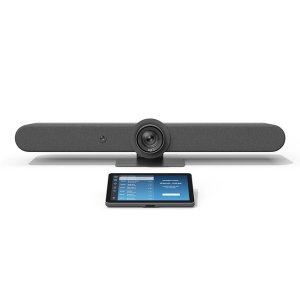
Logitech Rally Bar + TAP IP- Medium- Graphite

Logitech Rally Bar + TAP IP- Medium- Graphite e365 SuperStore are a premier authorised Logitech gold partner with Australian stock and warranty Logitech Rally bar are a Powerful All-in-one Video Conferencing Bar with Brilliant Optics and Automated PTZ. All-in-one Video Bar for Midsize Rooms. Simple to Set and Easy to Use. Only Quality Products. Trusted Australian Vendor. Friendly Customer Service. No Credit Card surcharge. Logitech Tap and Tap IP Compatibility Information  

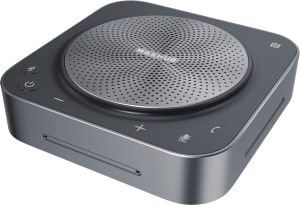
MaxHub Bluetooth Speakerphone UC BM35

MaxHub Bluetooth Speakerphone BM35 Unlock a new level of meeting clarity with the next-generation BM35 speakerphone. Crystal clear audio combines with a powerful pick-range to transform any small to mid-sized meeting space. Break free from the restrictions of wired devices with an agile, flexible solution that adapts as quickly as your team. 

In the home, the business office, or anywhere else, the BM35 is the ultimate part for clear conversations. Comes with 3 year warranty. Amplify Conference Quality with Superior Sound Portability and practicality come together in a powerful audio device, built for better meetings. The BM35 is optimized to keep human voices clear. Capturing every utterance in perfect detail, the BM35 empowers any team.

AVER CAM570 4K DUAL LENS PTZ AUDIO TRACKING CAMERA Stress FREE Installation

AVER CAM570 4K DUAL LENS PTZ AUDIO TRACKING CAMERA AVer CAM570 is a 4K dual lens camera with a 36X Total zoom PTZ camera and a second AI lens with 95˚FOV. Equipped with a built in microphone, CAM570 detects human voices up to 10M and offers audio tracking function. AI technology such as Smart Gallery and gesture control can capture every attendee up-close with premium video quality. 

Built-in Microphone Enables Audio Tracking Easily focus on active speaker with audio tracking mode and presentation mode. The camera will follow the speaker automatically or you can set up a preset point to focus on a specific area. The built in microphone picks up human voices up to 10M without being disturbed by a local speaker.

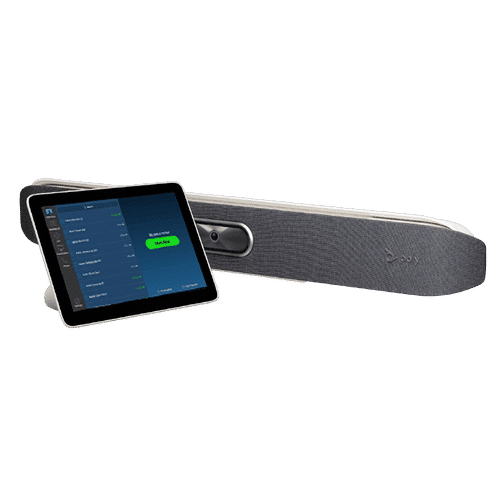
POLY Studio X50 & Poly TC8 4K Video Conf System W 3yr Poly Plus 24x7 Support

Poly studio X50

Poly Studio X50 with touch panel TC8 connects to Microsoft Teams and Zoom The Poly Studio X50 video bar delivers radical simplicity in a small, elegant package. In small- and medium-sized rooms, connect easily with whatever video collaboration software you may use. Experience full boardroom-quality audio, advanced camera capabilities, and quick wireless content—all in one sleek video bar. 

And say goodbye to unnecessary pucks, cords, and cables, along with the PC or Mac to drive the meeting, since the Poly Video OS runs the show. Easy to install, easy to manage. • Ideal for rooms of up to 8 participants • Surround everyone with the rich, legendary sound with stereo speakers that deliver immersive, room-filling audio • Dual monitor support ensures you have the ideal setup for room of many sizes • Be heard clearly with next generation microphone array

DTEN ME 27 All in One Zoom device

DTEN ME 27 All-in-One Personal Collaboration device for Zoom DTEN ME – the ideal solution for working from home Combining the technology in the DTEN ME with loom’s enterprise-quality software delivers the ideal solution for the home office. Simply login with your Zoom user account and create an instant office experience without any additional licenses. 

This solution integrates Zoom Meetings, phone calling, whiteboarding and annotation in a 27 multi-touch display built for the desktop. It is designed to keep your work­space clutter free and organized to deliver a professional meeting experience.

CommBox - Elegance XL Cart

CommBox – Elegance XL Cart Understatedly stylish fixed-height mobile stand with a pen shelf and designer hubless lockable castors. The cart suits CommBox screens up to 110″. Other features include 3″ heavy-duty locking castors and a handy pen and equipment shelf.

Maxhub v6 Collaboration Display - Maxhub C7530

Maxhub C5530

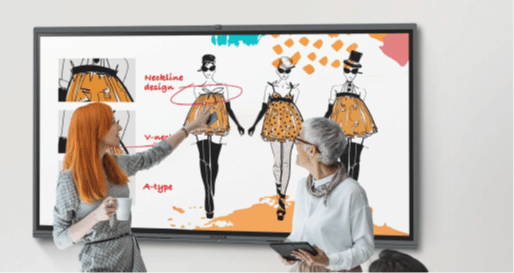
Maxhub v6 Collaboration Display – Maxhub C7530 Maxhub C7530 v6 Classic Series Maxhub C7530 The Maxhub C7530 – Integrating professional video conferencing, seamless screen-sharing, advanced whiteboard technology, and a brilliant audiovisual experience, is the ultimate corporate-collaboration assistant. 

Drive productive teamwork and increase organizational efficiency with this meeting-room must-have. Installation and Integration Australia Wide Total Solution, Minimal Setup – Maxhub C7530 A complete, seamless design fulfills every meeting requirement, including built-in camera, mic, and touch panel. Whether video conferencing or hosting a local discussion, it’s as easy as plugging in your power cable.

Cisco Webex 8875 IP Phone - Corded - Corded - Wi-Fi, Bluetooth - Desktop - Carbon Black - VoIP - IEEE 802.11a/b/g/n/ac - 2 x Network (RJ-45) - PoE Port

Cisco Webex 8875 IP Phone – Corded – Corded – Wi-Fi, Bluetooth – Desktop – Carbon Black – VoIP – IEEE 802.11a/b/g/n/ac – 2 x Network (RJ-45) – PoE Port CP-8875-K9= Webex 8875 IP Phone – Corded – Corded – Wi-Fi, Bluetooth – Desktop – Carbon Black Webex 8875 IP Phone – Corded – Corded – Wi-Fi, Bluetooth – Desktop – Carbon Black – VoIP – IEEE 802.11a/b/g/n/ac – 2 x Network (RJ-45) – PoE Ports Enjoy superior voice communications while retaining the convenience and user-friendliness over Internet Uses VoIP technology to transfer audio signals over the Internet while circumventing high toll charges by telephone companies

Yealink MeetingBoard 86 inch for MS Teams

Yealink MeetingBoard 86 inch Collaboration Display For Microsoft Teams e365 SuperStore are a premier authorised Yealink Platinum partner with Australian stock and warranty Simple to Set and Easy to Use. Only Quality Products. Trusted Australian Vendor, Many Payment options, Same Day Delivery, Friendly Customer Service. 

No Credit Card surcharge. (stand available separately) Unlock Creative Teamwork The Yealink Meeting Board collaboration display effectively facilitates powerful digital collaboration by combining everything in the room, from the computing unit to a wide 86-inch touchscreen display, 4K camera, microphones arrays, speakers, and built-in Microsoft Teams. The Android 10 OS and an Octa-core high-performance chipset offer maximum performance.

Facebook
Twitter
LinkedIn
Picture of e365 Superstore

e365 Superstore

e365 Superstore are experts in video conferencing equipment. We have completed thousands of projects over the last 25 years and we are passionate about virtual communications. Click here to find out more about our company.

Neat Bar

Neat Bar Videoconferencing-Australian dealer

The Neat Bar Pro is a simple yet elegant device that can turn any room into a Zoom Room or Teams Room.

Some of the benefits include:

•  Capability to drive 3 large screens

•  2 extreme resolution cameras with 16x zoom.

•  Neat Audio processing, meaning no background noise and crystal clear audio.

  • SMALL-MEDIUM ROOM
  • NEAT BAR AND NEAT PAD BUNDLE
  • DUAL SCREEN SUPPORT


Simple
set-up.

Everything you need to connect Neat Bar to your TV or monitor is in the box, so it’s easy for anyone to install and set up. Just plug in the cables, and Neat Bar will auto-pair with Neat Pad. What’s more, because Neat Bar and Neat Pad have auto flip, they instantly realign your view, regardless of how you mount or position them.

Just works.

Neat Bar self-activates the moment you walk in the room, immediately turning on your meeting room monitor and checking you into the room. Then with just one tap, you can wirelessly share your screen or start your meeting. It also instinctively frames you perfectly and auto releases the room when you leave.

For wherever you work.

Neat Bar is incredibly versatile and easy to set up. It comes with everything you need, including Neat Pad, our dynamic controller and scheduler, as well as multiple mounting options. Both Neat Bar and Neat Pad can be connected either wired or wirelessly to your network, so there’s no need to run any cables across the room. Better still, because of Neat Bar’s compact design, it’s easily portable. Meaning you can take it wherever you work. From your remote office to any meeting, huddle, focus or open space.

Elegant Video Solutions built for Zoom & Teams

Neat’s advanced video hardware solutions support both Zoom and Microsoft Teams users for more closely connected, productive and safer hybrid work environments. Neat’s complete portfolio of devices will be certified for both Zoom and Microsoft Teams and will run Zoom and MS Rooms for Android, empowering Neat to further help drive innovation across meeting spaces to address today’s hybrid workplace needs.

Sign Up For Our Newsletter to Receive Regular Specials!