


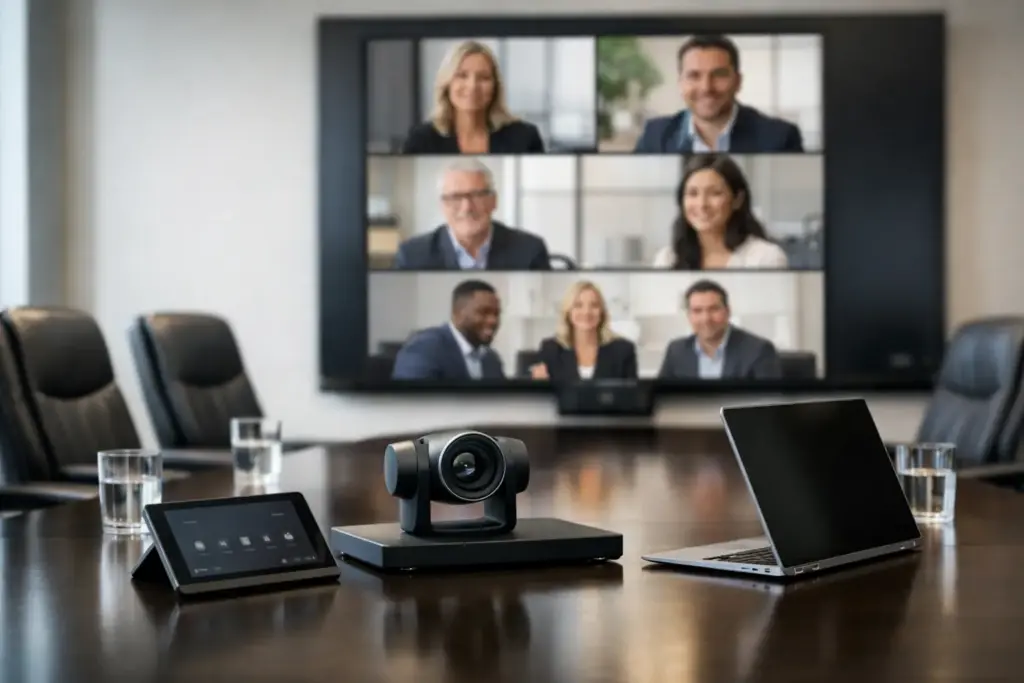
A boardroom video conferencing solution usually fails for predictable reasons – the camera is too narrow, the microphones miss half the table, the display is undersized, or the platform setup creates friction before the meeting even starts. In a boardroom, those mistakes are expensive. This is where leadership meetings happen, client decisions get made, and hybrid collaboration either works cleanly or wastes everyone’s time.
What a boardroom video conferencing solution needs to do
A boardroom is not just a larger meeting room. The expectations are higher, the room acoustics are often more challenging, and the participants are less tolerant of technical delays. A workable setup has to deliver clear video, consistent voice pickup, and simple meeting control for both scheduled and ad hoc sessions.
That means the buying decision should start with room behavior, not product marketing. How long is the table? How far is the furthest participant from the camera? Is the room glass-heavy and reflective? Do you need Microsoft Teams Rooms, Zoom Rooms, or a platform-agnostic system? These questions shape the right solution far more than brand preference alone.
A proper boardroom system also has to support executive use. That usually means one-touch join, clean cable management, reliable content sharing, and enough camera intelligence to frame participants naturally without distracting movement. If the room is used for board meetings, quarterly reviews, legal discussions, or customer presentations, consistency matters more than novelty.
Start with room size, layout, and sightlines
The fastest way to overspend or under-spec a boardroom video conferencing solution is to skip the physical room assessment. A medium room with eight seats has very different requirements from a formal boardroom seating sixteen to twenty people.
In smaller boardrooms, an all-in-one video bar can sometimes do the job well if the acoustics are controlled and participants sit within the pickup range. In larger rooms, that approach often starts to break down. Voices at the far end become uneven, framing loses impact, and expansion microphones only solve part of the problem.
For long tables, a dedicated camera paired with table, ceiling, or beamforming microphones generally produces better results. You get more control over pickup zones, better speaker tracking, and a cleaner front-of-room presentation. The trade-off is cost and installation complexity. That is usually worth it in executive spaces where meeting quality is visible to internal leadership and external stakeholders.
Sightlines matter just as much. If people need to turn awkwardly toward a side display or appear too small on screen, engagement drops quickly. In many boardrooms, dual displays make more sense than a single large display because they separate participants from shared content. That reduces the constant switching that disrupts discussion flow.
Audio is the real performance test
Most buyers focus on cameras first. In practice, audio quality is what determines whether the room feels professional.
If remote participants cannot hear side conversations clearly, if voices sound distant, or if echo creeps in when multiple people speak, confidence in the room drops fast. Boardrooms often have hard surfaces, polished tables, glass walls, and open ceilings – all of which can hurt speech intelligibility.
A strong boardroom video conferencing solution handles this with the right microphone strategy and proper DSP where required. For some rooms, built-in audio processing inside a premium conferencing device is enough. For larger or acoustically difficult rooms, separate microphones, external DSP, and tuned speakers are the safer choice.
There is no single correct microphone type. Table microphones can work well where furniture is fixed and aesthetics are acceptable. Ceiling microphones keep tables clear and reduce wear, but they need careful design and installation. Beamforming arrays can be excellent in premium spaces, though they depend on room geometry and setup quality. The best choice depends on how the room is used, how often the layout changes, and how clean the installation needs to look.
Camera selection should match the meeting style
Not every boardroom needs the same camera behavior. Some meetings are presentation-led. Others are roundtable discussions. Some involve frequent whiteboard use or presenters moving around the room.
A fixed wide-angle camera may be enough for a compact boardroom where everyone sits close together. In a larger room, PTZ cameras or AI-enabled camera systems usually provide a stronger result. They can frame the active speaker, capture the full table with better detail, and maintain a more polished experience for external participants.
Still, more automation is not always better. Overactive framing can feel distracting in executive meetings. A stable image with deliberate presets is often preferable to a camera that constantly shifts. This is one of those areas where demoing the system or reviewing real room behavior matters more than spec sheets.
Resolution also needs context. 4K sounds appealing, but camera placement, sensor quality, zoom performance, and network conditions often matter more than the headline number. In a boardroom, useful detail beats marketing language every time.
Platform compatibility is a procurement issue, not just a technical one
A boardroom system has to fit the collaboration platform your organization actually uses. If the business is standardized on Microsoft Teams, a native Teams Rooms deployment often simplifies management, licensing, and user adoption. The same logic applies to Zoom Rooms in Zoom-first environments.
If the boardroom hosts mixed workflows, a flexible BYOD or multi-platform setup may be the better commercial choice. That is especially relevant for organizations that meet with clients, government bodies, external partners, or different business units using different ecosystems.
The trade-off is straightforward. Native room systems usually deliver the cleanest user experience and strongest administrative control. Flexible cross-platform rooms can reduce friction across mixed environments, but they may require clearer user guidance and a more deliberate design.
Procurement teams should also consider lifecycle support. Standardizing room systems across sites makes training, spares, support, and future upgrades much easier. That has direct cost implications, especially when rolling out multiple meeting spaces.
Control, sharing, and cable management decide daily usability
The best camera and microphones in the world will not rescue a room that is awkward to operate.
A good boardroom video conferencing solution should let users walk in, start the meeting, share content, and adjust basic room controls without calling IT. That usually means a dedicated touch controller, dependable wireless or wired content sharing, and a design that hides complexity from the user.
Cable clutter is a common boardroom failure point. Loose adapters, missing dongles, and messy under-table connections create support tickets and undermine the room’s executive presentation. Clean integration matters because boardrooms are visible spaces. Buyers should expect proper mounting, managed cabling, and a front-of-room layout that looks intentional.
This is also where commercial supply matters. Buying hardware from multiple consumer sources may look cheaper at first, but it often creates compatibility gaps, inconsistent warranties, and extra labor during installation. For boardrooms, solution-based procurement usually pays for itself in reduced rework and faster deployment.
What to look for in a complete boardroom video conferencing solution
The strongest systems are built as complete environments rather than isolated devices. That usually includes the conferencing compute platform, camera, microphones, speakers, displays, touch control, mounting, cabling, and any required DSP or switching.
It should also include deployment planning. Site assessment, room design, installation, integration, testing, and post-install support all affect the final outcome. This is where specialist suppliers have a clear advantage over general electronics sellers. A boardroom system is not just a cart of parts. It is a room standard that needs to perform every day.
For organizations fitting out multiple spaces, it also makes sense to ask about bundle pricing, finance options, trade-ins, and rollout support. Those commercial factors can materially improve project value, especially when standardizing across office locations. That is why many buyers work with specialists such as e365 SuperStore when they want both product breadth and implementation support from a single source.
The right choice is the one that holds up under pressure
A boardroom is where technology gets judged in real time. If the room works cleanly, nobody comments. If it fails, everybody remembers.
The right system is not necessarily the most expensive one, and it is rarely the one with the longest feature list. It is the one matched to the room, aligned with your platform, easy for executives to use, and backed by support that understands commercial deployment. When those pieces come together, the boardroom stops being a problem to manage and becomes a space the business can rely on.