


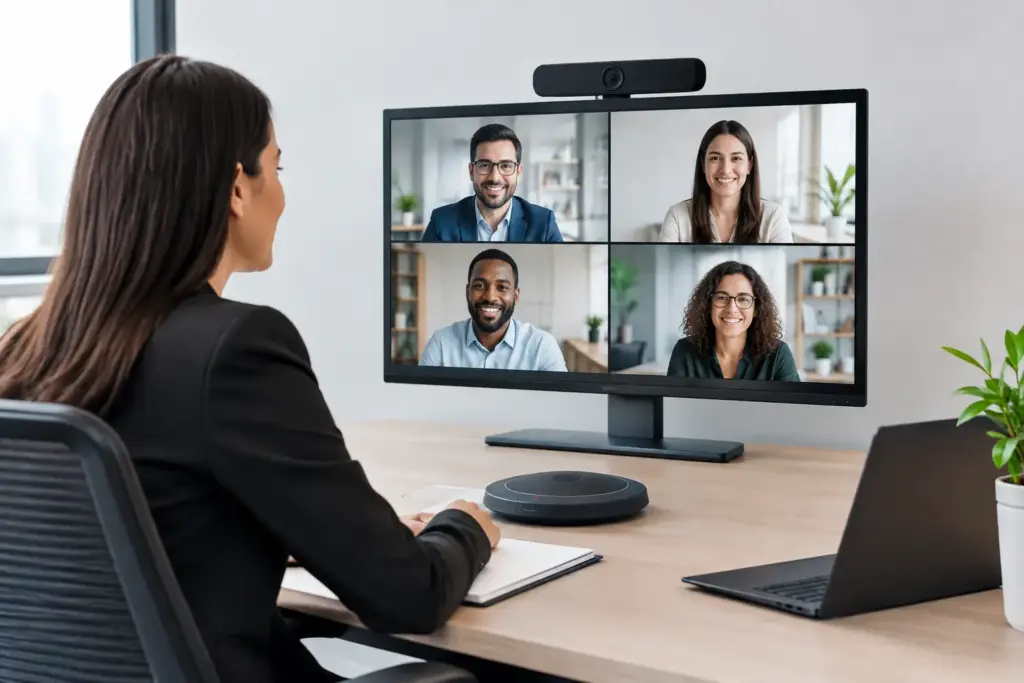
A meeting room that needs five minutes of cable swapping, account troubleshooting, and camera adjustments is not ready for business. Lenovo business-grade collaboration solutions video conferencing is designed to replace that friction with purpose-built room systems that IT teams can manage, users can operate, and procurement teams can standardize across sites.
For organizations running Microsoft Teams, Zoom, or a mixed collaboration environment, Lenovo brings a practical enterprise hardware approach: dedicated compute devices, room controllers, conferencing bars, intelligent cameras, and accessories built for commercial uptime. The value is not simply putting a camera in every room. It is creating a repeatable meeting experience that works the same way in a huddle space, a boardroom, and a regional office.
Why Lenovo business video conferencing fits commercial spaces
Consumer-grade webcams and personal speakerphones can be useful for ad hoc calls, but they create inconsistency when deployed as a room standard. Devices are moved, cables disappear, updates are missed, and users are left guessing which input to select. That is an expensive way to run meetings when executive time, client relationships, and distributed teams depend on clear communication.
Lenovo’s business collaboration portfolio is designed around dedicated room experiences. Systems such as Lenovo ThinkSmart solutions can provide the computing foundation for Microsoft Teams Rooms or Zoom Rooms, while compatible cameras, audio devices, touch controllers, and displays complete the installation. The result is a room that launches scheduled meetings from a single interface instead of relying on an employee’s laptop.
That distinction matters most when the room is shared. A dedicated platform keeps the meeting experience available regardless of who is present, reduces reliance on personal devices, and gives IT a more controlled environment for updates, security policies, and device monitoring.
Start with the room, not the product list
The right Lenovo deployment depends less on headcount than on how the space is actually used. A six-person room with remote participants needs different coverage from a training room where 20 people may be speaking, presenting, and joining from multiple locations.
Huddle rooms and small meeting spaces
Small rooms often benefit from an all-in-one video bar paired with a touch controller or room scheduling display. The objective is simple: wide camera framing, dependable pickup for nearby voices, and a clear one-touch join experience. A compact Lenovo ThinkSmart setup can be a strong fit where organizations want a dedicated platform without overbuilding the room.
The trade-off is audio reach. An all-in-one bar may be ideal in a compact room but can struggle when participants sit farther from the device or when the room has hard surfaces and poor acoustics. Before selecting hardware, measure the room, identify seating positions, and consider whether ceiling, tabletop, or expansion microphones are required.
Medium conference rooms
Medium rooms are where standardized room systems deliver their best return. These spaces usually need a camera with better framing control, audio designed for a larger table, and content-sharing options that do not force users to crawl behind a display. A dedicated Lenovo compute system with a certified peripheral ecosystem gives buyers more flexibility than a single fixed bar.
This is also the point where camera placement becomes a genuine design issue. A camera mounted too high can make faces look distorted. A display mounted too low can block sightlines. USB cable lengths, network access, power locations, and service access behind the display should all be confirmed before installation day.
Large rooms, boardrooms, and divisible spaces
Large spaces rarely succeed with a one-device approach. They may need multiple displays, PTZ cameras, expansion audio, wireless presentation, and control integration. If the room can be divided into separate spaces, the system must account for changing camera, microphone, and display behavior.
Lenovo can act as the room compute layer in these higher-spec projects, but the wider system needs careful integration. This is where a specialist supplier and installation partner adds value: matching certified peripherals, validating platform compatibility, and ensuring the final design remains manageable after handover.
Choose the platform before standardizing hardware
Lenovo business-grade collaboration solutions video conferencing can support different meeting ecosystems, but organizations should make a platform decision early. Microsoft Teams Rooms is often the natural choice for businesses centered on Microsoft 365, shared calendars, Teams calling, and Azure-based identity management. Zoom Rooms may be the better fit for organizations already running Zoom Workplace or supporting a large external meeting audience.
A mixed environment is possible, particularly in organizations that have acquired other businesses or support client-facing meeting workflows. However, mixed-platform rooms introduce operational complexity. Staff must know which rooms support which service, support teams need different management processes, and room signage must be unambiguous.
Standardizing on one primary room platform does not mean every room must have identical hardware. It means users see familiar controls, IT manages a smaller number of device types, and procurement can negotiate and forecast with greater confidence. Use different room configurations where needed, but keep the core user experience consistent.
What business buyers should validate before purchase
The most common conferencing procurement mistake is comparing only headline specifications. Resolution, field of view, and microphone count matter, but they do not tell the full story. Commercial buyers should confirm certification status, management capability, warranty coverage, and compatibility with the chosen room platform.
Ask whether the system is a Windows-based room solution or an appliance-style deployment. Windows-based systems can offer flexibility and familiar enterprise management options, but they may require more active lifecycle planning. Appliance solutions can reduce some maintenance tasks and speed up deployment, though they may offer fewer configuration options. Neither is automatically better. The best choice depends on internal IT standards, scale, and support resources.
Also confirm the physical design before approving a quote. Check display size and viewing distance, camera position, microphone coverage, network requirements, Wi-Fi policy, available power, and whether users need wired or wireless content sharing. These details prevent costly variations once installers are on site.
For multi-site rollouts, build a standard bill of materials for each room type. For example, create approved packages for focus rooms, small meeting rooms, standard conference rooms, and executive boardrooms. This speeds up purchasing, makes support documentation more useful, and prevents every location from becoming a one-off design.
Deployment is where the business case is won
A high-quality Lenovo room system will still disappoint if deployment is treated as a simple box-drop. The best installations start with a room survey, followed by a documented design that covers mounting, cabling, network configuration, user accounts, platform licensing, and test procedures.
IT teams should also decide who owns first-line support. If employees cannot join a meeting, they need a clear path for help that does not involve searching through disconnected vendor manuals. A practical support model includes basic room instructions, remote monitoring where available, escalation contacts, and a process for handling replacement hardware.
Commercial buyers should consider lifecycle planning at the same time. Meeting room technology is not a one-time capital purchase. Displays age, room software evolves, platform certifications change, and office layouts shift. Choosing business-grade equipment from recognized collaboration vendors makes that lifecycle easier to manage, especially when devices are standardized and supported through a specialist channel.
Build a better buying process
The strongest procurement outcome is rarely the lowest price on a single component. It is the lowest total operational cost across the full deployment: compatible hardware, correct installation, user adoption, warranties, and support. A poorly matched camera or underpowered audio solution can create more cost in lost meeting time than it saves at checkout.
Start by documenting the rooms you need to equip and classifying them by size, use case, and platform. Then request a solution that identifies the Lenovo core device, certified audio and video peripherals, displays, mounting, cabling, and deployment requirements together. This gives decision-makers a real comparison rather than a collection of unrelated SKUs.
For organizations purchasing across multiple sites, e365 SuperStore can assist with commercial quoting, collaboration hardware selection, integration guidance, and Australia-wide delivery support. That approach is particularly useful when procurement needs one accountable technology supplier instead of multiple disconnected vendors.
The next productive step is to walk into your most frequently used meeting room and observe the first two minutes of a real call. Any delay, confusion, poor framing, or weak audio is a design requirement waiting to be addressed.