


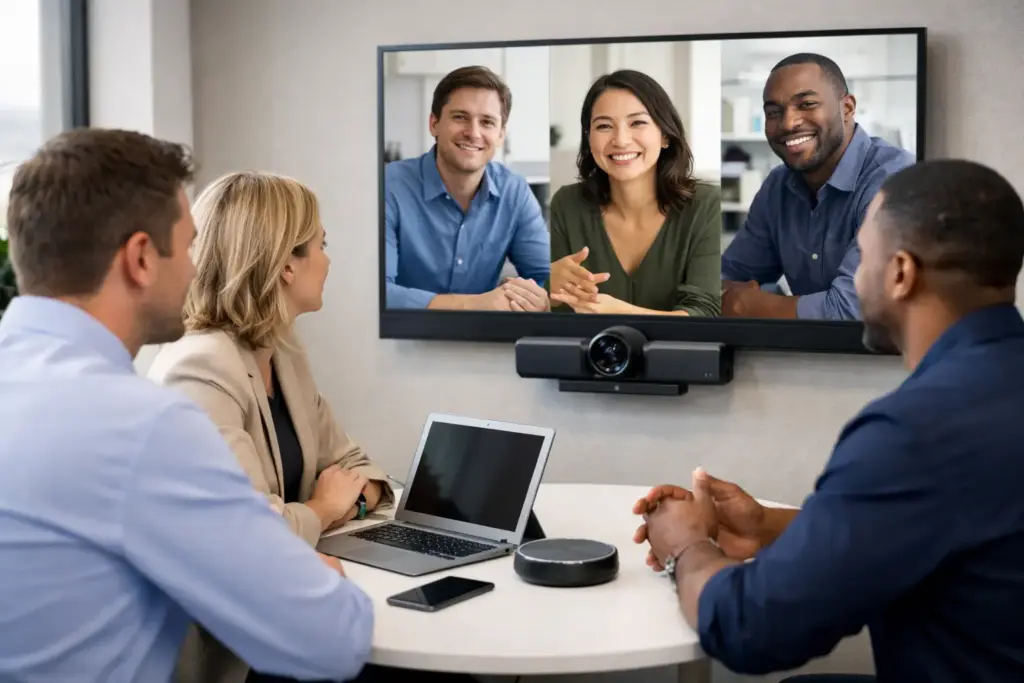
A huddle room can seat four people and still create a poor meeting experience. The usual culprit is not the conferencing platform. It is a camera placed too close to the table, a microphone that misses the far seat, or a system that requires someone to troubleshoot cables before every call. The best huddle room camera systems solve those practical problems without over-specifying technology designed for a 20-seat boardroom.
For IT and procurement teams, the goal is consistency. Employees should be able to walk into a small room, start a Teams or Zoom meeting, and be seen and heard clearly by remote participants. Selecting the right system requires more than comparing resolution labels. Room geometry, platform standards, USB or appliance deployment, audio coverage, and management requirements all matter.
What a huddle room camera system needs to do
A huddle room is typically a compact collaboration space for two to six people. It may be an enclosed room, a converted office, or an open meeting nook. In each case, the camera sits relatively close to participants, which changes the buying criteria.
A wide field of view is usually more valuable than extreme zoom. A camera with a narrow lens can crop out people sitting at either end of a small table, forcing them to lean into frame. Look for framing that captures the full seating area without making every participant appear distant or distorted. The right angle depends on camera placement and table depth, so a room survey is better than relying on a specification sheet alone.
Audio deserves equal attention. Many compact video bars combine a camera, speaker, and microphone array in one device. This can be the most efficient option for standardized small rooms because it reduces cabling, simplifies installation, and gives users one predictable interface. A separate USB camera and speakerphone can also work well where flexibility or a lower initial cost matters more than a fixed-room experience.
Best huddle room camera systems by deployment type
There is no single best system for every small space. The strongest choice depends on whether the room is BYOD, dedicated to a platform, or part of a larger standardized deployment.
All-in-one video bars for fixed huddle rooms
An all-in-one video bar is often the most practical answer for permanent huddle spaces. It mounts below or above the display and combines wide-angle video, beamforming microphones, and room-filling speaker output in a single unit. This approach minimizes the number of components IT needs to source, install, support, and replace.
For a typical four-to-six-person room, prioritize a video bar with intelligent framing, noise reduction, echo cancellation, and a field of view that suits the room. Auto-framing can keep participants centered as people enter or leave, while speaker tracking may help in rooms where one person regularly presents. These features are useful, but they should not replace correct mounting height and camera position.
The trade-off is upgrade flexibility. If the microphone or camera requirements change, the complete bar may need replacing. In exchange, organizations gain a clean installation and a consistent user experience that scales well across multiple sites.
USB camera and speakerphone kits for BYOD rooms
A USB camera paired with a professional speakerphone remains a smart option for small businesses, temporary spaces, and organizations that want users to bring their own laptop. It supports a broad range of meeting applications and avoids locking the room to a dedicated compute appliance.
This setup works best when the table has accessible USB connectivity and users are comfortable connecting one cable to their laptop. A quality camera should offer reliable low-light performance, autofocus, and wide-angle coverage. The speakerphone should provide full-duplex audio, effective echo control, and microphone pickup that reaches every intended seat.
The main compromise is user dependence. BYOD rooms can become inconsistent if employees use different applications, change display settings, or connect cables incorrectly. A simple connection guide and standardized cable management make a major difference. For high-use executive or client-facing rooms, a dedicated system is usually the safer operational choice.
Dedicated Teams Rooms and Zoom Rooms systems
Organizations that have standardized on Microsoft Teams or Zoom should consider purpose-built room systems for their most frequently used huddle spaces. These systems combine a supported room compute device, touch controller, display connection, and camera or video bar into a managed meeting environment.
The commercial advantage is control. IT can apply policies, monitor device status, manage updates, and provide the same meeting workflow across offices. Users can join scheduled meetings with a single touch rather than hunting for a laptop cable or entering a meeting ID manually.
Dedicated room systems cost more than a basic USB kit and need considered installation, network provisioning, licensing, and support planning. They deliver the strongest result when huddle rooms are business-critical, heavily booked, or part of a broader workplace standardization project.
How to compare camera performance beyond 4K
Resolution is easy to market, but it is only one part of usable video quality. A well-designed 1080p system can outperform a poorly positioned 4K camera in a real meeting room. Start with the lens and framing behavior, then assess how the system handles common conditions such as backlit windows, dark clothing, mixed lighting, and movement around the table.
A wide lens is necessary in close quarters, yet extremely wide lenses can introduce visible distortion at the edges. Digital pan, tilt, and zoom can improve framing, but heavy digital zoom reduces detail. Optical zoom is more relevant in larger rooms than in most huddle applications, where the priority is seeing everyone rather than isolating a presenter at the far end.
AI framing and people detection are worthwhile when they improve the remote participant’s view without creating distracting camera movement. Test these features in the intended room layout. If a camera repeatedly reframes when someone shifts in their chair, a stable wide shot may be preferable.
Plan the room, not just the product
The most successful installations begin with the physical space. Measure the distance from the display wall to the furthest participant, the width of the table, ceiling height, window position, and available power and network connections. Confirm where the camera will mount and whether a wall-mounted display puts the lens at a natural eye line.
Avoid placing the camera directly opposite a bright window. Backlighting can turn participants into silhouettes, even with good exposure correction. If the room has glass walls or hard surfaces, consider acoustic treatment or select audio hardware with stronger noise and echo processing. A camera system cannot fully compensate for a room with poor acoustics.
Cable routing is another practical consideration. A clean huddle room should not rely on loose adapters and extension leads across the table. Professional installation can conceal cables, secure the display and video bar, configure the room controller, and verify performance before the space is handed over to staff.
Standardization delivers the real return
Buying the best huddle room camera systems one room at a time can create a support burden. Different remotes, power supplies, firmware tools, and user workflows increase help desk calls and make replacement stock harder to manage. Standardizing a small number of approved room designs is usually the better commercial decision.
A useful approach is to define two or three room tiers. For example, a compact BYOD kit for low-use spaces, an all-in-one video bar for standard huddle rooms, and a dedicated Teams Rooms or Zoom Rooms system for premium or high-traffic spaces. The hardware can vary by room type while the meeting experience remains familiar.
When comparing quotes, include the full deployment cost: mounts, cabling, controllers, compute hardware, licenses where applicable, installation, configuration, freight, warranty coverage, and ongoing support. The cheapest camera is rarely the lowest-cost solution if it causes avoidable downtime or needs replacement after a short lifecycle.
Choose support that matches the room’s importance
For a single small office, a straightforward USB solution may be all that is required. For a multi-site rollout, device compatibility, network readiness, installation coordination, and post-deployment support deserve more weight. e365 SuperStore can help business buyers compare professional conferencing hardware, build compatible room bundles, and plan a practical rollout with Australia-wide supply and technical assistance.
The right huddle room system should disappear into the workday. If teams can enter, tap or connect once, and hold a clear conversation without asking where the camera cable went, the room is doing its job.