


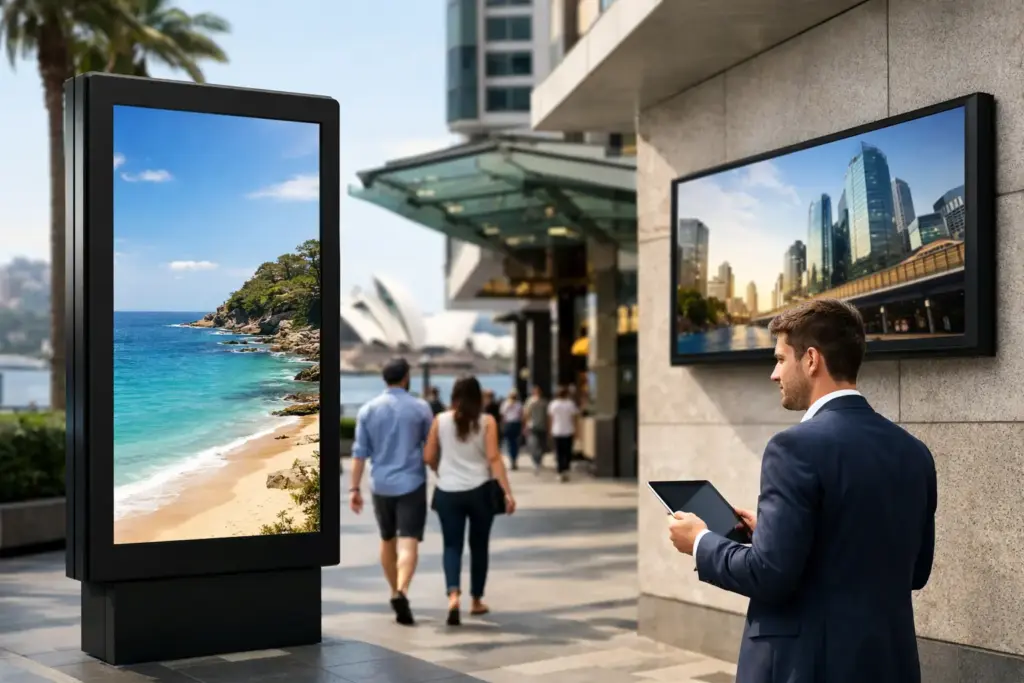
A blank screen at reception, an unreadable menu board, or a display that cannot be updated before a major promotion creates an immediate operational problem. Digital signage Australia buyers need is not simply a large TV on a wall. It is a managed communication tool that must stay visible, current, secure, and reliable through long operating hours.
For IT managers, facilities teams, schools, retailers, and multi-site organizations, the purchasing decision affects far more than picture quality. The right solution reduces printing costs, speeds up internal communication, supports brand consistency, and gives teams control over what customers, staff, students, or visitors see at every location.
Why commercial digital signage matters
Consumer televisions can appear attractive on a quote because their upfront price is lower. For a meeting room used occasionally, that may be a reasonable trade-off. For public-facing signage, it usually is not.
Commercial displays are designed for longer duty cycles, centralized management, portrait operation, and the physical realities of business use. A display running 16 hours per day in a lobby has very different demands from a television used for a few hours each night at home. Heat management, panel durability, warranty terms, remote control, and replacement availability all matter once a screen becomes part of daily operations.
Brightness is another common point of failure. A standard indoor display may look excellent in a controlled boardroom, then look washed out beside a glass storefront or under direct ambient light. Commercial signage is specified in nits, which measure brightness. As a practical starting point, 350 to 500 nits suits many indoor locations, while window-facing or high-ambient-light spaces often require 700 nits or more. Semi-outdoor and outdoor applications require specialist high-brightness hardware, protective enclosures, and careful planning around heat, glare, and power.
The lowest display price is rarely the lowest cost of ownership. A screen that fails early, requires manual content changes, or cannot be matched when a site expands can quickly erase any initial saving.
Specify the screen before choosing the software
A content management system is essential, but the display environment should drive the hardware specification first. Start with where the screen will sit, who needs to see it, how long it will operate, and how content will be updated.
Match size and orientation to the viewing distance
Bigger is not automatically better. A large 86-inch display can dominate a small reception area, while a 43-inch screen will struggle to deliver readable messages across a busy retail floor. Consider the distance of the average viewer and the amount of content shown at one time. If people need to read detailed schedules, pricing, or wayfinding information, prioritize clear layouts and suitable viewing distance over cramming more content onto the screen.
Portrait displays are effective for directories, promotions, and social-style content. Landscape displays suit video, dashboards, menu boards, and corporate messaging. Commercial panels should support the intended orientation without compromising cooling or warranty coverage. This is a detail often missed when a standard television is mounted vertically.
Select the duty cycle for the real operating schedule
Commercial signage is commonly rated for 16/7 or 24/7 operation. A 16/7 display can suit offices, education sites, and retail locations with defined trading hours. A 24/7 model is the better choice for airports, healthcare environments, transport hubs, security operations, and locations where screens remain active overnight.
Do not over-specify every screen if the environment does not justify it. At the same time, do not put a lower-duty panel in a critical location simply to reduce the initial quote. The right specification depends on the application, not a one-size-fits-all rule.
Choose a content platform that fits your team
Digital signage must be easy enough for approved staff to update without involving IT for every announcement. Most organizations need a cloud-based content management platform that supports templates, scheduling, user permissions, playlists, proof-of-play reporting, and remote monitoring.
Some commercial displays include a built-in system-on-chip player. This can reduce hardware count and simplify installation for straightforward campaigns. An external media player may be the stronger option when you need advanced analytics, interactive content, specialized integrations, or a standardized player across mixed display brands.
Ask early whether the platform can support your content sources. A retail team may need promotional images and video. A corporate communications team may need Microsoft 365 calendars, Power BI dashboards, emergency notices, or internal news feeds. A school may need timetable, event, and alert content. The best platform is the one your team will actually keep current.
Build a digital signage Australia deployment around the site
A screen, mount, media player, and license are only part of the solution. Installation quality determines whether the system is safe, serviceable, and dependable after handover.
Before ordering, assess wall construction, mounting height, cable paths, network availability, power access, ventilation, and physical security. A display mounted flush into joinery may look clean, but it still needs airflow and service access. In high-traffic public areas, use commercial-grade mounts, tamper-resistant hardware where appropriate, and secure cable management.
Network planning should not be an afterthought. Signage players need reliable connectivity for scheduling, software updates, and monitoring. Wired Ethernet is often preferred for fixed commercial installations, particularly where Wi-Fi congestion or interference could affect reliability. If the signage platform is cloud-managed, your IT team should review firewall requirements, device authentication, permissions, and update policies before deployment.
For multi-site rollouts, standardization is a major advantage. Using a defined set of display sizes, mounts, media players, and templates makes procurement easier and support faster. It also gives the communications team a consistent canvas across locations, even where individual sites have different layouts.
Know where LED, video walls, and touchscreens fit
A commercial LCD display is the practical choice for many reception areas, meeting spaces, retail promotions, school communications, and menu boards. It offers strong image quality, straightforward installation, and a broad range of sizes.
LED video walls are worth considering where visual impact, very large formats, or close-to-edge-to-edge presentation is the priority. They are common in flagship retail, control rooms, auditoriums, large lobbies, and event environments. They also bring different requirements around pixel pitch, structural support, calibration, controller hardware, and installation expertise. An LED wall is not automatically better than a large commercial display. At closer viewing distances, the wrong pixel pitch can make the image appear coarse.
Interactive touchscreens are another separate category. They can support visitor check-in, product exploration, room booking, and wayfinding, but only when the content is designed for touch. Adding a touchscreen where users only need to view information can add cost and complexity without improving the experience.
Budget for the complete solution, not just the panel
A useful commercial quote should make the full project visible. Beyond the screen itself, account for mounts or floor stands, media players, software licensing, cables, network work, electrical work, installation, configuration, content design, and ongoing support.
There are four questions procurement teams should settle before comparing suppliers:
- Is the display rated for the required daily operating hours and lighting conditions?
- Is the signage software priced per screen, per player, per month, or as part of a longer license term?
- Who will install, configure, test, and support the system after deployment?
- Can the chosen hardware be supplied consistently as additional sites or screens are added?
This approach makes comparisons fair. A low hardware price can conceal a costly software model, limited warranty support, or an installation scope that excludes the work required to get the system live.
Buy for consistency, support, and expansion
Organizations rarely stop at one screen. A successful pilot in reception often becomes a rollout to break rooms, meeting zones, retail locations, classrooms, and customer service areas. Choose products that can scale without forcing a complete redesign six months later.
e365 SuperStore helps commercial buyers source digital signage hardware, professional displays, mounting solutions, media players, and supporting workplace technology with Australia-wide delivery, competitive commercial pricing, and technical guidance. For complex sites, professional installation and integration support can remove the risk of mismatched components and delayed handover.
The most effective signage project begins with a simple question: what must this screen help people do or understand? Specify the answer first, then select the display, platform, and deployment model that will keep delivering that message every day.