


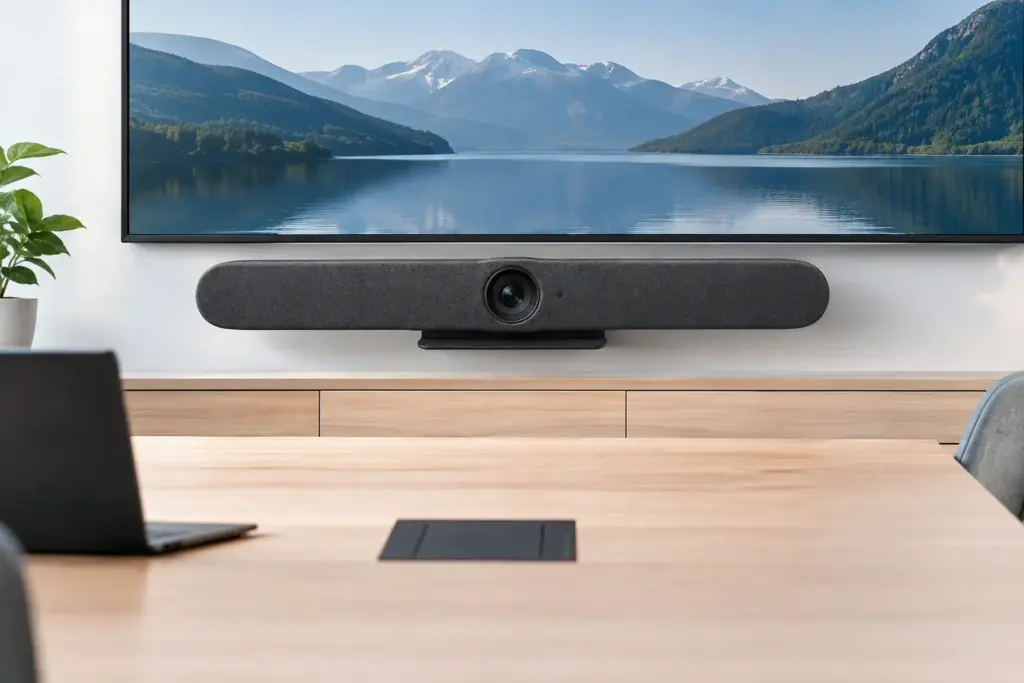
A meeting room can have the right platform, a fast network, and a premium display, yet still fail the moment remote participants cannot clearly see or hear the people at the table. The Logitech Rally Bar 2 all-in-one 4K AI video conferencing bar is designed to address that weak point by bringing camera, speakers, microphones, and intelligent framing into one room-ready device.
For IT and facilities teams, the appeal is not simply a cleaner install. It is the chance to standardize smaller rooms with a consistent collaboration experience while reducing the number of components that need to be purchased, mounted, powered, managed, and supported. That value is real, but it depends on matching the bar to the room, the meeting platform, and the way people actually use the space.
Why an all-in-one video bar makes sense
Huddle rooms and small meeting spaces are often the hardest rooms to keep consistent. They are used for quick internal calls, client presentations, hybrid stand-ups, and ad hoc meetings. Users expect to walk in, connect, and start talking. If the room requires multiple remotes, cables, or a separate camera and speakerphone arrangement, adoption falls quickly.
An all-in-one bar consolidates the key AV functions at the front of the room. This can reduce visual clutter, simplify cable pathways, and create a more repeatable deployment model across offices, campuses, or branch locations. It is particularly useful where organizations are refreshing a large number of rooms and want fewer points of failure than a component-based design.
The trade-off is flexibility. A modular room system can be the better choice for large boardrooms, unusually shaped spaces, rooms with demanding acoustic conditions, or environments that need multiple cameras and advanced audio coverage. A video bar is most effective when it is selected for the room it is meant to serve, rather than treated as a universal answer for every space.
What the Logitech Rally Bar 2 brings to the room
The Logitech Rally Bar 2 all-in-one 4K AI video conferencing bar is positioned for professional collaboration spaces where video quality, audio intelligibility, and simple operation matter every day. Its all-in-one format gives buyers a practical path to a polished meeting room without building a separate camera, microphone, speaker, and control stack from scratch.
4K video is only useful when framing is right
A 4K camera provides detail, but resolution alone does not create a productive remote meeting. The benefit is strongest when the camera can present participants at a usable scale and adapt as people enter, leave, or move around the room. AI-enabled framing is valuable here because it helps reduce the familiar wide, empty-room view that makes everyone look distant.
For teams that collaborate with external clients or distributed staff, this matters. Remote attendees need to read facial expressions, follow who is speaking, and see whiteboard or presentation activity when the room layout permits. Intelligent framing can make a small space feel more deliberate and professional without assigning someone to operate the camera.
Buyers should still assess mounting height, display position, seating layout, and lighting. A camera bar cannot fully compensate for a bright window behind participants, seats placed too far from the display, or a table layout that leaves speakers outside the intended capture area.
Audio quality determines whether people trust the room
In many meetings, poor audio causes more frustration than poor video. People can tolerate a less-than-perfect picture for a short call. They cannot productively work through echo, distant voices, background noise, or participants talking over one another because the far end cannot tell who is speaking.
An integrated bar reduces the complexity of getting camera, speakers, and microphones working together. For small and medium collaboration rooms, this can be a major advantage during deployment and ongoing support. It also gives organizations a more consistent user experience between rooms, which lowers the number of basic help desk requests.
Before specifying any video bar, consider room surfaces and ambient noise. Glass walls, hard floors, exposed ceilings, HVAC noise, and open-plan spill can all affect speech pickup. If the room has challenging acoustics or seats a larger group, an extended audio design or a different room category may be appropriate.
AI should support the meeting, not become the meeting
AI video features are most useful when they operate quietly in the background. Automatic framing, speaker awareness, and exposure adjustments should help remote attendees follow the conversation without making the camera movement distracting. The objective is natural communication, not a room that constantly draws attention to its own technology.
This is why testing matters. A feature that performs well in a demo room may behave differently in a narrow conference space, a training room with people standing at the front, or a room with strong side lighting. Define the intended use case before standardizing: seated collaboration, client calls, hybrid workshops, or training sessions each place different demands on camera behavior.
Plan the room before ordering hardware
The fastest route to a reliable rollout is a basic room assessment before procurement. Measure the room, identify where participants sit, and confirm the primary display location. Then consider the meeting platform, compute approach, network readiness, and physical installation requirements.
For a practical purchasing decision, teams should confirm four areas:
- Room size and seating: Establish the normal number of participants, not just the room’s maximum capacity. A six-person room used by three people has different framing and audio needs than one regularly filled with eight attendees.
- Platform and device mode: Confirm whether the room will run a dedicated Microsoft Teams Rooms or Zoom Rooms setup, use a connected room computer, or support BYOD workflows. This choice affects peripherals, cabling, user experience, and management.
- Display and mounting: Ensure the display size is suitable for the viewing distance and that the bar has a stable, correctly positioned mounting location. Wall, display, and tabletop installations each have practical implications.
- Support model: Decide who will manage firmware, user issues, room health, and replacement equipment after installation. Standardization only delivers its full value when support teams can maintain it efficiently.
These details prevent the common mistake of buying a premium bar and then compromising the room with an undersized display, poor cable access, or no clear method for users to start meetings.
Choosing between appliance, room PC, and BYOD workflows
The hardware decision should follow the user workflow. A dedicated appliance-style room can provide a simple, controlled experience where users walk in and join a scheduled meeting from a familiar interface. This model is often well suited to organizations that want consistent meeting rooms across multiple sites.
A room PC configuration can make sense where IT requires a particular platform deployment model, additional software, or a broader set of connected peripherals. It may also fit established standards already used across executive rooms and larger meeting spaces. The trade-off is more equipment to install and support.
BYOD rooms are attractive for flexible spaces and organizations with mixed meeting platforms. They allow a user to bring their own laptop and use the room’s camera, speaker, and microphone. However, BYOD depends on clear cable access, compatible user devices, and straightforward instructions. It is convenient when designed well and frustrating when it is not.
The right choice is not necessarily the most feature-rich one. It is the one that lets users join the calls they need with the fewest steps while giving IT a manageable, secure support model.
Standardization is where the commercial value grows
A single successful room is useful. A repeatable room standard is more valuable. When organizations deploy the same Logitech video bar configuration across suitable spaces, they can simplify quoting, installation, user training, spare equipment planning, and remote support.
Standardization also helps procurement teams compare total project cost rather than just the unit price of individual devices. The true cost includes mounts, cabling, installation labor, displays, room compute, licensing where applicable, freight, configuration, and future support. A low-cost collection of mismatched components can become expensive when every room needs a different troubleshooting process.
For multi-room projects, establish a small number of room types instead of one design per room. For example, a huddle-room standard, a small conference-room standard, and a larger-room standard often cover most needs. This gives users familiarity without forcing an all-in-one bar into spaces where modular audio and cameras are the better technical fit.
Deployment details that protect the investment
Professional installation is not just about mounting a device straight. It is about placing the bar at an effective height, managing cables cleanly, confirming display alignment, validating network access, testing platform sign-in, and checking audio from both sides of a real call.
A handover test should include more than a five-minute internal meeting. Test calls with remote users, normal room occupancy, presentation sharing, and common user actions such as joining a scheduled meeting or connecting a laptop. If the room will be used by visitors, the workflow should be obvious without a lengthy instruction sheet.
e365 SuperStore can assist business, education, and government buyers with product selection, fast quotes, commercial deployment planning, and Australia-wide delivery. That support is especially useful when a project involves multiple room types, platform requirements, or a staged rollout across sites.
A well-specified Logitech Rally Bar 2 installation should feel almost invisible to its users: walk in, start the meeting, be seen clearly, and be heard the first time. That is the standard worth planning for before the first device is ordered.