


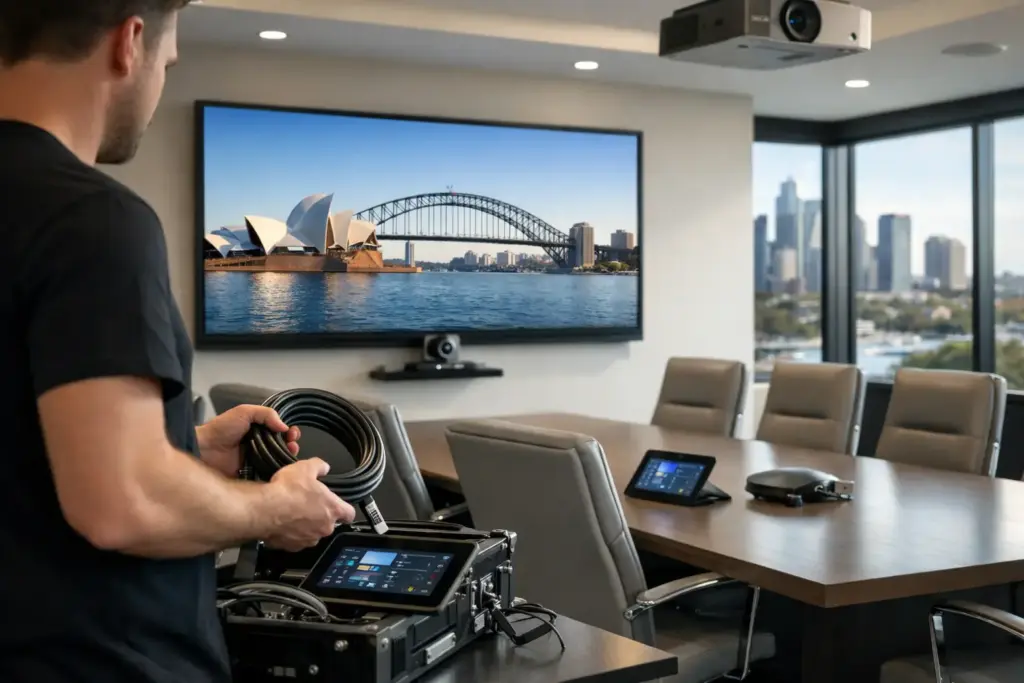
A boardroom can have premium displays, a high-spec conference camera, and the latest collaboration platform, yet still fail the moment a remote participant cannot hear the discussion. Commercial AV installation Australia projects succeed or fail on the planning behind the equipment, not the product list alone.
For IT leaders, facilities teams, and procurement managers, the priority is straightforward: every room must be easy to use, compatible with the organization’s standards, and dependable under pressure. That requires more than mounting a screen and connecting cables. It requires a commercial installation scope built around the room, its users, and the way work actually happens.
What Commercial AV Installation Should Deliver
Commercial AV is the combination of display, audio, video, control, cabling, networking, and collaboration technology that makes a workplace or learning environment function. Installation is the process of turning those separate components into a room people can walk into and use without calling IT.
A well-designed system should let a user start a meeting quickly, hear every participant clearly, present content at the right resolution, and join Microsoft Teams, Zoom, or another approved platform without workarounds. In customer-facing areas, it should also deliver consistent digital signage, clear messaging, and appropriate image quality throughout the day.
The definition of a successful outcome changes by space. A small huddle room may need a compact all-in-one video bar and a single display. A divisible training room may need multiple cameras, ceiling microphones, room control, presentation switching, and audio coverage that remains consistent when partitions open or close. Standardizing every room with the same hardware can reduce support overhead, but it is not always the right technical choice.
Start With the Room, Not the Shopping Cart
The most expensive mistake in AV procurement is selecting equipment before the room has been assessed. Screen size, camera framing, microphone pickup, speaker coverage, power locations, mounting surfaces, glare, acoustics, and network access all affect the final result.
A meeting room with glass walls may look impressive but create audio reflections and privacy concerns. An oversized display in a narrow room can make content uncomfortable to view. A wide boardroom table may put edge-seat participants outside a fixed camera’s useful frame. These are design issues, not faults that can always be corrected with a firmware update.
Before approving a commercial AV installation, confirm the room dimensions, seating layout, typical participant count, and expected use cases. Determine whether users need video meetings, wireless presentation, digital whiteboarding, local presentations, room booking, content sharing, or all of the above. Also establish who will use the space. Executive rooms, shared meeting rooms, classrooms, and reception zones have different expectations for control and reliability.
Build for real meeting behavior
Most organizations have a gap between the meeting experience they want and the one their rooms currently support. Employees may connect personal laptops because the room PC is slow, use a handset because the ceiling microphones are not tuned, or avoid a room entirely because joining a call takes too long.
Those patterns are valuable evidence. A practical design addresses them directly. For example, a BYOD-heavy workplace may need reliable USB-C or HDMI content sharing alongside a dedicated room system. A centrally managed Teams Rooms or Zoom Rooms estate may benefit more from consistent appliance-based rooms and a simple touch controller. The right answer depends on governance, user behavior, security requirements, and support capacity.
Specify the AV System as One Connected Solution
Commercial AV components are often bought in separate purchase orders: displays from one supplier, cameras from another, cabling from a contractor, and meeting room devices from an IT reseller. That approach can work for a simple room, but it creates risk as complexity increases.
Compatibility must be verified across the complete signal path. A 4K display does not guarantee 4K content sharing. A camera may support advanced framing features that are unavailable on the selected room platform. A USB extension may work at a desk but become unreliable over the cable distance required in a boardroom. Audio devices need to be selected and positioned as a system, not treated as independent accessories.
Commercial-grade equipment also matters. Consumer products can appear cost-effective at the point of purchase, but they may lack centralized management, suitable warranty coverage, secure deployment controls, mounting options, or the duty cycle expected in heavily used rooms. The lower upfront price can become expensive when devices are difficult to manage or replace across multiple sites.
At e365 SuperStore, businesses can source collaboration hardware, commercial displays, audio systems, and supporting accessories through one specialist channel, while also accessing installation and integration support. That reduces the handoff points that commonly delay projects and complicate fault resolution.
Commercial AV Installation Australia: Scope the Work Clearly
A quote should identify more than the hardware model numbers. It should describe what is being installed, how it will be connected, what assumptions apply, and what the completed room will do. If the scope is vague, budget surprises tend to appear once installers arrive on site.
Ask whether the proposal includes a site survey, equipment mounting, structured cabling, cable containment, power work, network configuration, programming, audio tuning, platform sign-in, testing, user orientation, documentation, and removal of packaging. Some items may require coordination with builders, electricians, network teams, or security contractors. Clear ownership prevents a display from being mounted while the required data connection is still weeks away.
Multi-site projects need additional discipline. A repeatable room standard can improve purchasing leverage and simplify support, but each location should still be checked for local constraints. Ceiling construction, wall reinforcement, network policy, freight access, and after-hours installation rules vary considerably between sites.
Plan the network and security early
AV systems are now network-connected workplace devices. Room computers, video bars, touch controllers, wireless presentation tools, digital signage players, and management platforms all need approved connectivity. Network requirements should be confirmed before deployment, including VLANs, device authentication, proxy settings, firewall rules, Wi-Fi coverage where relevant, and remote management access.
This is especially important for organizations standardizing on Microsoft Teams Rooms or Zoom Rooms. A room that powers on but cannot sign in, receive updates, or communicate with the management portal is not ready for handover. IT and AV stakeholders should validate the configuration together rather than leaving network testing until the final hour.
Installation Quality Shows Up in the Details
Professional AV installation is visible in the user experience, but much of the work is behind the wall, above the ceiling, or inside the rack. Correct mounting height, camera placement, cable labeling, ventilation, strain relief, power protection, and clean cable paths all contribute to a system that is easier to service and safer to operate.
Audio is where installation quality becomes most obvious. Microphone placement must suit room geometry and expected speaking positions. Speaker locations need to support intelligibility without creating hot spots or feedback. After physical installation, audio tuning and call testing are essential. A system can pass a basic power-on check and still perform poorly in a real hybrid meeting.
Acceptance testing should reflect ordinary usage. Test a remote call, content sharing, camera framing, microphone pickup from multiple seats, control functions, and recovery after a restart. Where rooms are standardized, document the final configuration so support teams can troubleshoot confidently and reproduce the design at the next location.
Budget for the Full Lifecycle, Not Just Day One
Hardware price matters, particularly across a rollout of dozens of rooms, but the lowest equipment cost is not automatically the lowest project cost. Rework, user frustration, unplanned truck rolls, incompatible accessories, and inconsistent room standards can quickly outweigh an initial saving.
A realistic budget includes equipment, installation labor, cabling, electrical and builder coordination where needed, configuration, commissioning, training, warranty considerations, and ongoing support. It should also account for growth. If a small training room may become a hybrid classroom next year, allowing for additional inputs, microphone channels, or control capability during the initial build can be more economical than reopening ceilings later.
There are trade-offs. A highly customized room can deliver an exceptional experience but may need more specialist support. A standardized appliance room is faster to deploy and manage, but may offer less flexibility for complex workflows. The best option is the one that matches the room’s business value and the organization’s ability to maintain it.
Make Handover Useful for the People Who Run the Room
Installation is not the finish line. A completed system needs a handover that gives IT, facilities, and end users confidence. That should include clear operating guidance, configuration records, warranty details, and an escalation path if an issue appears after go-live.
Short, role-specific training is often more effective than a long technical demonstration. End users need to know how to start, join, share, and end a meeting. Support staff need to know the room standard, basic recovery steps, and when to escalate. Executive assistants and facilities coordinators may need a different level of guidance again.
When you are planning your next room refresh or site rollout, begin with the user experience you expect on the first busy Monday morning. Then make every technology, installation, and support decision serve that outcome.