


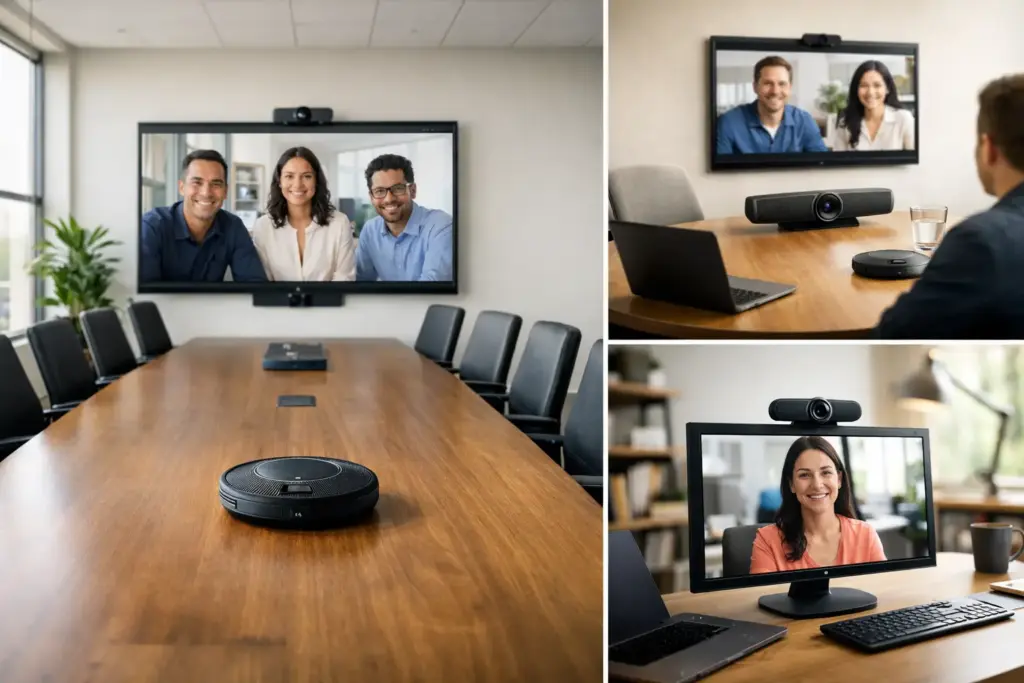
A conference camera Australia businesses choose for a two-person huddle room can be completely wrong for a 14-seat boardroom. The difference is not a minor specification issue. It determines whether remote participants can see faces clearly, follow the person speaking, and leave the meeting with confidence that they were included.
For IT and procurement teams, the best purchase is rarely the camera with the biggest zoom number or the lowest upfront price. It is the system that fits the room, works reliably with the organization’s meeting platform, and can be supported across every location. That is where a professional conference camera earns its place over a consumer webcam.
Start With the Room, Not the Camera
The room should set the brief. Measure the distance from the camera position to the furthest participant, consider seating layout, note wall and window placement, and identify whether the display is mounted or mobile. A camera can have excellent image quality but still underperform when its field of view is too narrow for the table or its microphone cannot reach the people at the far end.
Small huddle rooms usually need a wide-angle USB conference camera that frames two to six people without requiring complicated control. A compact all-in-one video bar can be a strong choice when the room also needs speakers and microphones, reducing cabling and installation time.
Medium meeting rooms need more flexibility. Look for a wider field of view, intelligent framing, stronger microphone pickup, and the ability to connect expansion microphones where needed. In rooms with long tables, built-in audio alone may not be enough. The camera may see everyone, but remote attendees will still struggle if speech is distant or muffled.
Large boardrooms, training rooms, and divisible spaces demand a more considered design. PTZ cameras offer optical zoom and remote framing control, while multi-camera solutions can switch or combine views to keep speakers visible. These systems often require separate microphones, speakers, control hardware, and professional integration. They cost more, but they avoid the common failure of trying to make one desktop-style device serve an executive room.
Conference Camera Australia Buyers Should Compare
Video resolution is a useful starting point, not the final decision. Full HD remains practical for many rooms and platforms. 4K cameras provide extra image detail and give intelligent framing features more room to crop without making participants look soft. If meetings are mostly one-on-one calls on a laptop, 4K may not be the priority. In a larger shared room with a wall display, it can make a visible difference.
Field of view is equally important. A very wide lens helps in compact rooms where the camera sits close to participants. However, excessively wide framing can make faces appear small in a deeper room. PTZ models solve this differently by allowing operators or presets to frame the active area, while AI-powered cameras can automatically frame a group or follow a speaker.
Optical zoom matters in large rooms because it preserves detail as the camera moves closer to a person or presentation area. Digital zoom can be acceptable for modest adjustments, but it enlarges pixels rather than capturing more visual information. For boardrooms, classrooms, and presentation spaces, optical zoom is usually worth the investment.
Low-light performance deserves attention in rooms with tinted glass, dimmable lighting, or bright windows behind participants. Automatic exposure and backlight correction can help, but room lighting still matters. A poor lighting environment will limit even premium hardware. Address glare, add front-facing light where practical, and avoid mounting the camera directly opposite a bright window.
Choose the Right Device Type
A USB conference camera is the simplest path for BYOD rooms, where users connect their own laptop and launch Microsoft Teams, Zoom, Google Meet, or another platform. It is flexible, cost-effective, and easy to replace. The trade-off is user behavior: someone must connect the laptop correctly, select the right camera and audio devices, and manage software updates.
An all-in-one video bar combines camera, microphones, and speakers in one unit. This is an efficient option for small and medium rooms, particularly where a clean installation and predictable user experience matter. Many models include AI framing, noise reduction, and platform certification. Before choosing one, confirm microphone range and whether expansion microphones are available.
Dedicated room systems are built for spaces where meetings run all day and users expect one-touch joining from a touch controller. These solutions can be configured for Microsoft Teams Rooms or Zoom Rooms and may include a compute appliance, controller, camera, and audio components. They require more planning, but they deliver a more consistent experience than a laptop-dependent room.
PTZ cameras and modular systems suit larger, more specialized environments. They are common in boardrooms, education spaces, council chambers, and training facilities where speaker tracking, presentation capture, or flexible room layouts are required. These installations should be designed around camera position, audio coverage, control requirements, and the display system rather than purchased as standalone components.
Audio Is Not an Add-On
Video problems are noticeable. Audio problems end meetings. A remote participant can tolerate a slightly softer image, but they cannot contribute effectively when speech is clipped, echoing, or buried under air-conditioning noise.
Evaluate microphone pickup against the real dimensions of the room, not the optimistic maximum stated on a product page. Ceiling height, hard surfaces, HVAC noise, and the number of people speaking all affect results. Acoustic echo cancellation, beamforming microphones, and noise suppression improve intelligibility, but they do not replace adequate coverage.
For a small room, an integrated video bar may be sufficient. For a medium room, expansion microphones or a separate speakerphone may be the better call. In larger rooms, dedicated tabletop, ceiling, or wireless microphone systems paired with professional speakers offer more dependable coverage. This is also where installation expertise matters: bad speaker placement can create feedback and echo even with high-quality equipment.
Confirm Platform Compatibility Before Ordering
A camera that connects by USB will often work across multiple platforms, but “works” and “certified” are not the same thing. Certification confirms that a device has been tested for a specific platform experience, including call controls, audio behavior, and room-system integration.
Organizations standardizing on Teams should consider Teams-certified devices and a clear distinction between BYOD rooms and Teams Rooms. Zoom-focused environments should take the same approach with Zoom Rooms-compatible hardware. Mixed-platform organizations may prioritize USB flexibility, HDMI ingest, or room systems designed to support guest laptop connections.
Also consider how users join a meeting. If a room is frequently booked by visitors or nontechnical staff, a dedicated touch controller can remove friction. If meetings are occasional and employees are comfortable with laptops, a simpler USB solution may be more economical. There is no universal winner. The right model depends on meeting frequency, support capacity, and the cost of a failed call.
Plan for Deployment, Support, and Standardization
The fastest way to create a support burden is to buy a different camera for every room. Standardizing a small range of approved solutions makes training, troubleshooting, spares, and firmware management easier. It also gives procurement teams a clearer basis for comparing quotes and managing lifecycle replacements.
Before rollout, document the room types you need to support, the preferred platform, desired user workflow, display sizes, network requirements, and installation constraints. For multi-site projects, use a repeatable room design wherever possible. A small huddle-room package, a medium-room package, and a boardroom package can cover most needs while keeping the experience familiar.
Commercial buyers should also weigh Australian warranty support, stock availability, replacement lead times, and installation capability alongside product price. A low-cost unit that cannot be replaced quickly can be expensive when it takes a key room offline. e365 SuperStore supports buyers with broad brand choice, technical guidance, commercial quoting, and Australia-wide delivery for projects that need more than a box delivered to reception.
A Smarter Buying Decision
Do not judge a conference camera by a single specification. Assess the complete meeting experience: how people enter the call, whether every voice is heard, how faces are framed, what happens when lighting changes, and who will support the room after deployment.
A well-matched camera turns a meeting space into a dependable communication tool. Start with one representative room, validate the real user experience, then standardize the solution that performs under everyday conditions – not just on a product specification sheet.