


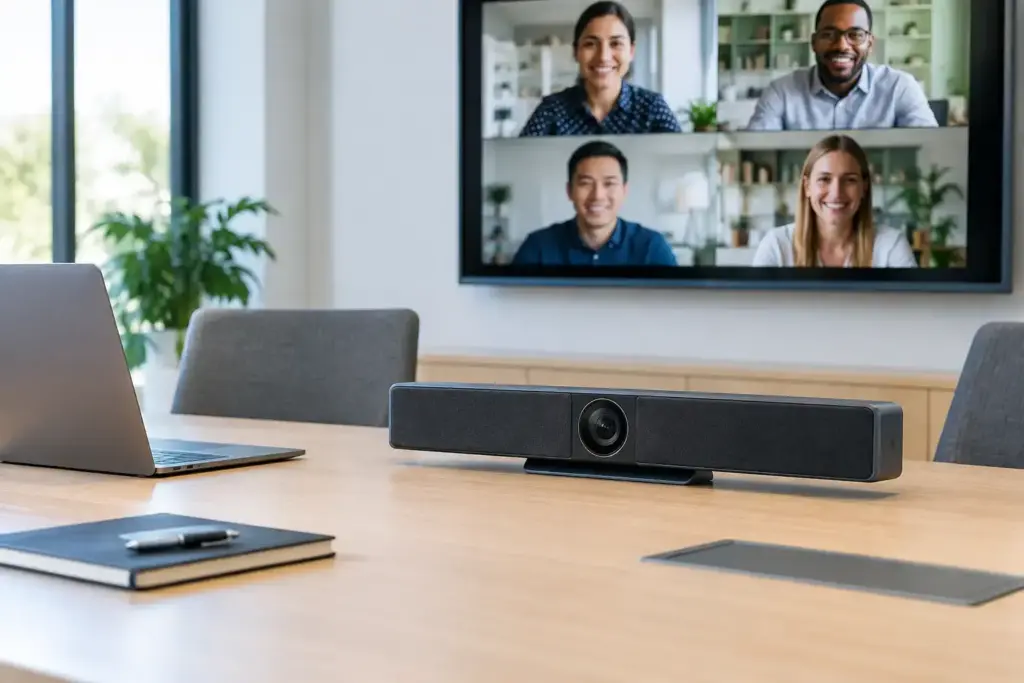
A meeting room system can look right on a purchase order and still disappoint on day one. The usual causes are not dramatic hardware failures – they are mismatched room size, unclear platform requirements, incomplete accessories or no plan for installation. For buyers assessing the Yealink A50-031, the priority is to confirm precisely what is included in the supplied configuration, then match it to the room, display and conferencing environment it will serve.
This is particularly relevant when standardising rooms across offices, campuses or government sites. A product code is useful for procurement control, but the successful outcome comes from the complete room design: camera coverage, audio pickup, screen layout, user controls, network readiness and support after deployment.
What to confirm before specifying Yealink A50-031
The Yealink A50-031 reference should be treated as a specific commercial SKU, not simply as a generic meeting room solution. Product suffixes can identify a regional variant, platform edition, packaged bundle or distribution configuration. Before releasing an order, confirm the current manufacturer description, inclusions and Australian warranty terms against the supplier quotation.
Start with the conferencing platform. Establish whether the room will operate with Microsoft Teams Rooms, Zoom Rooms, BYOD workflows or another approved collaboration service. This affects licensing, account provisioning, room scheduling and how staff expect to start a call. A system that is technically capable may still be the wrong selection if it does not align with the organisation’s preferred room experience.
Next, check whether the quoted configuration includes the elements required for the intended deployment. Depending on the solution and room design, this can include a room bar or camera, touch controller, power hardware, mounting equipment, display connection hardware and appropriate cabling. Do not assume that an item shown in a product image is included in every commercial bundle.
For multi-site procurement, request the exact SKU description on every quote and keep it consistent across purchase orders. This makes receiving, asset registration and support far easier than relying on a broad product family name.
Match the solution to the room, not the boardroom wish list
The best room system is not necessarily the most feature-heavy one. A compact huddle room needs fast joining, clear framing and intelligible speech at a modest distance. A larger boardroom requires wider and deeper camera coverage, more considered microphone placement and a display arrangement that allows remote participants and shared content to be seen without compromise.
Measure the room before selecting equipment. Record table length, room depth, seating positions, ceiling height, glazing, blinds, lighting direction and the location of displays. These practical details determine whether the camera can frame participants properly and whether onboard audio is likely to be sufficient.
Acoustics deserve equal attention. Hard walls, glass partitions and exposed ceilings can make a professionally installed camera system sound poor. If participants sit well away from the device, speak softly or frequently work in a noisy open-plan environment, supplementary microphones or a different audio design may be justified. Conversely, adding expansion audio to a small, quiet room can increase cost and setup complexity without delivering a meaningful improvement.
Camera performance is only useful when the room supports it
Intelligent framing and speaker tracking can make hybrid conversations feel more natural, but they do not correct every physical limitation. Strong backlighting, seats outside the camera field of view and a room layout that places participants along one wall all affect the result. Plan where people actually sit, not where a floorplan suggests they might sit.
If whiteboards are central to workshops, consider sightlines and content-sharing workflows as well. A camera aimed at people may not provide a readable view of a distant whiteboard. An interactive display, dedicated content camera or digital collaboration process may be the better answer.
Deployment questions IT teams should settle early
Meeting room technology is often purchased by one team and managed by another. Bringing IT, facilities and end users into the selection process early avoids the common situation where hardware arrives before the network, wall mounts or room accounts are ready.
Network policy is a major consideration. Confirm wired Ethernet availability, VLAN requirements, internet access rules, proxy settings, device-management requirements and the process for applying firmware updates. A room system should sit within the organisation’s support model rather than becoming an isolated endpoint that no one owns.
Display compatibility should also be checked in advance. Confirm the available inputs, required resolution, mounting location and whether a single or dual-screen layout is planned. In many rooms, the display is the most visible part of the experience. A high-quality collaboration device cannot compensate for a screen mounted too high, too small for the room or positioned where daylight causes glare.
Provisioning needs a documented owner. Someone must create the room account, assign the correct licences, set calendar permissions, apply naming standards and test calling before handover. For organisations deploying several rooms, a repeatable configuration template reduces inconsistency and speeds up support.
Buying the Yealink A50-031 as part of a standard room design
Standardisation is where commercial buyers gain the most value. Rather than selecting a different device for every room, create two or three approved room types – for example, focus room, medium meeting room and boardroom. Define the device, display size, mounting approach, controller position, network requirements and commissioning checklist for each.
The Yealink A50-031 may suit an approved room design when its confirmed bundle and capabilities align with that standard. The decision should also account for stock continuity, lead times, service coverage and the availability of compatible accessories. These factors matter more when fitting out multiple sites or when a room outage affects client-facing work.
There is a balance to strike. A single standard makes training, spares and remote support easier. However, forcing one configuration into every room can create poor experiences at the edges, particularly in unusually long rooms, training spaces or executive boardrooms. Keep the core standard tight, but allow documented exceptions where room dimensions or use cases demand them.
For procurement teams, ask suppliers to separate product, freight, installation, configuration and ongoing support in the quotation. This makes it clear whether the apparent saving on a hardware-only purchase will remain a saving once the room is ready for staff to use.
Installation details that protect the user experience
Placement is not an afterthought. Position the main video device at a height and location that produces natural eye lines, avoids obstruction and keeps cabling protected. A professional mounting solution is usually preferable to placing equipment loosely on a credenza, especially in shared spaces where equipment can be moved or unplugged.
Allow for cable paths before installation day. Power, network and display cables should be appropriately rated, suitably concealed and accessible for service. Avoid running temporary leads across floors or relying on adapters that are difficult to replace. These small shortcuts often become the source of recurring support calls.
Commissioning should include more than powering on the system. Test a scheduled meeting, ad hoc join workflow, content sharing, camera framing, microphone pickup, speaker volume and remote participant experience. Run the test with people seated in typical positions. A technician standing close to the device is not a reliable representation of a full room.
Provide simple in-room guidance for users. A short card explaining how to join, share content and request help will reduce failed meeting starts, particularly during the first weeks after rollout. Keep the instructions consistent between rooms where possible.
A practical path to a confident purchase
The fastest way to assess suitability is to provide the room dimensions, participant count, conferencing platform, display plan and any existing AV equipment when requesting a quote. Include photos or a basic floorplan for rooms with unusual layouts. This lets the recommended configuration be assessed as a working system rather than as a line item.
For Australian organisations that need product supply plus technical direction, e365 SuperStore can assist with commercial quoting, room equipment selection, installation planning and Australia-wide delivery. Confirm the current Yealink A50-031 bundle details before purchase, then build the room around how your people genuinely meet. That is what turns a conferencing device into a reliable workplace tool.