


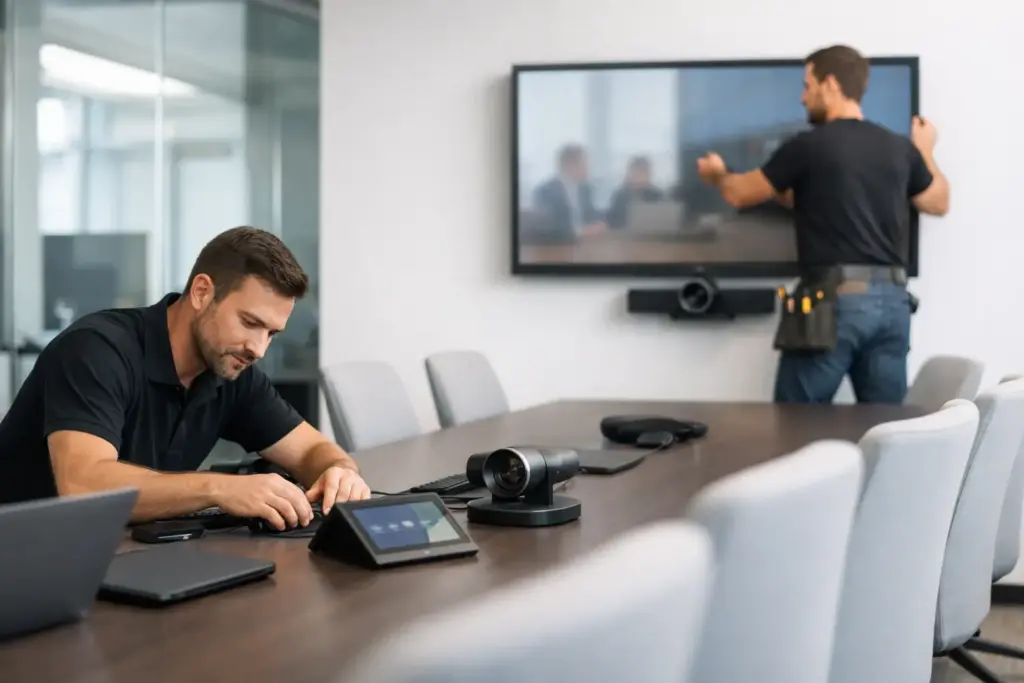
A meeting room can look finished and still fail the first real test: a remote participant cannot hear the person at the far end of the table, the camera frames a blank wall, or no one knows which input to select. Professional meeting room installation services solve the gap between buying capable hardware and giving people a room they can use confidently at 8:59 a.m. before an important call.
For IT teams, facilities leaders, and procurement managers, the objective is not simply mounting a display or placing a speakerphone on a table. It is delivering reliable, repeatable room experiences that support the organization’s conferencing platform, room standards, network policies, and future growth.
What Meeting Room Installation Services Should Cover
A commercial installation begins with the room itself. Its dimensions, table layout, ceiling height, ambient light, wall construction, network access, and acoustics all affect the recommended solution. A compact huddle room needs a different approach from a training room, executive boardroom, divisible space, or lecture theater.
That assessment should lead to a design that matches the way the room will actually be used. A small room may work well with an all-in-one video bar and a single display. A longer boardroom may require a dedicated PTZ camera, extension microphones, ceiling or table audio, dual displays, and a touch controller. Trying to force one hardware package into every room is a fast way to create inconsistent call quality and frustrated users.
The installation scope should then cover physical placement, mounting, cable routing, device configuration, platform setup, testing, and handover. Where appropriate, it also includes network coordination, control-system integration, digital signage behavior outside meeting hours, and documentation for internal support teams.
The best result is deliberately simple from the user’s perspective. Staff should be able to enter the room, see its schedule, start or join a meeting, share content, and adjust basic controls without calling IT. The technical work behind that experience is substantial, but the experience should not feel technical.
Hardware selection is only the starting point
Enterprise collaboration equipment is designed around particular room sizes and use cases. Camera field of view, optical zoom, speaker coverage, microphone pickup, display brightness, USB extension limits, and control compatibility matter more than a product’s individual specification sheet.
For example, a wide-angle camera may capture everyone in a small room but distort faces if mounted too close to the table. A larger display may improve content visibility but introduce glare if it is positioned opposite windows. Ceiling microphones can keep tables clear, yet they need correct placement and acoustic consideration to avoid poor pickup or echo.
This is why compatible hardware should be selected as a complete room system, not as disconnected items from separate shopping carts. The camera, compute appliance, touch panel, audio peripherals, display, mounts, and cabling must work together and be supportable over time.
The Decisions That Make or Break a Room
Room technology projects often run into trouble before installers arrive. The common cause is an incomplete brief: a team knows it needs video conferencing but has not defined its platform, room capacity, content-sharing requirements, or ownership model.
Start with the meeting experience. Will rooms primarily host Microsoft Teams or Zoom meetings? Is BYOD required for guests? Do users need wired content sharing, wireless sharing, or both? Are rooms booked through a calendar platform? Does the organization want a familiar interface in every location? These answers shape the equipment and installation approach.
Audio deserves the same scrutiny as video. People will tolerate an imperfect camera image longer than they will tolerate muffled speech, feedback, or a room where half the table is inaudible. In rooms with hard floors, glass walls, open ceilings, or HVAC noise, acoustic conditions should influence both microphone design and expectations. Technology can improve audio capture, but it cannot fully overcome a highly reflective room without some environmental treatment.
Display placement is another practical decision. The screen needs to be large enough for the farthest participant to read shared content, at a height that supports natural eye lines, and positioned to avoid direct glare. Dual displays can improve meeting flow by separating remote participants from presentation content, but they add cost, wall space requirements, and more installation complexity. They are most valuable in larger rooms and executive spaces where simultaneous collaboration is frequent.
Standardization delivers a measurable return
Organizations with several rooms or sites should resist designing every space from scratch. A small number of approved room types gives users consistency and gives IT a manageable support model. It also simplifies purchasing, deployment, training, spares, warranty management, and future upgrades.
Standardization does not mean every room has identical equipment. It means each room follows a clear template: perhaps a video bar package for small rooms, a modular system for medium rooms, and an integrated camera and audio design for large rooms. Users still encounter the same meeting platform and core controls, while the technology scales appropriately to the space.
For multi-site deployments, consistency can be more valuable than chasing the lowest price on a single device. A cheaper mix of products may create more support tickets, more complicated replacements, and uneven meeting experiences across locations. The right commercial decision considers total deployment and operating cost, not only the initial hardware quote.
Installation Details Users Never See but Always Feel
A professional installation is visible in the details. Cables are concealed or properly managed, displays are securely mounted, and cameras are framed at the right height and angle. Touch controllers sit where meeting hosts can reach them. Power and network connections are labeled. Equipment racks, if used, allow service access rather than becoming a tangle of inaccessible components.
Configuration is equally important. Room devices should be enrolled in the correct tenant, assigned to the right resource account, updated to approved firmware, and tested against the organization’s conferencing environment. Calendar integration, room naming, network rules, and security settings need to be correct before users arrive.
Validation should reflect real meetings, not just a device power-on check. A proper test includes joining a call, sharing wired and wireless content where applicable, checking audio from different positions in the room, validating camera framing, confirming control functions, and testing the room under normal lighting conditions. If the project includes multiple spaces, a pilot room is often the smart first move. It gives stakeholders a chance to confirm the standard before it is replicated at scale.
Documentation is not glamorous, but it is essential. Room records should identify installed equipment, cable paths, serial numbers, network details, warranty information, and support contacts. This reduces downtime when a device needs replacement or when internal teams inherit responsibility after the project is complete.
Choosing the Right Installation Partner
The right provider should be able to move from requirements through supply, integration, installation, and support without leaving the customer to coordinate multiple disconnected vendors. That does not mean every project requires a complex custom AV design. Some small rooms can be deployed quickly with an all-in-one certified solution. The key is matching the service level to the risk and complexity of the space.
Ask practical questions before committing. Does the provider understand your selected meeting platform? Can it recommend certified equipment from recognized brands? Will the quote identify installation, mounting, cabling, configuration, and commissioning separately? Is there a clear approach to changes on site? What support is available after handover? These questions reveal whether the proposal is built for a dependable operational room or merely a hardware delivery.
For buyers managing commercial budgets, procurement flexibility matters as well. A specialist partner with broad access to conferencing, audio, display, networking, and accessory categories can build a compatible bill of materials while helping compare options at different price points. That is particularly useful when room standards need to balance premium executive spaces with high-volume rollout rooms.
e365 SuperStore supports organizations with professional collaboration hardware, technical guidance, competitive commercial pricing, and deployment support for meeting spaces across Australia. The value is not only in sourcing the right products, but in helping buyers create a technology stack that can be installed, supported, and expanded with confidence.
Plan for the Next Room, Not Just This One
A meeting room installation should make the next deployment easier. Keep room standards documented, choose equipment with a clear support path, retain a small set of approved accessories and replacement units, and review user feedback after the first weeks of use. The most useful feedback is often simple: Can people start meetings without assistance? Can everyone be heard? Can remote attendees see who is speaking?
When those answers are consistently yes, the room is doing its job. Invest in a design and installation process that makes that outcome routine, rather than relying on users to work around technology when the meeting matters most.