


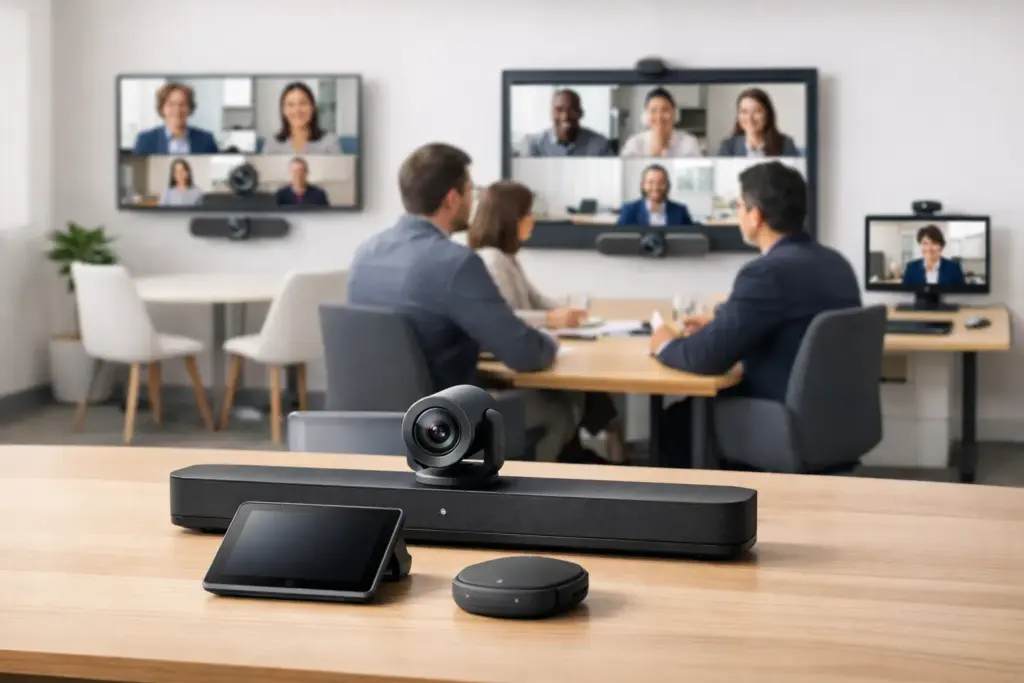
A meeting room can have a premium display and a fast internet connection yet still produce poor calls if the camera misses half the table or the microphone picks up every HVAC sound. The right Google Meet room hardware turns a room into a dependable shared workspace, giving onsite and remote participants an equal chance to see, hear, and contribute.
For IT and procurement teams, the challenge is not simply buying a video bar. It is selecting a certified, supportable system that fits the room, the meeting culture, and the organization’s deployment standards. That means considering camera framing, microphone coverage, room control, display size, cabling, network readiness, and the practical question of who will support the room after installation.
Start with the room, not the product catalog
The fastest way to create an underperforming meeting space is to standardize on one device without checking whether every room has the same acoustics, seating layout, and sightlines. A four-person huddle room has different requirements from a 14-seat boardroom, even when both use Google Meet.
Start by measuring the room and mapping the normal seating position. Note where the display will sit, how far the furthest participant is from the camera, whether people regularly present from laptops, and whether there are glass walls, hard surfaces, or noisy ventilation. Those details determine whether a compact all-in-one video bar is the right answer or whether the room needs separate camera, microphone, speaker, and control components.
A useful rule is to specify for the furthest participant, not the closest one. If the person at the end of the table cannot be clearly framed or heard, the room does not meet its purpose.
Google Meet room hardware by room type
Huddle rooms and focus spaces
Small rooms generally benefit from a compact Google Meet video bar or an integrated room kit. These systems combine a wide-angle camera, speakers, microphones, and compute capability in a simplified package. They reduce cable clutter, shorten installation time, and give users a consistent one-touch joining experience.
The trade-off is range. Integrated microphones are designed for defined distances, and very wide-angle lenses can make faces look small if the room is deeper than expected. A huddle-room device should not be stretched into service for a long rectangular room simply because the price is attractive.
For spaces used by one to four people, prioritize automatic framing, clear speech pickup, straightforward content sharing, and a controller that visitors can understand without calling IT.
Medium conference rooms
Medium rooms are where camera intelligence and audio design start to matter more. A high-quality video bar may still be appropriate, especially when it supports group framing, speaker tracking, and expansion microphones. In other rooms, a modular setup with a dedicated PTZ camera and table or ceiling microphones will deliver better coverage.
Consider how people use the space. If teams frequently gather around a table, microphone pickup across the full seating area is critical. If staff stand at a whiteboard or present from the front of the room, camera framing and speaker tracking become equally important. A system that works well for seated weekly check-ins may be a poor fit for training sessions or client presentations.
Medium rooms also benefit from a dedicated touch controller. It keeps meeting controls off the main display, makes scheduled meetings easy to join, and gives users an obvious way to adjust volume, mute microphones, or share content.
Large rooms, boardrooms, and divisible spaces
Large spaces need a more deliberate design. A single camera may not capture both the boardroom table and a presenter at the front, while a single video bar may not provide enough microphone coverage. These rooms commonly require modular Google Meet room hardware: PTZ cameras, multiple microphones, DSP audio processing, ceiling or wall speakers, and an appropriate room compute platform.
Camera placement deserves careful attention. Mounting a camera too high can create unflattering angles and make it harder for remote participants to read faces. Mounting it too low can allow seated attendees to block each other. The preferred position is typically near eye level, aligned with the primary display and centered on the main seating area.
Divisible rooms introduce another layer of complexity. If partitions open and close, the system must handle changing room modes without confusing users or requiring manual reconfiguration. This is where professional integration planning pays for itself. The lowest equipment price is rarely the lowest operational cost when a space needs repeated support calls.
Choose certified devices and a supported platform
Google Meet certification should be a baseline requirement for permanent meeting rooms. Certified hardware is designed to work with the platform’s room experience, including calendaring, joining controls, updates, device management, and supported peripherals. It also gives IT teams a clearer support path when issues arise.
There are several common approaches. An appliance-based room system combines the room computer and collaboration software into a dedicated device. A modular system separates the compute unit from the camera, audio, display, and controller. Video bars can simplify small and medium deployments by bringing multiple functions into one unit.
None is automatically better. Appliance and video-bar systems reduce installation complexity and help create repeatable standards across sites. Modular systems provide more flexibility when a room has demanding acoustics, multiple displays, specialized cameras, or integration requirements. The right choice depends on whether operational simplicity or room-specific performance is the stronger priority.
Audio is the part users notice first
Remote participants can tolerate a less-than-perfect camera view for a short meeting. They will not tolerate muffled speech, echo, clipping, or background noise. Audio quality directly affects meeting fatigue, decision-making, and whether hybrid attendees feel included.
For smaller spaces, built-in beamforming microphones can provide strong results when the room is acoustically reasonable. For larger rooms, expansion microphones, table microphones, or ceiling arrays may be necessary. A digital signal processor can improve intelligibility by applying echo cancellation, noise reduction, and intelligent mixing across multiple sources.
Do not assume more microphones always solve the problem. Poor placement can create overlap, inconsistent levels, or extra noise. Likewise, a room with untreated glass, concrete, and hard tabletops may need acoustic improvements as well as better hardware. Technology can compensate for some challenges, but it cannot fully overcome a highly reverberant room.
Displays, content sharing, and room control
The display is part of the collaboration experience, not just a screen on the wall. It needs to be large enough for remote faces, shared documents, and presentation content to remain legible from the furthest seat. In larger rooms, dual displays can make meetings easier to follow by keeping participants on one screen and shared content on the other.
Content sharing should match the way people work. Wireless sharing is convenient, but organizations may also need wired HDMI or USB-C inputs for guest users, training sessions, or environments where wireless access is restricted. Decide this early, because adding the right connectivity after installation can be more expensive and less tidy.
Room control should remain simple. Users should be able to walk in, see the meeting on the controller, tap to join, and start presenting with minimal friction. Complex control systems have a place in executive boardrooms and multipurpose spaces, but they should not turn a routine call into a technical exercise.
Standardize the experience, not every component
Organizations with multiple sites often want a single room standard. That is sensible, but it should mean consistent user experience rather than identical hardware in every room. A small room, medium room, and boardroom can each use different equipment while maintaining the same joining flow, controller layout, display behavior, and support process.
Build standards around a small number of approved room types. Document the camera position, display specification, network requirements, mounting method, cable paths, and support ownership for each one. This makes future rollouts faster, improves quote comparisons, and helps facilities teams prepare rooms before equipment arrives.
Procurement should also consider warranty coverage, replacement availability, and vendor support. A low-cost device that is difficult to replace or incompatible with the chosen deployment model can create avoidable downtime. For business-critical rooms, lifecycle planning matters as much as the initial purchase price.
Plan deployment before the hardware arrives
Successful Google Meet deployments begin with a site review, not a delivery date. Confirm power outlets, network ports, Wi-Fi coverage where required, display mounting, cable routing, furniture layout, and account provisioning. Check whether the room needs VLAN configuration, device enrollment, or coordination with building contractors.
After installation, test the room from the perspective of remote attendees. Can they hear a soft-spoken person at the far end? Can they see someone standing at the whiteboard? Does content sharing work for a guest laptop? Is the touch controller clearly labeled and easy to reach? These practical checks reveal issues that a basic power-on test will miss.
The best meeting room is not the one with the longest specification sheet. It is the room people enter with confidence, where every participant can be heard, every shared idea can be seen, and IT is not asked to rescue the meeting five minutes after it starts.