


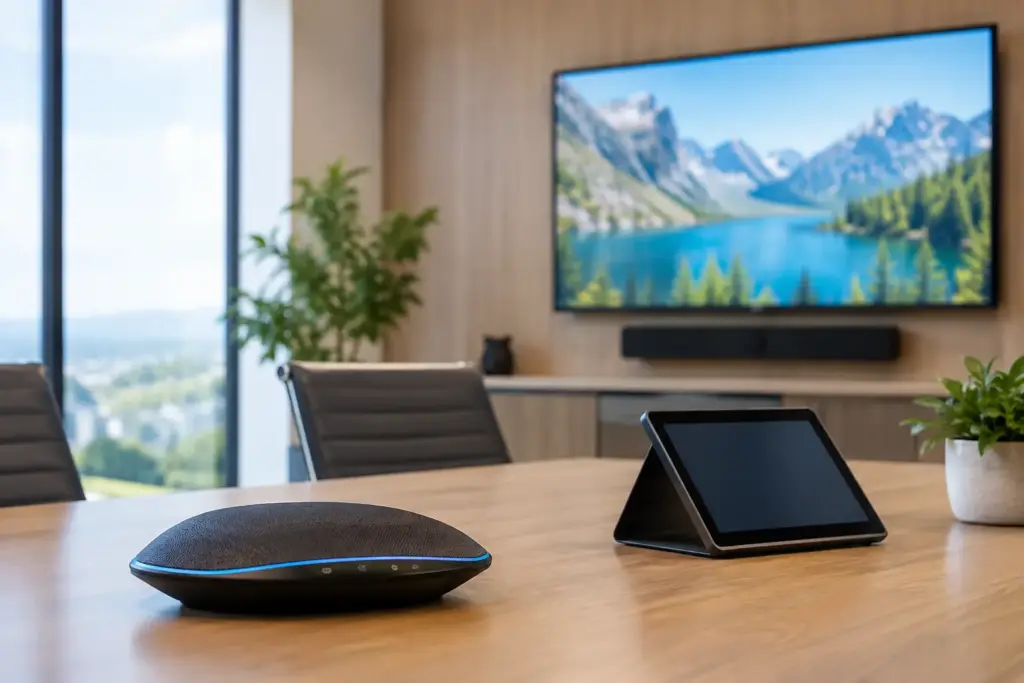
A meeting room can have a premium display, a new camera, and a fast network – yet still waste the first 10 minutes of every call. The usual problem is not one defective product. It is a collection of devices selected without a clear plan for compatibility, room use, support, and future growth. e365 Super Store AV technology helps organizations avoid that expensive patchwork approach by bringing professional AV, unified communications, and deployment support into one commercial buying process.
For IT teams, facilities leaders, education administrators, and procurement managers, the goal is not simply to buy hardware. It is to make every room easier to join, easier to manage, and dependable for the people who use it every day.
Why Commercial AV Buying Needs a Room-First Plan
Consumer electronics can look attractive on a quote because the upfront price is low. In a business environment, that saving can disappear quickly when a display lacks commercial-grade scheduling, a camera cannot frame participants correctly, or a speakerphone does not work reliably with the selected conferencing platform.
Commercial AV decisions should begin with the room and the workflow. A four-person huddle space has different requirements from a 14-seat boardroom. A classroom needs clear visibility from the back row and tools that support instructors. A reception area may need digital signage that can run for extended periods, with centrally managed content and the right brightness for the available light.
The best specification is therefore not always the biggest screen or the camera with the longest feature list. It is the combination that solves the actual use case with the fewest user steps. When staff can walk in, connect or tap to join, and be heard clearly, adoption follows.
e365 Super Store AV Technology Starts With Compatibility
Meeting room technology is an ecosystem. Cameras, touch controllers, speakerphones, displays, compute appliances, mounting hardware, cables, and network services all have to work together. Selecting each item in isolation creates risk, particularly when an organization is standardizing rooms across several locations.
A practical starting point is the collaboration platform. Teams built around Microsoft Teams Rooms, Zoom Rooms, or BYOD conferencing need different equipment paths. Native room systems offer a consistent experience and reduce setup time for users, while BYOD systems can provide flexibility for organizations that host meetings across multiple platforms. Neither route is automatically better. It depends on internal standards, guest requirements, security policies, and the level of support available on site.
Room size matters just as much. A small focus room may need a compact all-in-one video bar with a built-in camera, microphones, and speakers. Medium rooms often benefit from a dedicated camera and audio solution that provides stronger voice pickup. Larger boardrooms may require multiple microphones, advanced camera tracking, ceiling audio, or integrated control systems.
That is where working with a commercial technology supplier has value. Rather than asking buyers to decode every product specification, a solution-based process can match equipment to platform, room size, acoustic conditions, and budget. The result is a quote that is designed to work as a system, not just as a cart full of boxes.
Audio Is the Decision Users Notice First
Video quality gets attention during procurement, but poor audio is what ends calls. Echo, background noise, weak microphone coverage, and voices that sound distant make collaboration difficult even when the camera image is excellent.
Before selecting audio equipment, consider how people use the room. Do participants sit close to the table? Is the space open to a busy office? Are there hard surfaces that create echo? Will remote presenters need to hear questions from the back of the room? These details influence whether a video bar, tabletop speakerphone, expansion microphone, ceiling microphone, or installed audio system is appropriate.
A quality solution should make speech feel natural without requiring users to lean toward a microphone or repeat themselves. For hybrid meetings, that is not a luxury. It is the difference between remote participants contributing and simply watching.
Build Standards That Make Support Easier
Organizations with multiple rooms often lose time because each space works differently. One room requires a laptop cable, another uses a remote control, and another needs a staff member with specialized knowledge. Standardization removes friction for users and reduces the support burden on IT.
A sensible standard may include a preferred conferencing platform, approved camera and audio options by room size, designated commercial display ranges, common mounts and cabling, and a repeatable installation process. It does not mean every room needs identical hardware. It means each room follows familiar operating principles.
For example, an organization may define three room types: focus rooms, standard meeting rooms, and executive boardrooms. Each type can have a tested equipment package with approved alternatives based on stock availability or budget. Procurement becomes faster, technical support becomes more predictable, and expansion no longer means redesigning from scratch.
This is especially useful for education and government environments, where buying cycles, budget approvals, and site requirements can vary. A documented standard gives stakeholders a reliable baseline while allowing exceptions where they are genuinely needed.
Displays Need More Than the Right Screen Size
Commercial displays are often treated as simple visual output devices. In reality, they affect room usability, content readability, energy use, and long-term maintenance.
Screen size should be based on viewing distance and content type. A display that works for video calls may be too small for spreadsheets, architectural drawings, or detailed teaching materials. Resolution also matters, particularly where users share dense content. For interactive screens, touch responsiveness, annotation tools, connectivity, and device management deserve the same attention as panel size.
Digital signage adds another layer of planning. Retail, corporate, education, and public-facing environments may need landscape or portrait mounting, high brightness, continuous operation, media-player compatibility, and remote content management. A consumer television may cost less at the start, but it may not be designed for the operating hours or warranty conditions of a commercial installation.
Procurement Value Is More Than Unit Price
Competitive pricing matters, especially for fleet refreshes, campus rollouts, and multi-site upgrades. But the lowest line-item price is not always the lowest project cost. A mismatched product, delayed delivery, missing accessory, or unsupported installation can create downtime that costs far more than the original saving.
Commercial buyers should assess the full buying experience: product availability, fast quoting, recognized brands, warranty coverage, delivery capability, technical assistance, and the ability to source related accessories in the same order. Bundled room packages can also make budgets easier to manage because they account for the hardware required to put a usable room into service.
e365 SuperStore combines broad AV and workplace technology access with professional assistance for organizations that need more than a standard online purchase. With more than 27 years of experience, the team can support equipment selection, integration requirements, installation planning, and Australia-wide delivery for projects ranging from a single upgraded meeting room to a standardized technology rollout.
Do Not Forget the Deployment Details
The equipment list is only one part of a successful rollout. Mounting heights, cable paths, power access, network configuration, room acoustics, furniture layout, and user training all affect the final experience.
Before placing an order, confirm who will install the equipment, who will configure room accounts and network access, and who will test the complete workflow. Include accessories early: appropriate mounts, extension microphones, adapters, cables, network hardware, protective cases, and spare peripherals can prevent avoidable delays.
It is also worth planning for handover. A room should have simple instructions that match the installed setup, along with a clear support path when something changes. The more intuitive the system is, the less documentation people will need. Still, a short, visible guide can reduce calls to IT during the first weeks after launch.
Choose Technology That Can Grow With the Workplace
Workplace needs change. Teams add more hybrid staff, classrooms adopt new teaching formats, and organizations open new sites or consolidate existing ones. AV technology should support that change without forcing a complete replacement every time requirements evolve.
Look for products that fit an established platform strategy and can be managed consistently across locations. Consider whether the room may later need additional microphones, a second display, content sharing, signage capability, or upgraded camera coverage. Planning for reasonable expansion is smarter than overbuilding every room from day one.
The right purchase is the one that gives people a reliable way to communicate now while keeping the next upgrade straightforward. Start with the room, standardize what matters, and choose commercial equipment backed by knowledgeable support. That approach turns AV spending into a workplace improvement people notice every time they meet.