


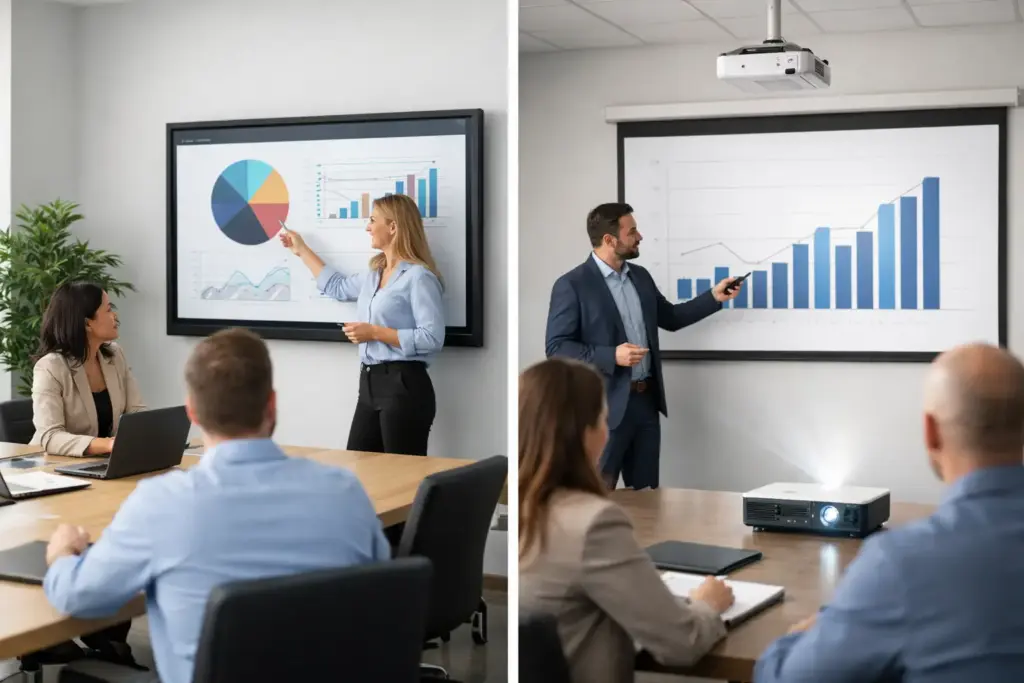
A room can have an excellent video bar, clear audio, and a reliable conferencing platform, then still fail the moment someone tries to share a spreadsheet, annotate a design, or read content from the back row. The interactive display vs projector decision affects far more than the image on the wall. It shapes meeting behavior, room support requirements, capital planning, and how confidently people use the space.
For business buyers, schools, and facilities teams, there is no automatic winner. Interactive displays usually deliver a more consistent collaboration experience with lower day-to-day support demands. Projectors can still be the right commercial choice where image size, room architecture, or budget priorities lead the brief. The right answer comes from matching the technology to the room, not choosing the product category with the most impressive specification sheet.
Interactive Display vs Projector: The Core Difference
An interactive display is a large-format commercial screen, typically 55 to 86 inches or more, with touch capability built into the panel. Users can write, mark up documents, control applications, and often connect laptops or room systems through wired or wireless sharing. It provides a bright, fixed image without casting light across the room.
A projector creates an image on a screen or wall from a ceiling, wall, or tabletop-mounted unit. Standard projectors are display-only, while interactive projector setups add cameras, pens, or touch modules to enable annotation. Projection remains highly flexible because it can produce images well beyond the size of most flat panels.
That distinction matters in practical terms. A display is generally a self-contained collaboration endpoint. A projector is often one component in a broader AV system that includes a screen, mounts, control hardware, cabling, speakers, and possibly interactive accessories.
When an Interactive Display Is the Better Investment
Interactive displays are a strong fit for meeting rooms, huddle spaces, training rooms, and classrooms where people need to actively work with shared content. In a design review, for example, a team can mark up drawings directly on screen. During a hybrid meeting, an onsite participant can annotate a whiteboard while remote attendees see the changes through the room camera.
Brightness is one of the clearest advantages. Commercial displays are designed to remain visible in well-lit spaces, including open-plan offices and rooms with windows. There is no presenter shadow, no beam crossing the table, and no need to darken blinds before a session. That removes a common friction point in rooms that host back-to-back meetings.
Touch is also more natural on a display. Modern panels support multiple simultaneous touch points, palm rejection, digital whiteboarding, and annotation across common collaboration platforms. For teams standardized on Microsoft Teams Rooms, Zoom Rooms, or BYOD meeting workflows, a touch display can simplify the user experience by keeping content interaction in one place.
Reliability is another commercial advantage. There are no projector lamps to replace and no projection surface that can become visibly marked or damaged over time. A quality commercial display has a predictable operating profile, especially when paired with professional installation, cable management, and a support plan.
The trade-off is size and upfront cost. An 86-inch interactive display is substantial, but it may not be large enough for a deep lecture hall, large boardroom, or all-hands space. Buyers also need to allow for wall loading, mounting, power, network access, and the right sightlines. Installing a panel too high or choosing a screen too small will undermine the investment just as quickly as choosing the wrong technology category.
Best-fit rooms for interactive displays
Interactive displays work particularly well in small to medium meeting rooms, collaboration zones, executive briefing rooms, training spaces, and standard classrooms. They are especially valuable where users rotate frequently and cannot be expected to troubleshoot input sources, lamps, focus, or room lighting before every session.
For organizations building standardized rooms across multiple sites, displays can also make support easier. A repeatable screen size, mounting position, conferencing system, and connection method reduces variation for IT teams and gives staff a familiar experience wherever they work.
When a Projector Still Makes More Sense
Projectors remain highly capable commercial AV tools. Their greatest advantage is scalable image size. A projector can deliver a 100-, 120-, or 150-inch image without the cost and physical weight of an equivalent direct-view display. In large classrooms, lecture theaters, auditoriums, houses of worship, and presentation venues, that can be decisive.
They are also useful where architecture does not accommodate a large wall-mounted panel. Some rooms require a retractable screen because the wall is used for other purposes. Others need the screen to sit above furniture, heritage finishes, or existing room features. A ceiling-mounted laser projector with a motorized screen can preserve the room layout while still providing a professional presentation surface.
Modern laser projectors have improved the case for projection. They offer long light-source life, fast startup, strong color performance, and significantly less maintenance than older lamp-based models. Short-throw and ultra-short-throw models can reduce shadows and make smaller spaces more workable, although placement and screen quality still matter.
The limitations are environmental. Ambient light reduces perceived contrast and can wash out fine text, especially on a whiteboard, spreadsheet, or detailed dashboard. Projectors also require careful alignment, focus, and surface selection. A bright room with uncontrolled daylight may need blackout treatments, a high-gain screen, or a higher-output projector, all of which affect the total project cost.
Best-fit rooms for projectors
Projection is often the right answer for large-format viewing, especially when most content is presented rather than annotated. It suits lecture rooms, large training facilities, divisible spaces, auditoriums, and boardrooms where viewers sit far from the screen.
A projector can also be effective in classrooms, provided the room lighting is manageable and the selected model matches the throw distance. The lowest-priced projector is rarely the best value if it produces a dim image, requires frequent servicing, or cannot display readable text at the required size.
Compare Total Cost, Not Just Purchase Price
The purchase price is only one part of the interactive display vs projector calculation. A display may cost more than an entry-level projector, but the installed system may be simpler. In many rooms, it needs a commercial mount, power, network connection, and appropriate input or conferencing hardware.
A projector project can involve more variables: projector mount, screen, ceiling cabling, control system integration, audio reinforcement, electrical work, and ongoing maintenance. None of these make projection a poor choice. They simply need to be included in the quote from the beginning.
Lifecycle planning is equally important. Lamp projectors require replacement lamps and may lose brightness over time. Laser projectors reduce that burden, but filters, alignment, screen condition, and usage hours still deserve attention. Interactive displays avoid lamp replacements, though commercial-grade models should be selected for the intended daily operating hours and warranty requirements.
For a fleet rollout, calculate the cost of a room being unavailable as well. If an IT team must repeatedly resolve source switching, image alignment, or worn accessories, the labor cost can exceed a modest difference in hardware price. Standardization, documented room design, and certified installation protect the value of either approach.
Choose by Use Case, Viewing Distance, and Light
Start with what people must do in the room. If they need to write, annotate, workshop, and control content at the screen, prioritize an interactive display. If the primary need is to show content to a large audience, evaluate projection first.
Then assess viewing distance. A panel that looks impressive in a showroom can be too small at the far end of a long room. Conversely, a huge projected image may be unnecessary in a compact huddle room where participants sit only a few feet away. Fine text, spreadsheets, and video conference participant tiles require more careful sizing than presentation slides.
Finally, inspect the room itself. Measure wall space, ceiling height, furniture placement, windows, lighting control, power, network pathways, and camera position. The display or projector must work with the room camera and microphone system, not obstruct them. A screen placed behind a presenter may look good in a floor plan but create poor sightlines for remote participants.
Build a Room That People Will Actually Use
The best visual technology is the one employees, students, and guests can operate without calling support. For many meeting rooms and teaching spaces, that points to a commercial interactive display with a familiar touch interface and integrated collaboration workflow. For larger venues, a properly specified laser projector and screen can provide the scale that flat panels cannot match economically.
Before purchasing, define the user workflow, confirm the physical constraints, and specify the complete system rather than the screen alone. e365 SuperStore can help commercial buyers compare professional display, projector, conferencing, mounting, and installation options so the finished room performs as confidently as the technology promised.