


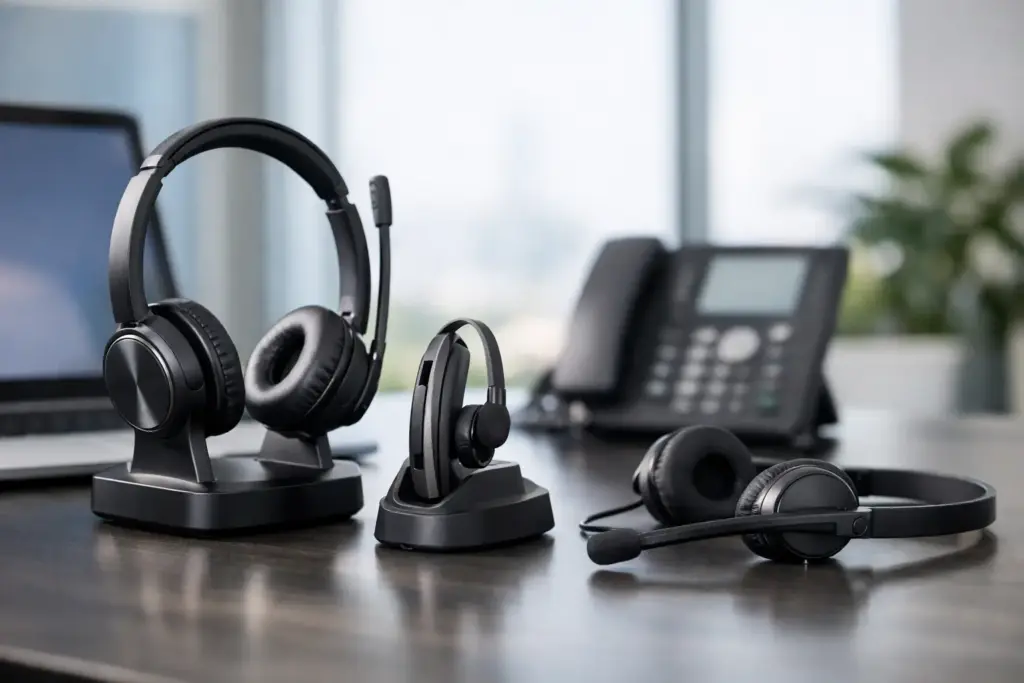
A headset that sounds fine in a quiet home office can fail quickly on a busy sales floor, open-plan workplace, or hybrid call with 20 participants. The best Teams certified headsets are designed for more than listening to audio. They provide dependable microphone performance, familiar Teams controls, comfortable all-day wear, and a supportable standard for IT teams managing hundreds of users.
For business buyers, the right choice is rarely just about the highest specification. It is about matching the headset to the employee, call volume, workplace noise, desk setup, security requirements, and lifecycle expectations. A finance team working mainly at assigned desks has different needs from mobile managers, contact center agents, and executives moving between offices.
What Teams certification actually means
Microsoft Teams certification confirms that a headset has been tested to work with Teams features and performance requirements. In practical terms, this can include a dedicated Teams button, call-answer and mute controls, reliable audio behavior, and integration that helps users join or manage meetings without reaching for their mouse.
Certification reduces compatibility guesswork, particularly when standardizing equipment across a business. It does not mean every certified headset is equally suited to every environment. A compact Bluetooth model may be certified and excellent for hybrid work, while a DECT headset may be the stronger choice for reception, service teams, or staff who need to walk around a large office.
Always check the exact model and variant before purchasing. Many product families are available in both Teams-certified and UC versions, with different buttons, USB adapters, or charging accessories. That distinction matters when buying at volume.
The best Teams certified headsets by work style
For hybrid professionals: Jabra Evolve2 65 Flex
The Jabra Evolve2 65 Flex is a strong option for professionals who split time between home, office, and travel. Its foldable design makes it easier to carry than traditional office headsets, while active noise cancellation helps reduce distractions in shared workspaces and airports.
This is a sensible choice for managers, consultants, sales professionals, and knowledge workers who need one premium headset for calls and focused work. It is not the lowest-cost option for a large rollout, but its portability and user experience can justify the investment for highly mobile roles.
For busy open offices: Poly Voyager Focus 2
For employees surrounded by conversation, the Poly Voyager Focus 2 is built around voice clarity and concentration. Its boom microphone and noise-reduction technology help the far end hear the speaker rather than the room, while active noise cancellation gives the wearer greater control over background noise.
A stereo Bluetooth headset like this is ideal for frequent Teams meetings, client calls, and concentration work. The trade-off is that wireless stereo headsets need charging discipline. For organizations where users work long shifts, a charging stand or a second wired option can prevent avoidable downtime.
For desk-based service teams: Jabra Engage 65 or Engage 75
DECT headsets remain an excellent commercial choice where call reliability, range, and desk-phone integration are priorities. The Jabra Engage 65 and Engage 75 ranges are designed for high-density office use and can support employees who need to move away from their desks without dropping calls.
The key difference is connectivity. The Engage 65 is suited to users with simpler requirements, while the Engage 75 offers broader connection options for organizations combining computers, desk phones, and mobile devices. These are not travel headsets, but for reception, customer service, medical administration, and office-based call handling, DECT can be the more dependable platform.
For premium executive use: EPOS IMPACT 1000
The EPOS IMPACT 1000 range is aimed at professionals who spend much of their day in high-value conversations. It combines a polished business design with strong microphone noise cancellation, helping users stay clear when office noise is unpredictable.
This category works well for executive teams, legal and financial professionals, project leaders, and customer-facing staff. The buying case is straightforward: if poor audio could damage a client relationship or delay a decision, premium microphone performance is easier to justify than repeated call frustration.
For value-focused wireless deployment: Yealink BH76
The Yealink BH76 offers a practical balance of wireless flexibility, comfort, and business-ready call performance. It is worth considering for organizations already using Yealink Teams phones, room systems, or desk devices and looking to maintain a consistent vendor ecosystem.
A standardized ecosystem can simplify provisioning, support, and purchasing, though it should not override real user testing. Fit, microphone placement, and charging habits still vary by employee. A small pilot group often reveals whether a model is suitable for an organization-wide deployment.
Choose the right headset type before choosing a brand
The most efficient procurement process starts with headset category, not a product name. Wired USB headsets are the simplest choice for fixed desks, training environments, temporary staff, and high-volume deployments. They cost less, require no battery management, and are easy to replace. Their limitation is movement: users are tied to their workstation.
Bluetooth headsets suit hybrid workers and employees switching between laptops and phones. Look for models with a Teams-certified USB adapter when consistency is critical. Native Bluetooth performance can vary between computers, while an included adapter can provide more predictable call controls and connection behavior.
DECT headsets are purpose-built for professional voice environments. They typically offer greater wireless range and better density management than Bluetooth, making them appropriate for larger offices and users who cannot stay seated through every call. They do require a base station, so they are less convenient for travel.
Monaural headsets keep one ear open to colleagues and workplace activity. Stereo headsets create more focus and are usually better for long Teams meetings, video calls, and noisy settings. Neither is universally better. A receptionist may need awareness; an analyst handling back-to-back meetings may need isolation.
Features that matter in a commercial rollout
Microphone quality should be the first technical priority. Look for multiple noise-canceling microphones, a boom arm positioned near the mouth, and technology designed to reduce nearby speech. Speaker noise cancellation helps the wearer, but it is your microphone that protects call quality for customers and colleagues.
Comfort is equally commercial. A headset that causes pressure or heat after an hour will be left on a desk, regardless of its specifications. Consider weight, headband tension, ear cushion material, and whether users wear glasses. For a deployment of 50 units or more, sample units are a smarter investment than selecting from datasheets alone.
Battery life matters, but charging design matters too. A headset rated for a full workday is useful only if employees can charge it conveniently. Desk stands reduce lost cables and create a predictable place for devices at the end of a shift. For shared desks, clearly managed charging stations may be more effective than individual accessories.
Finally, assess management capability. Enterprise headset platforms can support firmware updates, device visibility, and configuration policies. That may not matter for a five-person office, but it becomes valuable across departments, sites, or a large hybrid workforce. A lower upfront unit price can become expensive if support teams spend excessive time diagnosing user issues.
Avoid common Teams headset buying mistakes
The first mistake is assuming any USB or Bluetooth headset is appropriate for Teams. It may connect, but connection is not the same as a consistent business experience. Teams certification, the right USB adapter, and approved firmware all help reduce support calls.
The second is standardizing on one model without considering job roles. A single headset can simplify purchasing, yet forcing a mobile salesperson and a desk-bound service agent into the same device often produces poor adoption. Two or three approved models usually deliver a better balance of control and fit.
The third is ignoring deployment support. Headsets are small devices, but a multi-site rollout can involve asset tracking, firmware planning, user guidance, desk-phone compatibility, and warranty coordination. Working with a specialist supplier such as e365 SuperStore can help procurement teams source the right certified variants and build a deployment plan around the way people actually work.
Build a headset standard your team will use
Start with a short pilot across representative user groups: mobile professionals, frequent meeting attendees, desk-based callers, and noisy-office staff. Ask for feedback after real workdays, not a five-minute demo. Then set an approved range with clear use cases, accessories, and replacement rules.
The best headset decision is the one employees stop thinking about. When calls are clear, Teams controls are familiar, and the device fits the workday, your team can focus on the conversation rather than the technology.